56
Deleting a Timer
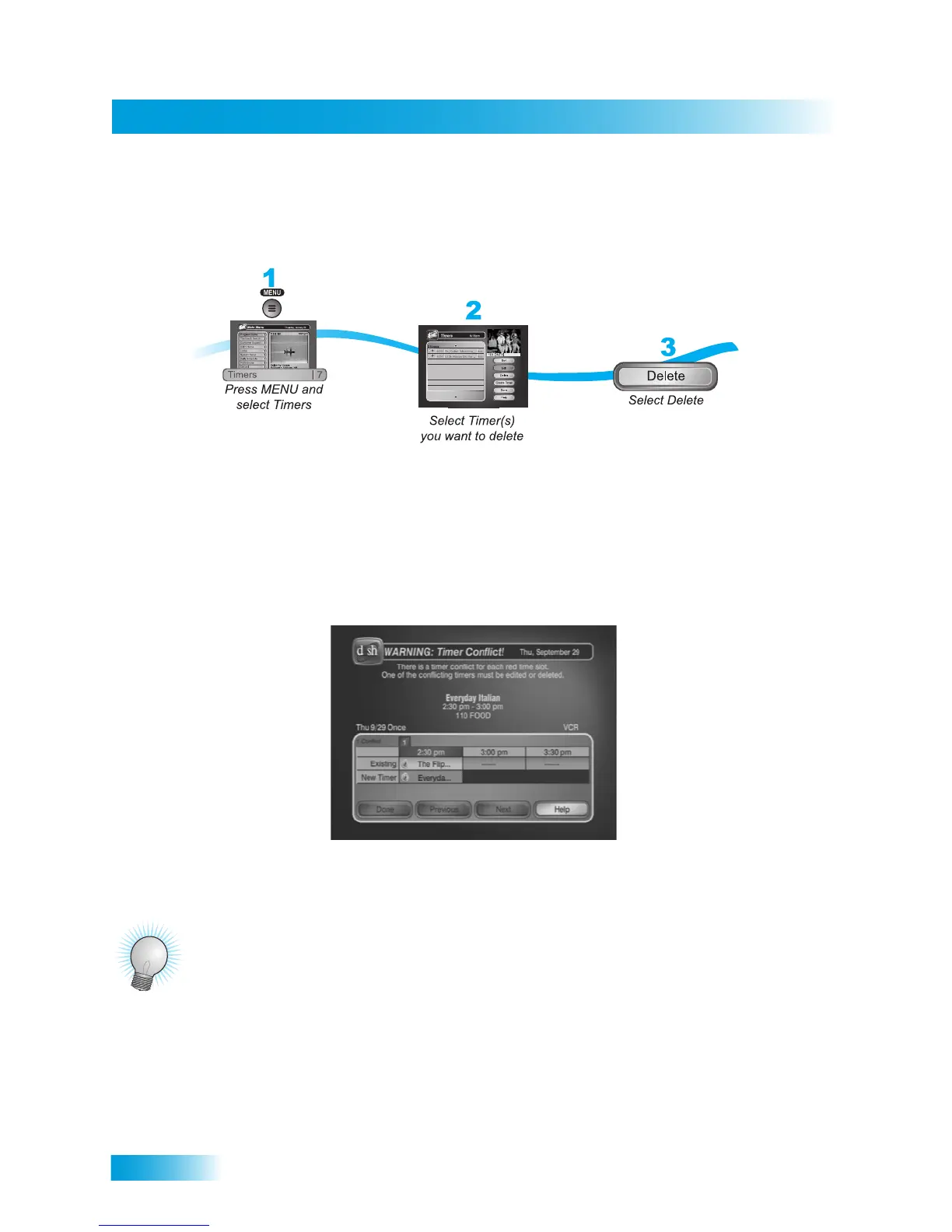
DELETING A TIMER
When you no longer need a timer, you can remove it, as shown.
OVERLAPPING TIMERS
If you try to create event timers for overlapping programs, the receiver displays a screen with the
dates and times listed for both programs. The receiver also displays this screen if a program time
has changed, causing one timer to overlap another. You must delete or edit one of the timers.
TIPS
• It's very important to leave the receiver enabled to receive updates so that the receiver can
have the latest software and Program Guide information. Make sure that the Updates feature
is enabled as described on page 82.
• Be sure to set up the receiver to control your VCR as described on page 96.
• IIf your VCR does not respond to the receiver’s IR commands, then see if you accidentally left
the protective film on the receiver’s front panel (or on your VCR).










 To Next Page