32
Ordering a Pay-Per-View Program
To order Pay-Per-View (PPV) programs or events using your remote control, you must
connect the receiver to an active telephone line or broadband Internet connection. After
you order a PPV program, you can watch it on all receivers on your DISH account. Using
the remote control, you can order the exact same program for each receiver but pay for
the program only once. However, replays at other start times (other than All-Day Movies)
are separate events. Visit the www.mydish.com/ppv website for a description of the types
of Pay-Per-View programs and events.
ORDERING A PAY-PER-VIEW PROGRAM
Note: Once you confirm an order for a Pay-Per-View program or event, you cannot cancel
the order and you will be billed for it.
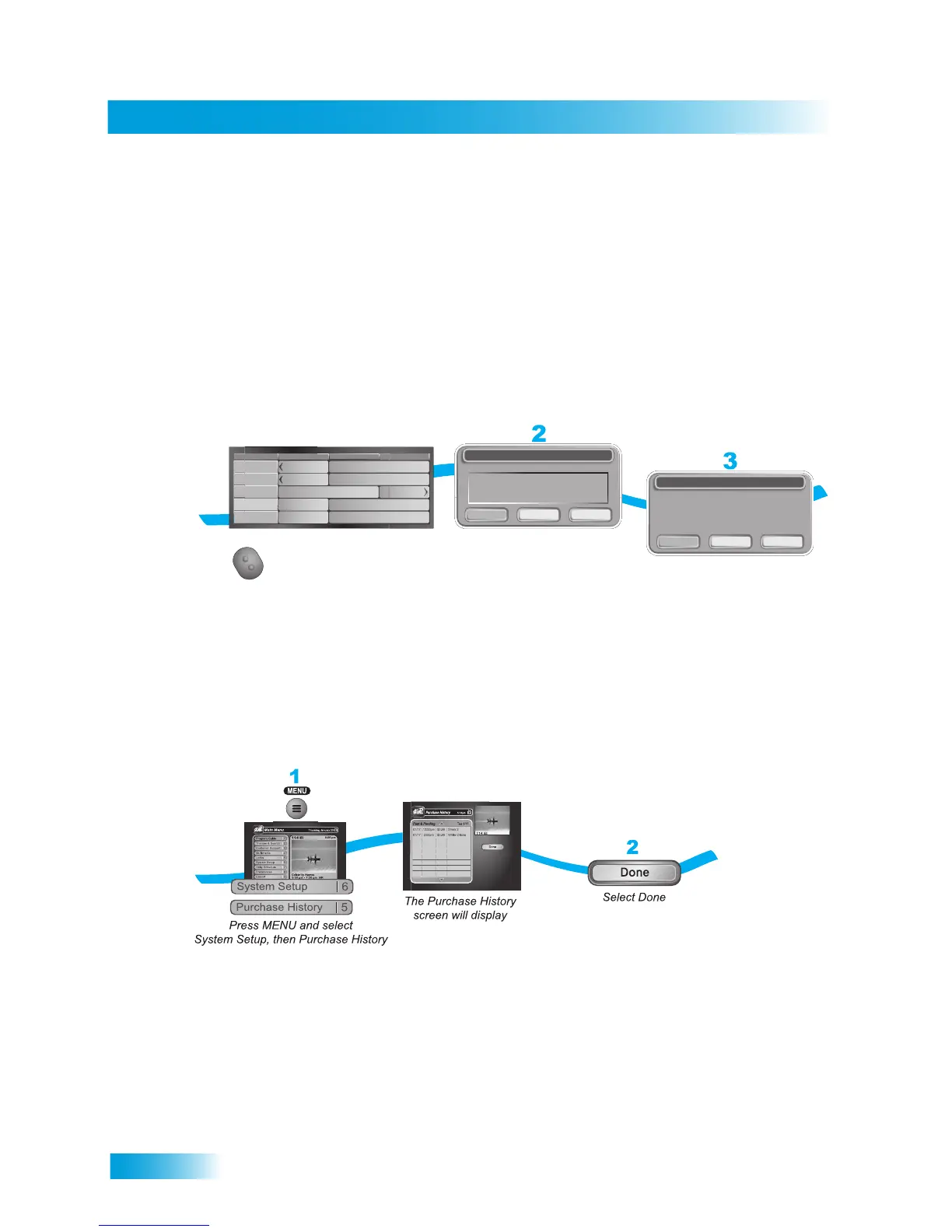
REVIEWING PAY-PER-VIEW PURCHASES
1
2
3
Press GUIDE and
select a Pay-Per-View
program from the
Program Guide
Select Order to
buy the program
Select Yes or OK
to confirm you want to
buy the program
Order Cancel No
Do you wish to purchase this program?
Dish-On-Demand
Event:
Date/Time:
Channel:
Cost:
Shrek 2 (All Day, DD)
Friday 1/14/05 10:00 pm
503-PPV
$3.99
Yes Cancel No
You have indicated that you wish to purchase a
DISH-On-Demand event
Is this correct?
Confirmation
Fri 1/14
508
PPV
507
PPV
506
PPV
505
PPV
504
PPV
6:30 pm 7:00 pm 7:30 pm
Shrek 2 (All
Shrek 2 (All Day, DD)
Day After Tomorrow (All Day, DD)
Day After Tomorrow (All Day, DD)
Shrek 2 (All Day, DD)
Shrek 2 (All Day, DD)
Shrek 2 (All
Shrek 2 (All
NHL
Hockey
Day After...
Day After...
GUIDE










 To Next Page