PROGRAMMING P SERIES
Page 8 of 100
COCA-COLA EVS REVISION 3.0 P SERIES PROGRAMMING METHOD
August 2003
LMV CHAMELEON (CCC)
The controller has two modes of operation: SALES and SERVICE.
SALES MODE:
In sales mode, on power up display will show software installed in vender, then change to POS message or decimal point.
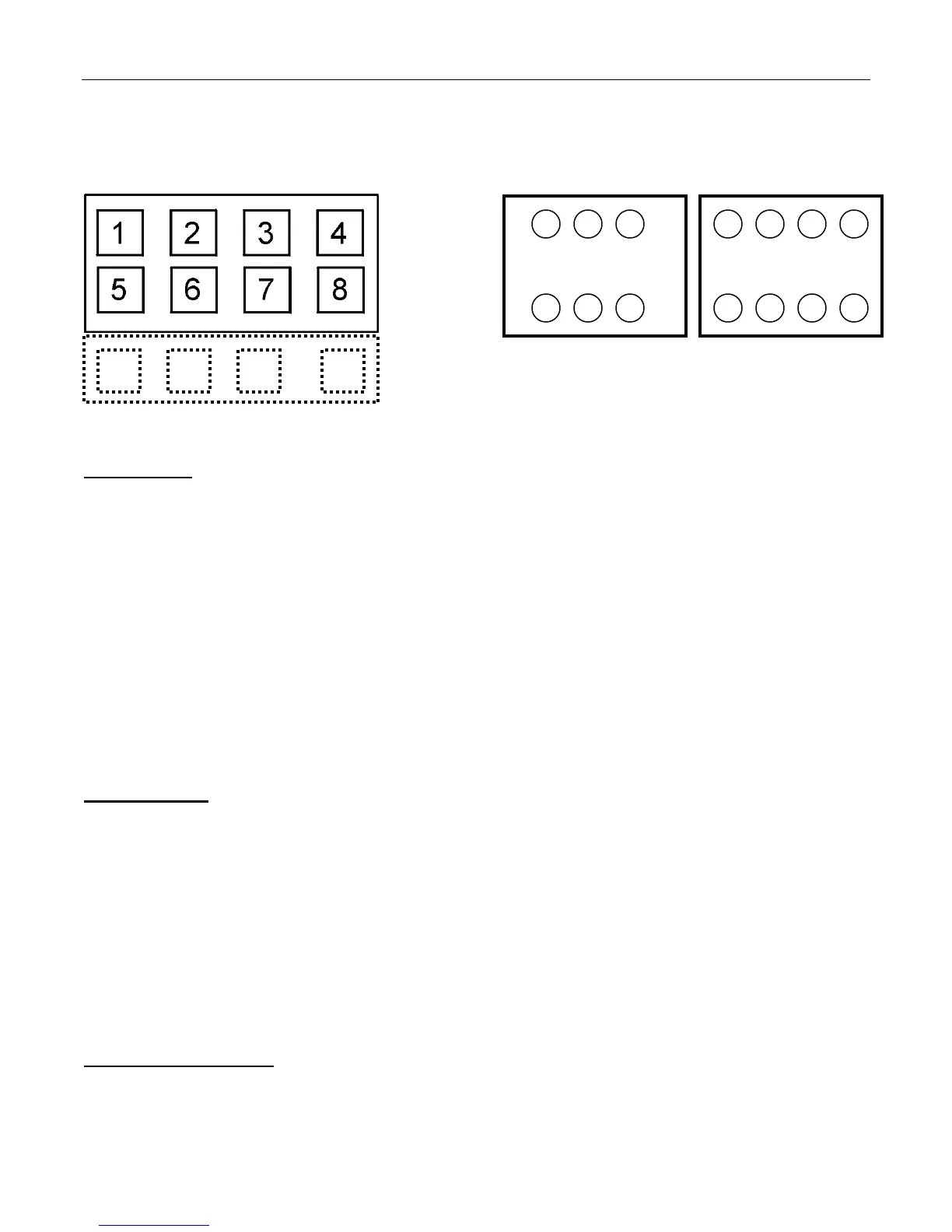
Note: If ”COLS” appears on the display on power up with the door open, you will need to program the vender model number
in the controller. To program with “COLS” on the display press select button 4. The display will show “6” for six columns.
Press select button 2 to scroll through available number of columns in the machine. When the displayed number of columns
matches the number of columns in the machine, press select button 4 to set the number of columns. “MODL” will appear on
the display, press select button 4. The display will show the first available model number for the current vender type. Press
select button 2 to scroll through the available vender model numbers for this vender. When the vender type you wish to save
is showing on the display, press select button 4. The display will scroll “4 = SET PACKAGE TYPE 1 = EXIT” . Press select
button 4 and the display will show “ALL1” with the 1 flashing. This will allow you to set the package type of the machine if it is
different that the default of package type 2. Press select button 2 to scroll through the available package types. Press select
button 4 to set the displayed package type, and the display will show “SAVE”. Press button 4 to save the package type.
“PRM1” will appear on the display. Press button 4 to prime column 1 or select button 1 to skip priming column 1. The display
will then display “PRM2” . Repeat the priming process until all columns have been primed or skipped. The controller will return
to normal door open operating mode. The far right decimal also being lit indicates column(s) is (are) - jammed or select
switch(es) are stuck. When money is inserted, the display indicates the total amount of the deposit. The select buttons are
used to select the product. In sales mode you may access an external menu for reading historical sales counters, cash
counters, error codes, or return to sales mode.
SERVICE MODE:
If configuration switch 4 is set to "C4 0", when the door is opened, "NONE" or a list of Error codes will show on
the display. If configuration switch 4 is set to "C4 1", when the door is opened, "CASH ####-##.##", "SALE
####-####", "CARD ####-####", "EROR", or "NONE" will show on the display. The service mode is entered
when the door is open and the service switch on the controller is pressed. The operator can now use the first four
select switches to move through the main routine menu.
Select Button 1: Abort/Cancel - will return to previous menu prompt.
Select Button 2: Scroll Up - forward in menu.
Select Button 3: Scroll Down - backward in menu.
Select Button 4: Enter/Save/Clear - Allows you to enter a specific routine, save what you have programmed, or
clear the error prompts.
Note: Routines with * are password protected. They can only be viewed and entered after the password is entered at the
"PASS" prompt.
EXTERNAL MENU MODE:
The information available in this mode is obtainable with the door closed or open as long as the vender is in sales
mode, by entering the password which is set at 4,2,3,1. Information available is historical cash counted,
resettable cash counted for each selection, historical sale (total number of vends), resettable vends counted for
each selection, error codes, and return. Refer to the "CASH", "SALE", AND "EROR" routines for instructions to
move through the menus.
9
10 11 12


 To Next Page