1834-065-B-10-14
9
7
8
9
4
5
6
1
2
3
0
OPER
WXYZ
TUV
PQRS
MNO
JKL
GHI
DEF
ABC
SP
CALL
Z
A
TELEPHONE ENTRY SYSTEM
HOLD TO SCAN
OPERATING INSTRUCTIONS
Use “A to Z” Buttons to Locate
Name and Code Number on Display.
Names are In Alphabetical Order.
To Call, Enter Code Number on
Keypad or Press “Call” Button. If
Line is Busy, Press “#” or “Call” to
Hang Up. Try Again.
Enter on Open Display and Tone.
1.
2.
3.
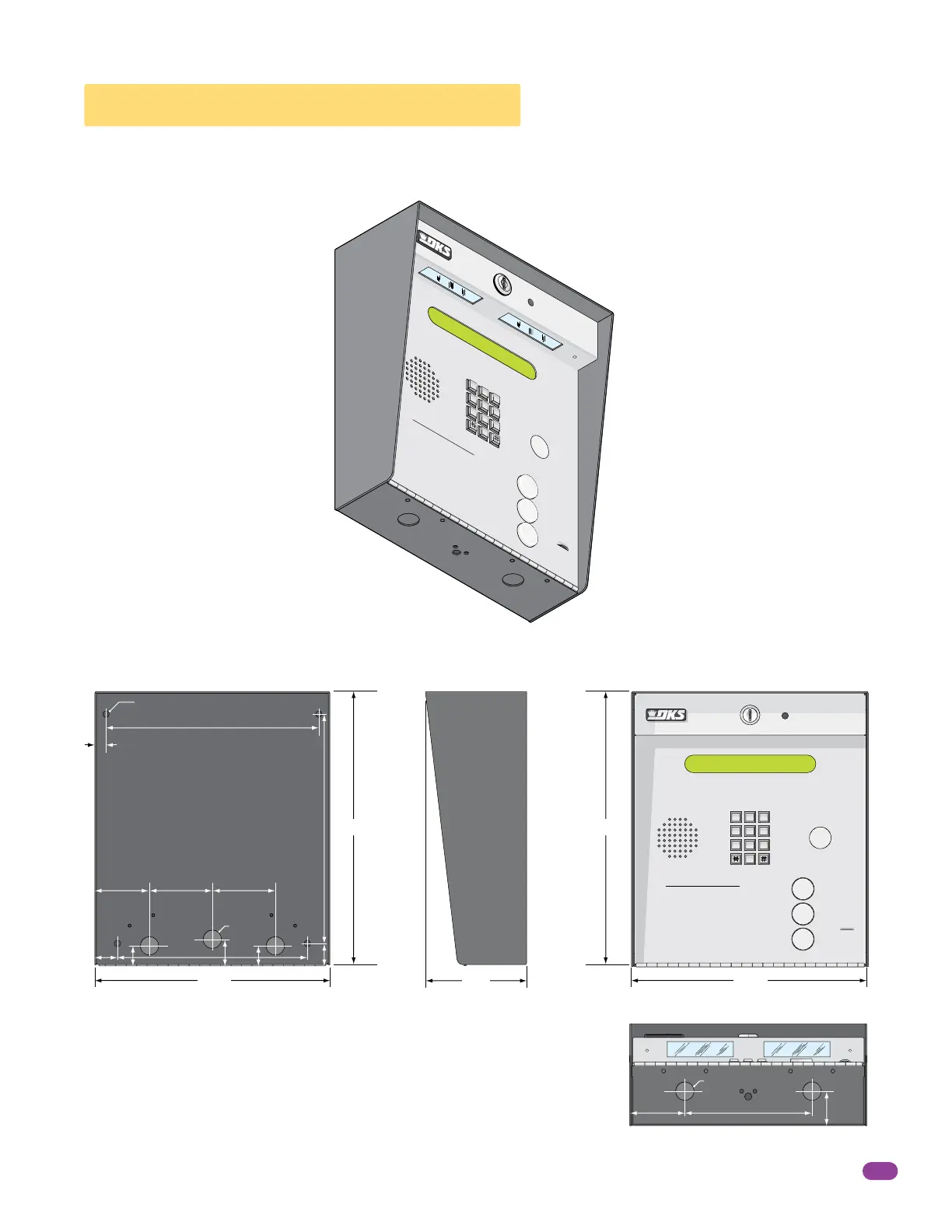
1.2 Surface Mount Dimensions
The Surface mount unit can be mounted directly to a wall, pilaster, post mounted using a DoorKing architectural style mounting
post (P/N 1200-037 and 1200-038) or recessed in a wall (see next page) with the surface mount recess kit (P/N 1803-150). Be
sure the unit is mounted securely and is not subject to vibration from closing doors or gates.
13” 13”
11.25”11.25”
4.75”
Bottom View
Side ViewBack View Front View
10.125”
.5”
2.625” 3”
1”
.875”
1.25”
.875”
10.875”
1.125”
9”
3”
.25” Dia. Mounting Hole
.875” Dia
.875” Dia
6”
1.625”
2.625”
A
Z
CALL
7
8
9
4
5
6
1
2
3
0
OP
ER
W
X
YZ
TUV
P
QR
S
MNO
J
K
L
GHI
DEF
A
B
C
S
P
TELEPHONE ENTRY SYSTEM
HOLD
TO
SCAN
OPER
AT
ING INSTRUCTIONS
Use “A to Z” Buttons to
Loc
ate
Name and Code Number on Dis
play.
Nam
es are
In Alphabetical Order.
T
o Call, Enter Code Number on
Keypad or Press “Call” Butt
o
n
. If
Line is Busy
, Press “#” or “C
all” to
Hang Up.
Tr
y Again.
E
nter on Open Display and Tone
.
1.
2.
3.



 To Next Page