1834-065-B-10-14
43
A
Z
C
A
LL
7
8
9
4
5
6
1
2
3
0
O
P
E
R
W
X
Y
Z
T
U
V
P
Q
R
S
M
N
O
J
K
L
G
H
I
D
E
F
A
BC
S
P
T
EL
EP
HO
NE ENTRY
S
YSTE
M
HOLD TO
SC
A
N
O
P
ERAT
I
N
G
I
NS
T
RUC
T
ION
S
Us
e
“
A
t
o
Z”
B
ut
t
on
s
t
o
Loc
at
e
Na
me
a
nd
C
o
d
e
N
u
mb
e
r
o
n
Di
s
p
la
y
.
Na
me
s ar
e
I
n
Al
p
habe
t
ic
a
l
O
r
d
e
r
.
To
Call
,
E
n
t
e
r
C
o
d
e
Nu
mb
e
r
on
Ke
yp
ad
or Pr
e
ss
“Cal
l
”
Bu
t
t
o
n.
I
f
L
i
ne
i
s
B
u
s
y
, P
re
s
s
“#”
or “C
all”
to
H
a
ng
U
p
.
Tr
y
Ag
a
in
.
E
n
t
er
o
n
O
p
e
n
D
is
p
lay
a
n
d
To
n
e
.
1.
2
.
3
.
SECTION 5 - SYSTEM OPERATING INSTRUCTIONS
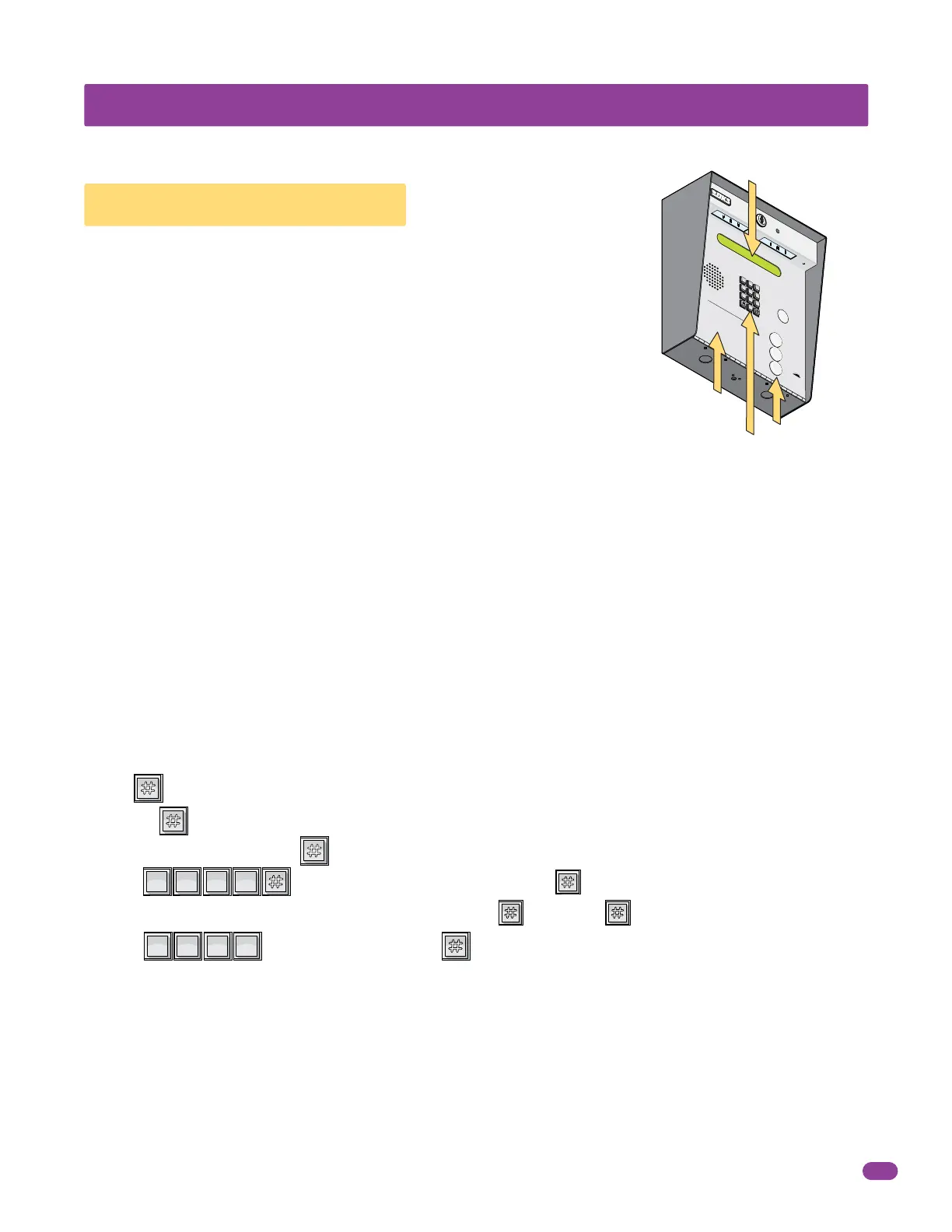
All 1834s have a scrolling LCD display Instruction Message and the surface
and flush mounts also have a printed Instruction Message on front. Both
Instruction Messages show how to operate the system (locating and calling
the resident that they wish to visit). The system utilizes an “A” and “Z” scroll
buttons that a guest will use to locate the resident that they are wishing to
visit. Pushing the “A” button will cause the resident directory to scroll up,
pushing the “Z” button causes the resident directory to scroll down. Holding
these buttons down will cause the system to scroll or page through the
resident directory rapidly. Resident names are listed in the resident directory
alphabetically
The LCD electronic directory displays resident names (or apartment numbers) and their
respective directory code on a single line.
1. If the guest knows the residents directory code, they can simply enter it on the system keypad to place a call.
2. If the guest does not know the residents directory code, they must check the directory and find the code assigned to the
person they wish to visit.
Guest use the “A” and “Z” buttons to locate the name in the directory. Once the residents name is displayed, the guest presses
the “CALL” button and the system will connect to the resident’s telephone. The guest may also enter the directory code on the
keypad to place the call.
5.1 Guest Instructions
DTMF Tones - The telephone entry system can output DTMF tones from the keypad AFTER a call has been answered.
• If the key is pressed by itself – the system will hang-up.
Example: = hang-up.
• If any key is pressed prior to the key, then ALL keys pressed will emit DTMF tones.
Example: = DTMF tones for all buttons including the key.
• If there is more than a 2-second delay between numbers and the key, then the key will hang-up the system.
Example: more than a 2-second delay = hang-up.
Scroll Buttons
System Keypad
Scrolling Instruction Message
Printed Instruction Message
1
SP
2
ABC
3
DEF
4
GHI
1
SP
2
ABC
3
DEF
4
GHI



 To Next Page