1834-065-B-10-14
1
SPECIFICATIONS
Features
• Can provide service for up to 3000 residents.
• System can be programmed with a PC by modem, RS-232 (wired or wireless (wireless requires 1814-075 adapters),
RS-422 (requires 1508-055 adapters), a LAN or WAN connection (requires 1830-175 TCP/IP kit) or via the internet using
the Internet Modem Server (use of the IM Server is fee based. Visit http://www.doorking.com/IMServer for more
information).
• ONE TOUCH CALLING provides the easiest to use system on the market.
• System keypad will emit DTMF tones after a call is answered allowing the system to be used with auto-attendants,
answering machines, etc.
• Directory codes can be set from 1 to 4 digits in length and can be randomly assigned.
• Transaction buffer stores the last 8000 events and has its own backup power source to retain memory during power outages.
• View LIVE transactions.
• True Anti-Pass Back feature.
• Up to 255 programmable area codes (Rev E and higher boards only) allow the system to be used in areas requiring
10 and 11-digit dialing.
• Two internal relays allow the system to control a main entry point plus one additional entry point.
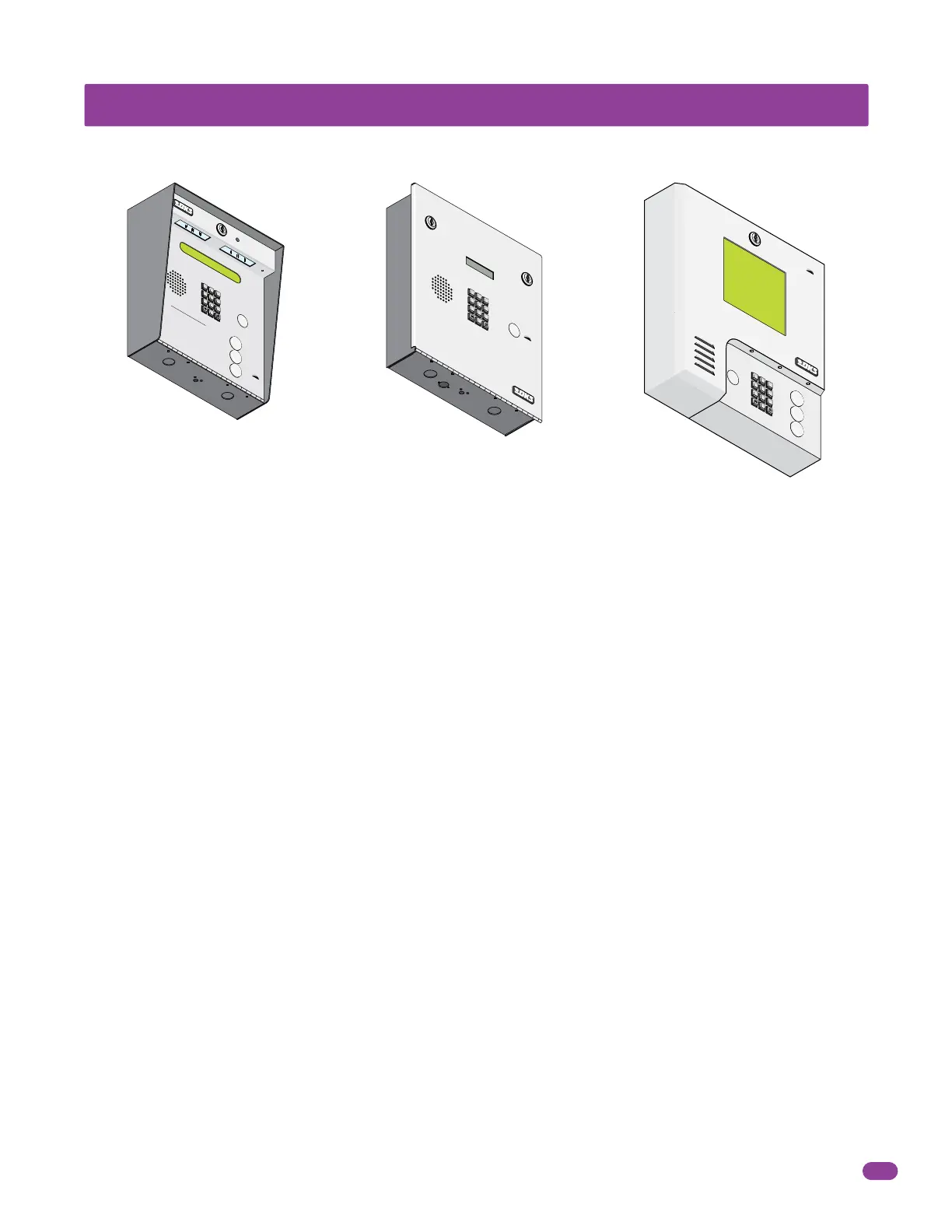
• Available in surface, flush or wall mount styles.
1834 Telephone Entry System, REV C or Higher.
DoorKing, Inc. reserves the right to make changes in the products described in this manual without notice and without obligation of DoorKing, Inc. to notify any persons
of any such revisions or changes. Additionally, DoorKing, Inc. makes no representations or warranties with respect to this manual. This manual is copyrighted, all rights
reserved. No portion of this manual may be copied, reproduced, translated, or reduced to any electronic medium without prior written consent from DoorKing, Inc.
A
Z
CALL
7
8
9
4
5
6
1
2
3
0
O
P
ER
WX
YZ
T
UV
P
QR
S
MN
O
JK
L
GHI
DE
F
AB
C
SP
TELEPHONE ENTR
Y SYSTEM
HOLD TO SCAN
OPERA
TING
INSTRUCTIONS
Use “A to Z” Buttons to Locate
Name and
C
ode
Number on
Display
.
Name
s
are In Alph
a
betic
a
l
O
rd
er
.
T
o Call, Enter
Code
Numb
e
r on
Keypad or Pr
ess
“C
al
l” Button
.
If
Line is Bu
s
y, Press “#” or “Cal
l
” to
Hang
U
p
.
Tr
y Ag
ain.
E
nt
e
r on
O
p
en Display and To
n
e
.
1.
2
.
3
.
7
8
9
4
5
6
1
2
3
0
OP
ER
W
X
Y
Z
TUV
P
QR
S
M
NO
JKL
GH
I
DEF
A
B
C
S
P
TELEPH
ON
E ENTRY SYS
TEM
OP
E
RA
T
ING
INSTRUC
T
ION
S
L
o
ca
t
e
C
o
d
e
Nu
m
b
e
r
o
n Di
r
e
ct
o
ry
.
P
ress
C
o
d
e
Nu
m
be
r.
I
f
L
i
ne
i
s
B
u
sy
,
P
ress
“
#”
t
o
Ha
n
g UP
.
T
ry
A
g
a
i
n
.
E
n
t
e
r
o
n
To
n
e
.
1.
2.
3.
7
8
9
4
5
6
1
2
3
0
OP
E
R
WXYZ
TU
V
P
QR
S
M
NO
JK
L
GHI
DE
F
A
B
C
S
P
A
Z
C
A
LL
Surface Mount
Flush Mount
Wall Mount



 To Next Page