2. Uninstalling a Driver Package
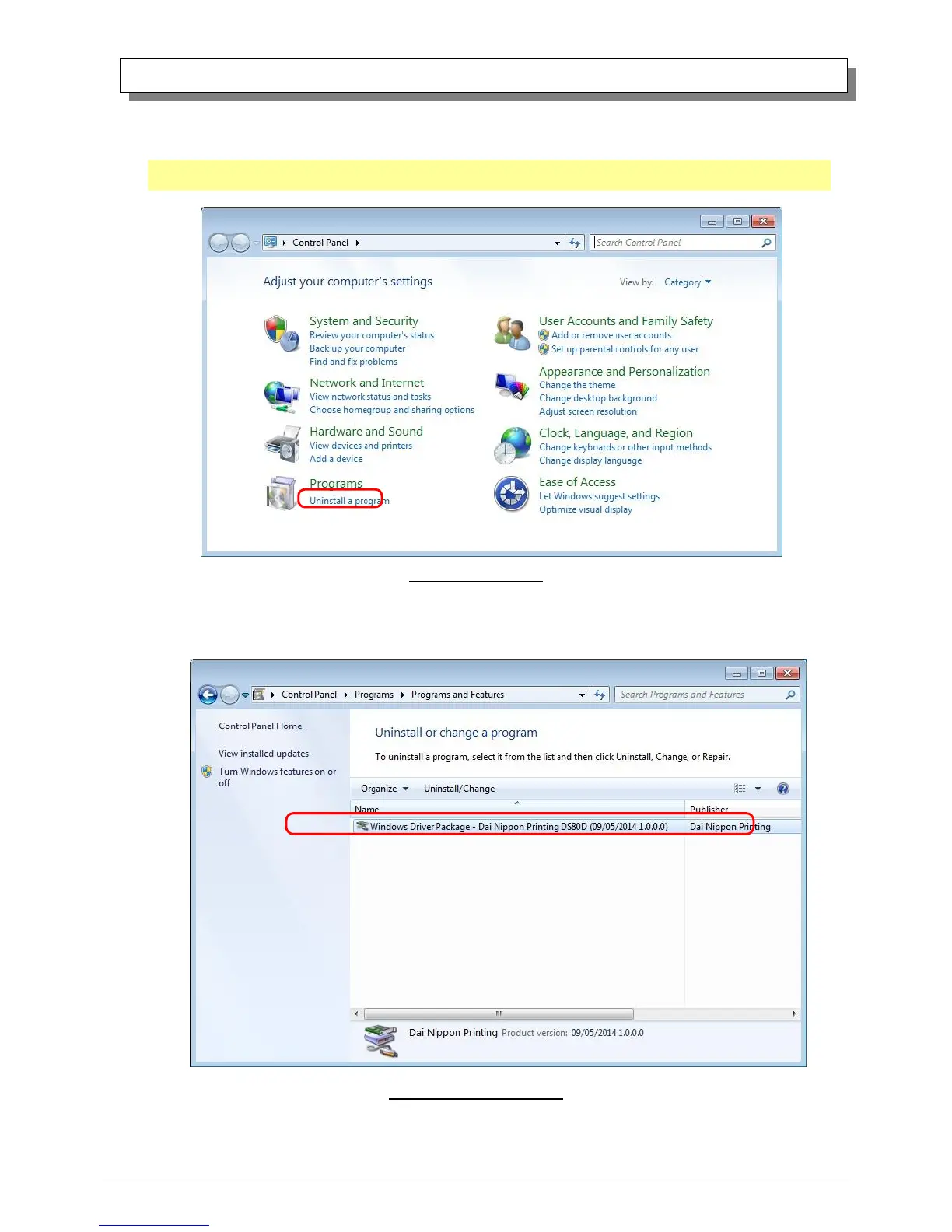
(1) Select “Start”, then “Control Panel”, and open the control panel. Click on “Uninstall a program” in the control panel.
In Windows 8, right click on the Start screen, select the right-under "All apps", select "Control Panel", click on "Uninstall a
program" in the Control Panel.
Fig 3.9 Control Panel
(2) When the “Uninstall or change a program” window appears, double-click on “Windows Driver Package – Dai Nippon Printing
DP-DS80D (mm/dd/yyyy x.x.x.x)” (mm/dd/yyyy = the date, x.x.x.x = the version).
Fig 3.10 Uninstall a program



 To Next Page