3-6
EN
3.3.2
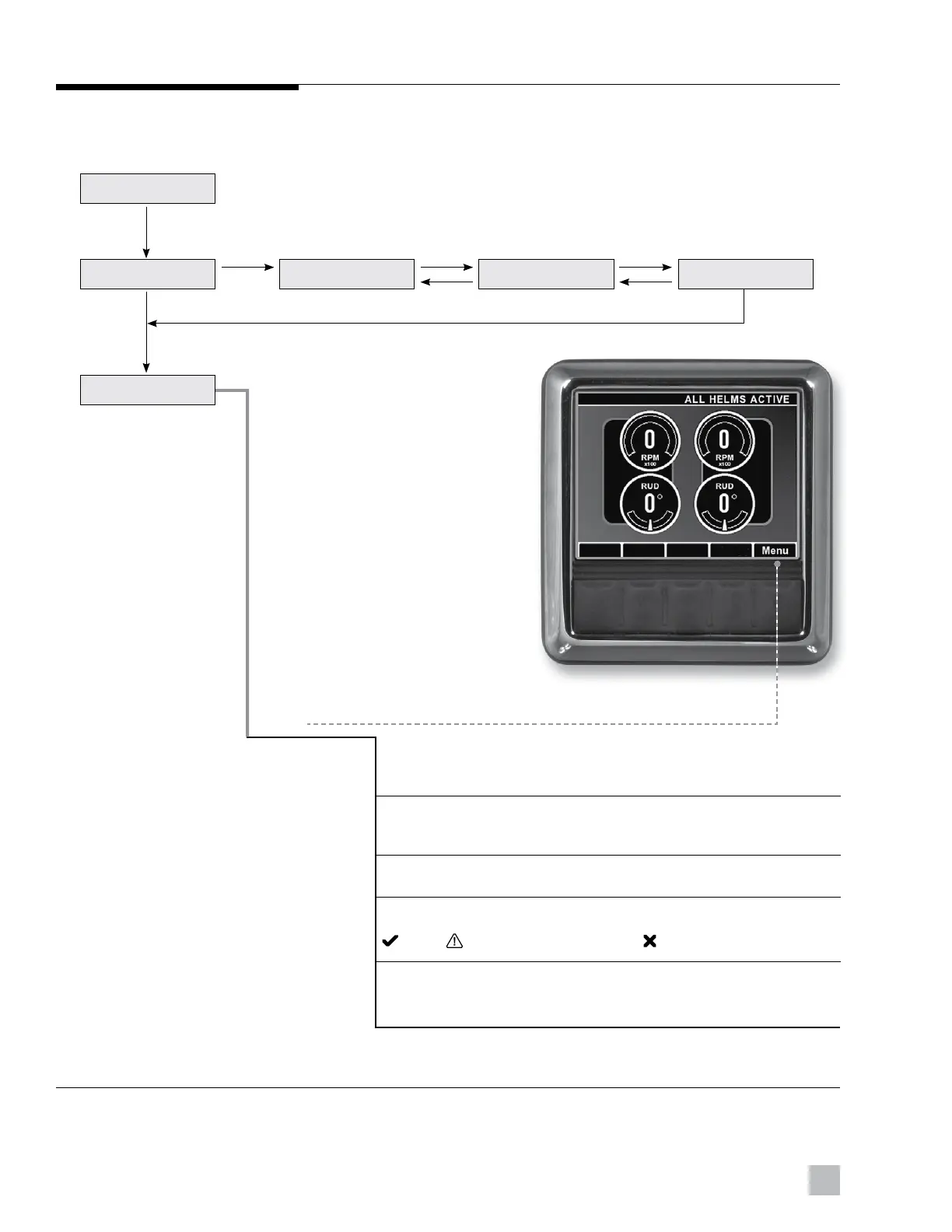
Figure 3-3. CANtrak display map.
CANtrak display map — All Helms Active
(normal steering mode)
The following diagram shows the progression from the Splash Screen to
the All Helms Active Screen, then illustrates the various choices available
from the All Helms Active screen.
* Menu may be deactivated. Contact your dealer.
MENU
All Helms Active
Maintenance – Diagnostic and maintenance functions.
Settings* – Set steering parameters such as number of turns
and steering effort.
Faults – View active faults.
System Health – View the status of all devices on the network.
Good Warning, but operational Failed ? Not found
Devices – Access product information, such as part number
and serial number, for each device on the network.
Splash Screen
Initial Warning System Check 1 System Check 2 System Check 3
INFO NEXT NEXT
OK
3 SEC INTERVAL
BACK
OK
BACK





 To Next Page