6-2
EN
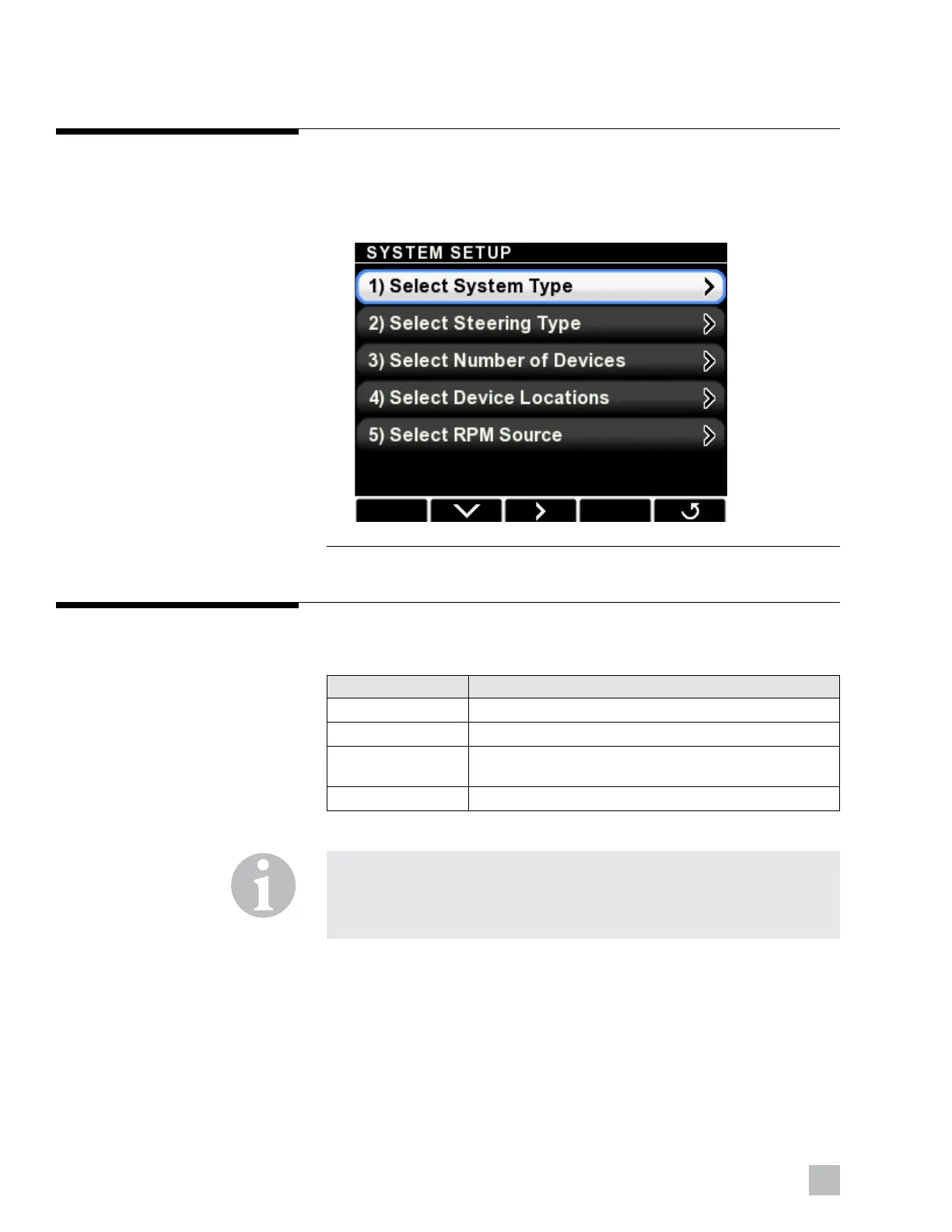
Initial Setup is performed from the System Setup screen. Navigate to
Dealer Menu > Initial Setup > System and you will see the setup steps
presented in order on the display. It is important to perform these steps in
the order shown.
6.2 Initial setup
Figure 6-2.
6.2.1 Select system type
There are four system types, shown in table 6-1. Select Optimus EPS.
System Type Description
Optimus EPS Standalone EPS system
Optimus EST Standalone i7700 (or i6800) EST system
Optimus EPS + EST EPS system with a standalone i7700 (or i6800)
EST system
Optimus 360 Optimus 360 joystick control system
Table 6-1.
NOTE
This manual covers only the Optimus EPS system – if you are setting up
another system type you will need to refer to Book #65 – Setup and
Configuration Guide.





 To Next Page