6-6
EN
3. Once you’ve verified that only the starboard actuator moves, press
Proceed to enter calibration mode. The display will prompt you
through the calibration procedure. Follow the instructions on screen,
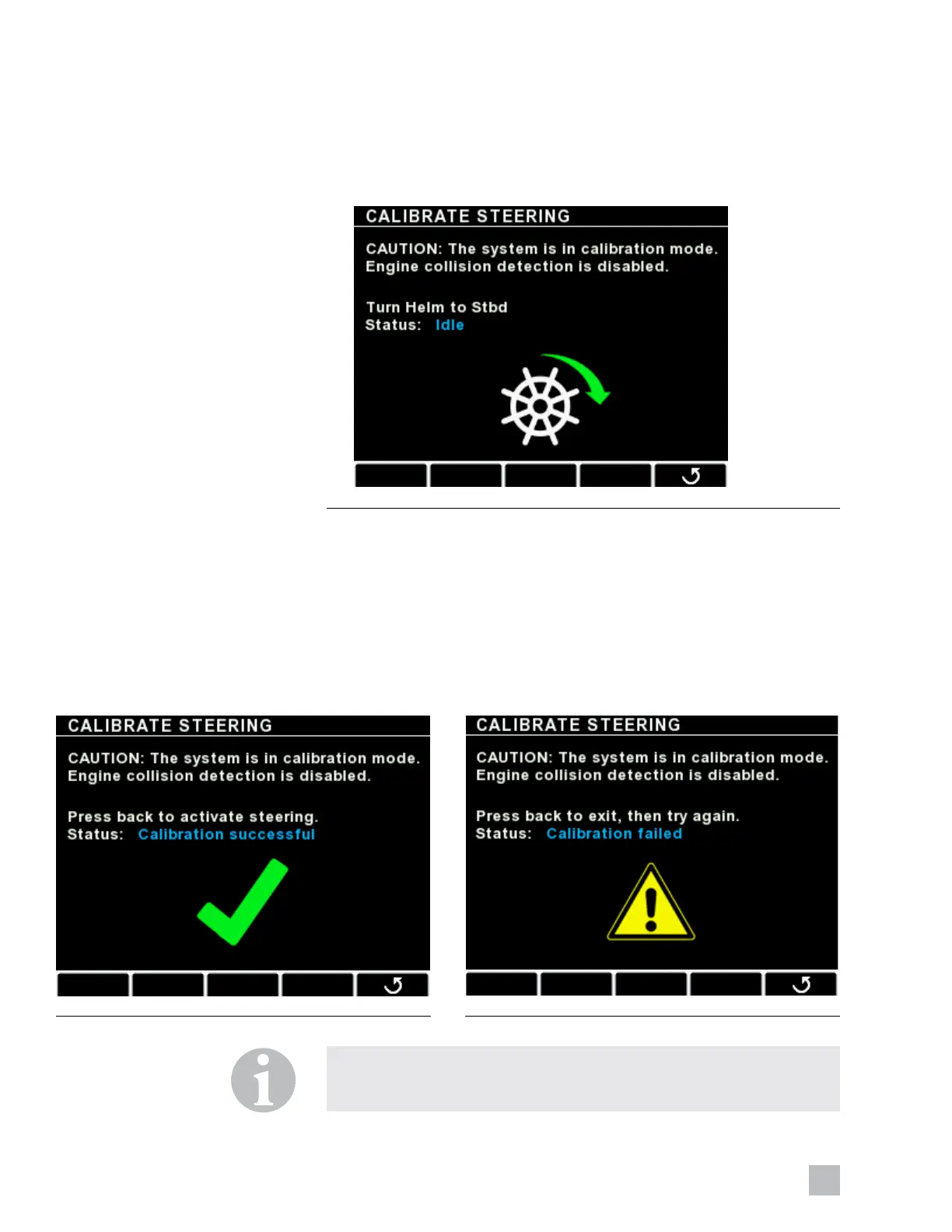
as shown in figure 6-7. Keep turning in the indicated direction until the
screen prompts you to stop or change direction.
4. If the calibration is successful, you will see the screen in figure 6-8. Exit
the screen or power cycle the system to continue.
If the calibration fails, you will see the screen in figure 6-9. Double check
the installation and ensure that there is no interference that is preventing
the steering actuators from moving through their full stroke. Exit the screen
and try again.
Figure 6-7.
Figure 6-8. Figure 6-9.
NOTE
If calibration fails repeatedly, and you have confirmed there is no
interference, contact Technical Support for assistance.





 To Next Page