By default, all of the samples in Essential D1 will playback in 16 bits. With bit crusher, you can
quantize your sample into 12 bits or even 8 bits, to get a more lo-fi sound.
2.1.6 BIT CRUSHER [ONLY FOR LT, AS PARAM.2]
SMP1 to SMP4 are designed to hold longer samples than other channels. Thus, the PARAM.1 &
PARAM.2 for these 4 channels are used to control the sample start and end point.
2.1.6 SAMPLE START & END POINT [ONLY FOR SMP1 ~ SMP4, AS PARAM.1 & PARAM.2]
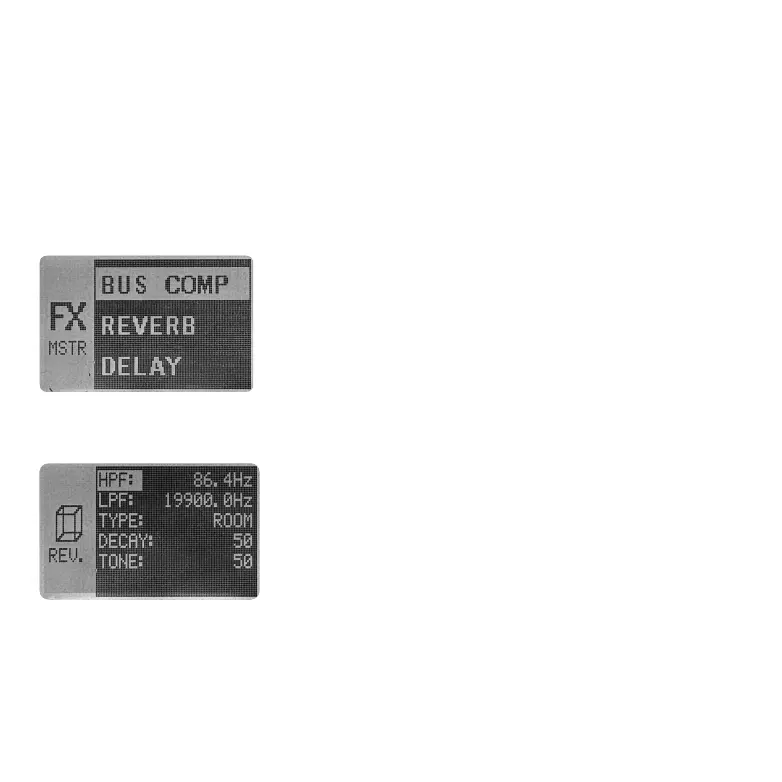
Under the REVERB sub-menu, there are couples of parameters for
you to edit.
2.2.1 REVERB
The Essential D1 also features two send & return effects, reverb
and delay, which all 12 channels share.
Each channel can control its send amount via SHIFT + [REVERB
SEND] and SHIFT + [DELAY SEND]. Both of the effects will mix
together and input to next stage. The FX RETURN knob on the front
panel controls the volume of output mixed signal. There are also
couples of parameters for the REVERB and DELAY, located under
2.2 SEND & RETURN EFFECTS
the MASTER FX page. Press MASTER FX and you will find REVERB and DELAY options.
●
HPF: Before sent signal run throught the reverb effect, you can remove its low-frequency content
via HPF (High-Pass Filter). This parameter is uesd for setting the cutoff frequency of the high-pass
filter, ranging from 26Hz to 19,900Hz. Any content below the cutoff point will not input to the reverb
effect, making the output more thinner.
05 06 07
08 09 10 11 12 13 14
15 16 17 18 19 20 21
22 23 24 25 26 27 28
29 30 31 32



 To Next Page