When powered up, the Essential D1 will automatically load a SONG. To load other SONG, press MENU,
then select SONG to enter the sub menu. Select LOAD and you will be able to browse and load all 64
SONGs in the Essential D1 using the VALUE encoder.
3.1.1 LOAD A SONG
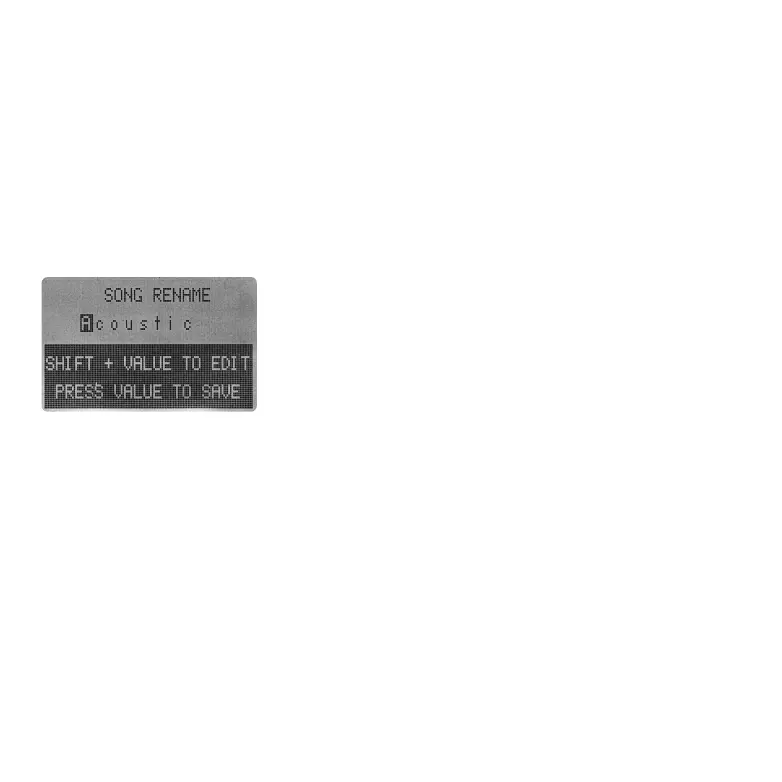
Under the sub menu of SONG, you can find a RENAME option.
Select it to rename the currently loaded SONG.
A SONG name can hold up to 9 characters. In the rename page,
rotate VALUE encoder to select character. Use SHIFT + VALUE to edit
the selected character. Press VALUE encoder to save the new SONG
NAME.
3.1.2 RENAME A SONG
To save a SONG, press MENU and select SONG to enter the sub menu. Select SAVE via VALUE encoder.
You will need to choose where you want to save the current SONG using VALUE encoder. Then
rename the SONG as shown above.
3.1.3 SAVE A SONG
3.2 KIT & SAMPLE POOL
Essential D1 can hold up to 64 KITs. The first 16 KITs are designed by Loopmasters as the Essential
D1's factory content. A KIT file in Essential D1 contains all 12 channels' sample names. The device
searches for the actual sample files in SAMPLE POOL using these names. Thus, it is important to think
twice before renaming or deleting samples in Essential D1.
The SAMPLE POOL in Essential D1 is categorized into 9 folders for the following two reasons:
a) Each channel gets its special effects designed for specific type of sound.
b) The maximum sample length varies from channel to channel:
KIT and BEAT, then search them in KIT POOL and BEAT POOL where the actual KIT and BEAT files are
located via the IDs.
The settings of SEND & RETURN FX and MASTER FX, as well as the BEAT SLOT settings are also saved
under the SONG.
05 06 07
08 09 10 11 12 13 14
15 16 17 18
19 20 21
22 23 24 25 26 27 28
29 30 31 32



 To Next Page