5.4 MIDI IN
This section sets how the Essential D1 responses the external MIDI messages.
5.4.1 PORTS
Use this parameter to decide the MIDI input port. By default is BOTH, which means the Essential D1
will react MIDI messages from both of the USB and MIDI DIN ports.
If you want the Essential D1 only react MIDI messages from the USB port, turn this parameter into
USB. If you want the 5-pin MIDI DIN as the only port that inputs MIDI messages, then choose DIN.
5.4.2 CHANNEL
Use this parameter to set the MIDI IN channel. When set to OMNI, the Essential D1 recieves all 16
channels MIDI messages. If you want the Essential D1 to only react specific channel, set to the
corresponding value.
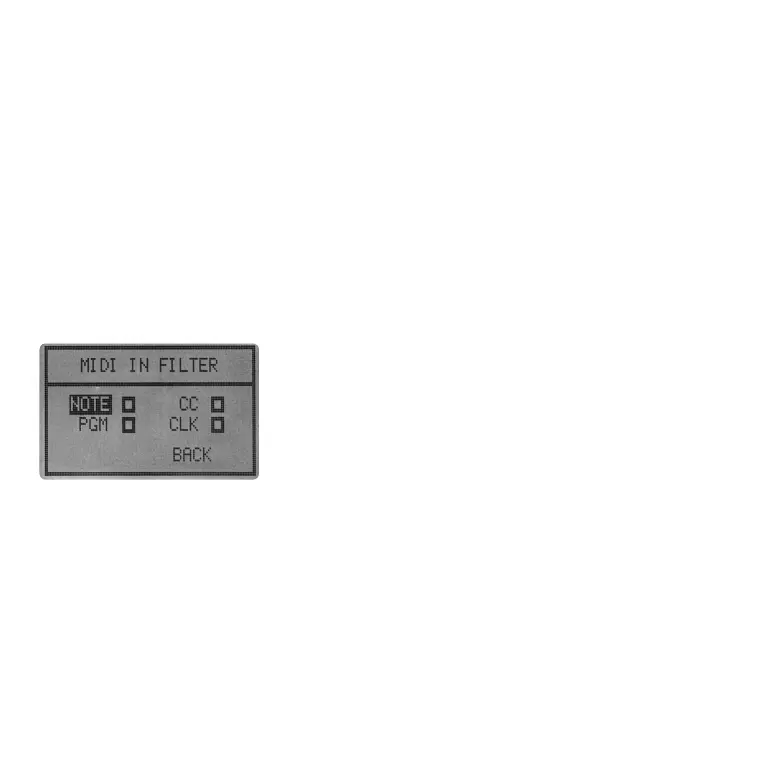
5.4.3 FILTER
5.5.1 PORTS
By default, the Essential D1 recieves 4 types of MIDI messages,
NOTE, CC, PGM and CLK. In this sub-menu, you can ask the Essential
D1 not to respond specific type of MIDI messages by clicking the
checkbox.
5.5 MIDI OUT
This section sets how the Essential D1 sends MIDI messages to the external gears.
Use this parameter to decide the MIDI output port. By default is BOTH, which means the Essential D1
will send MIDI messages to both of the USB and MIDI DIN ports.
If you want the Essential D1 only send MIDI messages to the USB port, turn this parameter into USB. If
you want the 5-pin MIDI DIN as the only port that transmit MIDI messages, then choose DIN.
5.5.2 CHANNEL
Use this parameter to set the MIDI OUT channel. If you want the Essential D1 to only send MIDI
messages to specific channel, set to the corresponding value.
05 06 07
08 09 10 11 12 13 14
15 16 17 18 19 20 21
22 23 24 25 26 27 28
29 30 31 32



 To Next Page