●
LPF: Before sent signal run throught the reverb effect, you can also remove its high-frequency
content via LPF (Low-Pass Filter). This parameter is uesd for setting the cutoff frequency of the
low-pass filter, ranging from 26Hz to 19,900Hz. Any content above the cutoff point will not input to
the reverb effect, making the output more mellower.
●
TYPE: The reverb on the Essential D1 features 4 types of algorithms. Each of them offers different
types of soundscape. You can choose between ROOM, HALL, CHURCH and PLATE.
●
DECAY: Using this parameter to set the decay time of the reverb signal, ranging from 0 to 100.
Shorter value will result in smaller space, while longer decay time will give you a huge space.
●
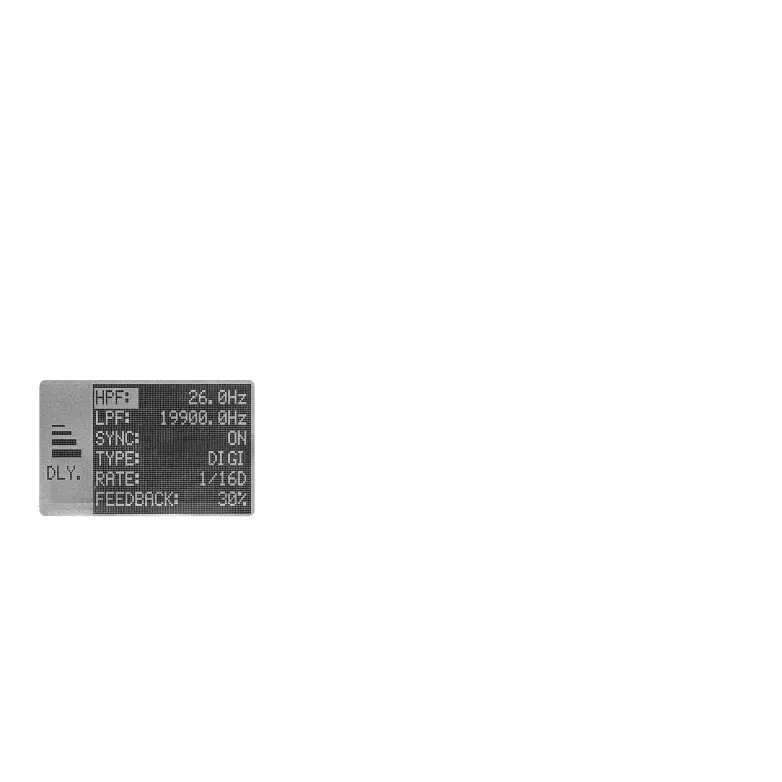
HPF: Before sent signal run throught the delay effect, you can remove its low-frequency content via
HPF (High-Pass Filter). This parameter is uesd for setting the cutoff frequency of the high-pass filter,
ranging from 26Hz to 19,900Hz. Any content below the cutoff point will not input to the delay effect,
making the output more thinner.
●
TONE: Use this parameter to further shape the output signal of the reverb effect. When set to 50,
the TONE parameter will have no impact on the output signal. Lowering the value from 50 will make
the sound more muffled while boosting the value from 50 will make the sound brighter.
To go back to the previous page, press SHIFT + [BACK].
Under the DELAY sub-menu, there are couples of parameters for
you to edit.
2.2.2 DELAY
●
LPF: Before sent signal run throught the delay effect, you can also remove its high-frequency
content via LPF (Low-Pass Filter). This parameter is uesd for setting the cutoff frequency of the
low-pass filter, ranging from 26Hz to 19,900Hz. Any content above the cutoff point will not input to
the delay effect, making the output more mellower.
05 06 07
08 09 10 11 12 13 14
15
16 17 18 19 20 21
22 23 24 25 26 27 28
29 30 31 32



 To Next Page