Rev 0.0
Dr.coffee 产品维修手册 41
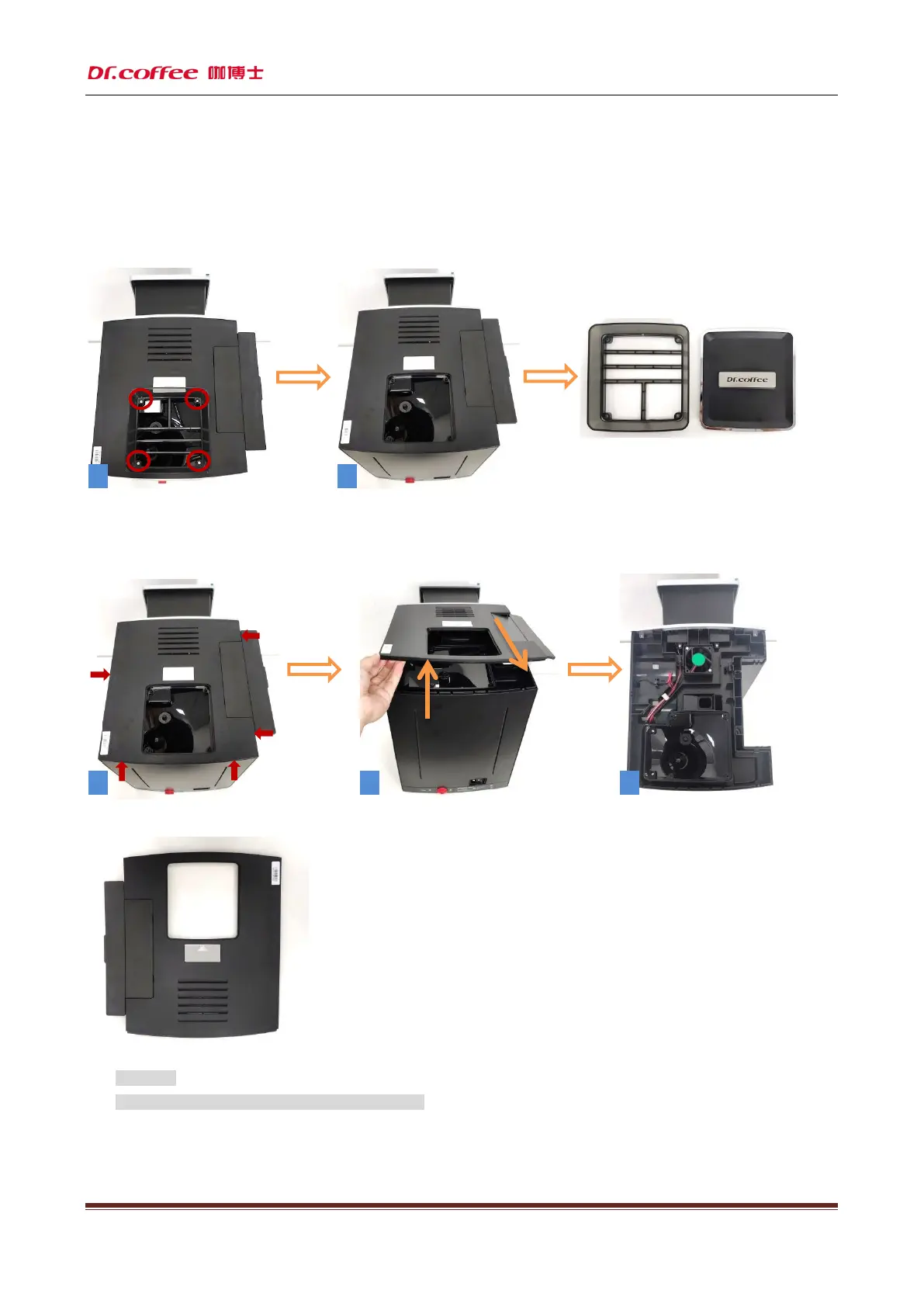
10.2.1.2 Disassemble front panel
Step1:First unscrew (as shown in Figure 1) the position shown by the red circle, the four fixing screws of the coffee bean container, and then remove
the coffee bean container.
Step2:Use a flat-blade screwdriver to press (as shown in Figure 1 to Figure 5) the buckle at the position indicated by the red arrow to release the
buckle at these five positions.
★ Attention:
1、Handle gently during disassembly to prevent scratching!
2 1
3 4
5



 To Next Page