Rev 0.0
Dr.coffee 产品维修手册 52
10.2.12 Disassemble front panel group
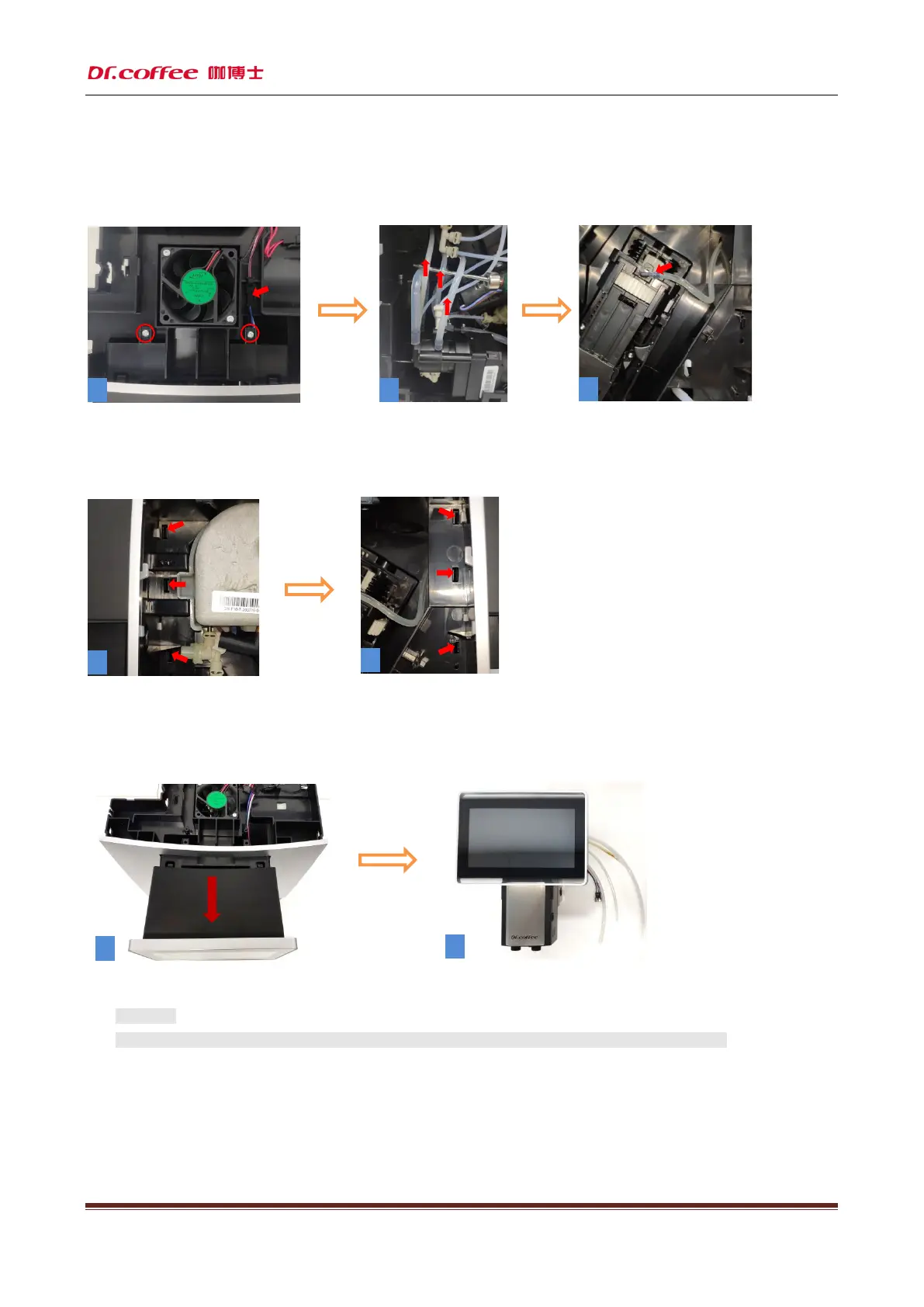
Step1:First unplug the wiring plug at the position indicated by the arrow, then unscrew the two fixing screws at the position marked by the red circle , and
then unplug the three water pipes marked by the arrow .
Step2:(Figures 1, 2) Press with a flat-blade screwdriver, six arrows indicate the position of the buckle and loosen the buckle
Step3:(Figure 1, 2) Grab the front panel group with both hands, pull out the entire assembly forcefully, remove the front panel group to complete.
★ Attention:
1、The display is made of glass. Please take it lightly during the disassembly process to prevent the glass from breaking!
4
5
1 2
3
6
7



 To Next Page