93
English
6. Operation
6.1
Getting Started
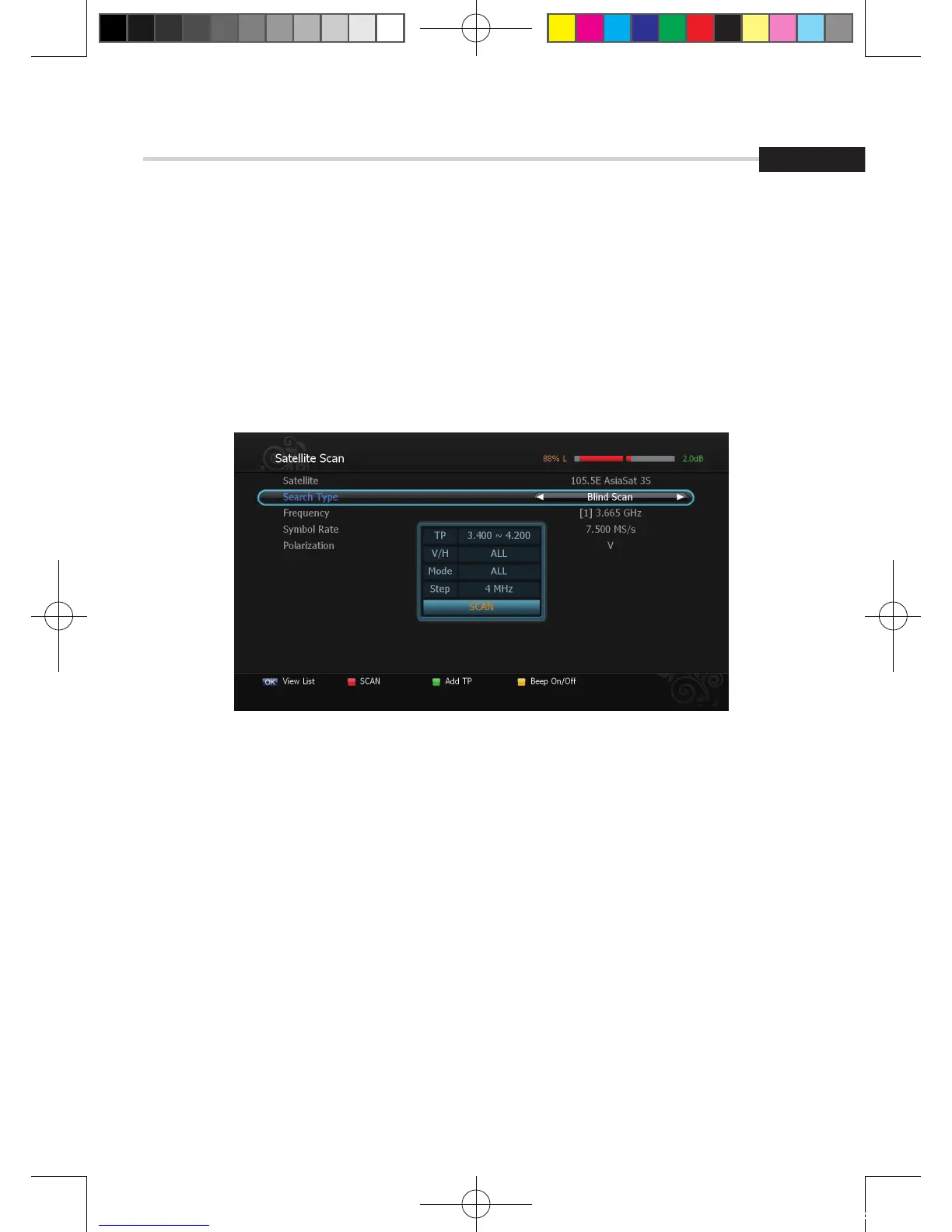
Figure 6.1.10
▣ Blind Scan <Figure 6.1.10>
1. To change a transponder’s Frequency use the NUMERIC buttons.
2. Select a range of Symbol Rate(FULL/7.5M Over/7.5M Under/3.7M Under/DETAIL).
3. Select a Poliariaztion(V/H/ALL).
4. Select a Search Type(All/FTA/TV).
5. Press RED to begin the scan.
[2012.10.12]D15+F15_russian+english.indd 93 2012-10-12 11:23:07



 To Next Page