105
English
6. Operation
6.2 System Setting
➎
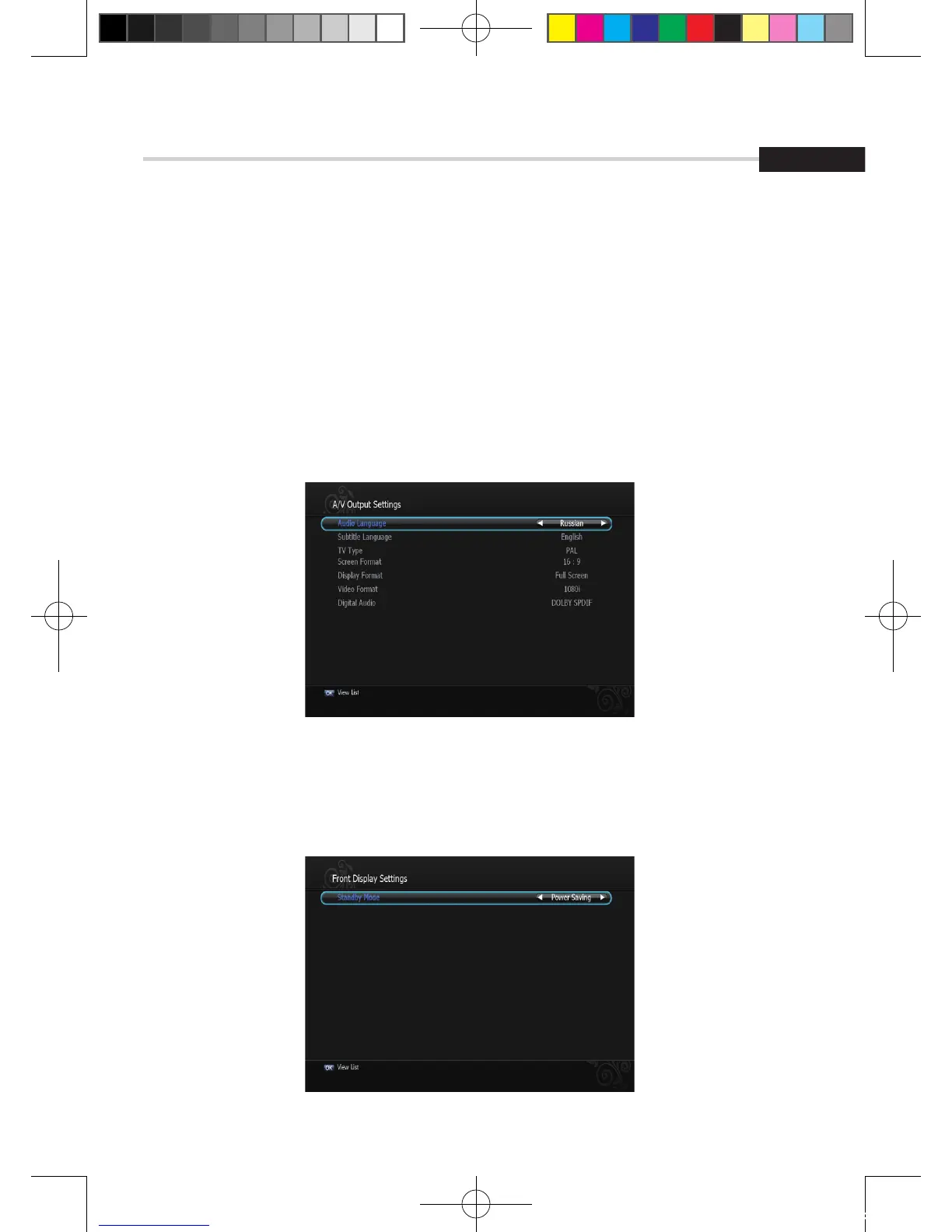
A/V output Setting
This sub menu allows you to set audio/video output setting. <Figure 6.2.5>
▪ Audio Language: Set the default audio language when selecting a channel.
▪ Subtitle Language: Set the default subtitle language.
▪ Screen Format: Select the screen format. (16:9/4:3)
▪ Display Format: Select the TV aspect ratio(Full Screen/Pillar Box, Letter Box/Pan Scan)
▪ Video Format: Select the Scanning type(Interaced, Progressive)
▪ SPDIF: Select the Audio output type (Dolby/PCM)
➏
Front Display Setting
This submenu allows you to set the Standby Mode. <Figure 6.2.6>
▪ Standby Mode: Select the standby Mode. (Normal / Power Saving)
Figure 6.2.5
Figure 6.2.6
[2012.10.12]D15+F15_russian+english.indd 105 2012-10-12 11:23:12



 To Next Page