Vigor2750 Series User’s Guide
212
A
A
d
d
d
d
i
i
n
n
g
g
a
a
N
N
e
e
w
w
R
R
u
u
l
l
e
e
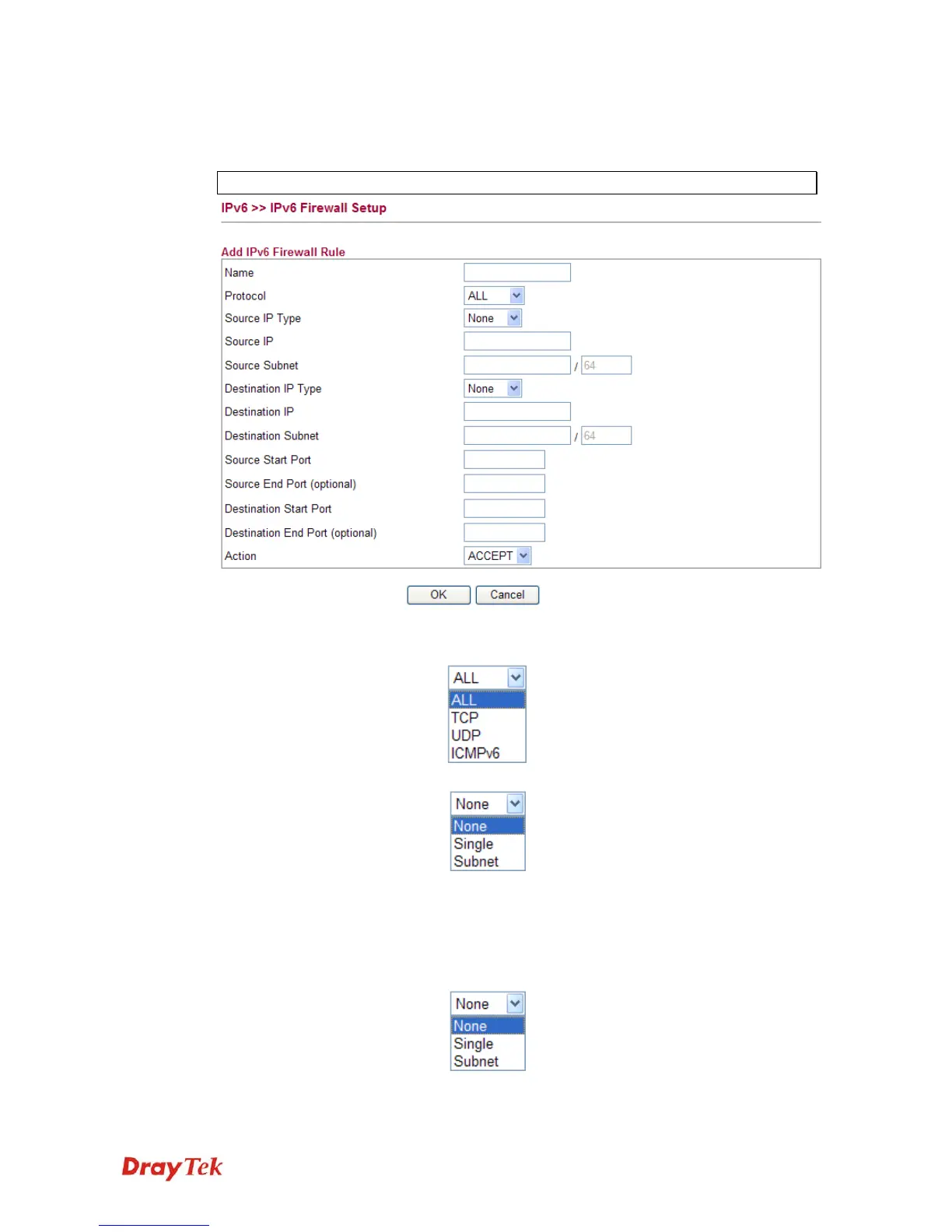
Click Add New Rule to configure a new rule for IPv6 Firewall.
Note: You can set up to 20 sets of IPv6 rules.
Name Type a name for the rule.
Protocol Specify a protocol for this rule.
Source IP Type Determine the IP type as the source.
Source IP Type the IP address here if you choose Single as Source
IP Type.
Source Subnet Type the subnet mask here if you choose Subnet as
Source IP Type.
Destination IP Type Determine the IP type as the destination.
Destination IP Type the IP address here if you choose Single as
Destination IP Type.














 To Next Page