Vigor2750 Series User’s Guide
52
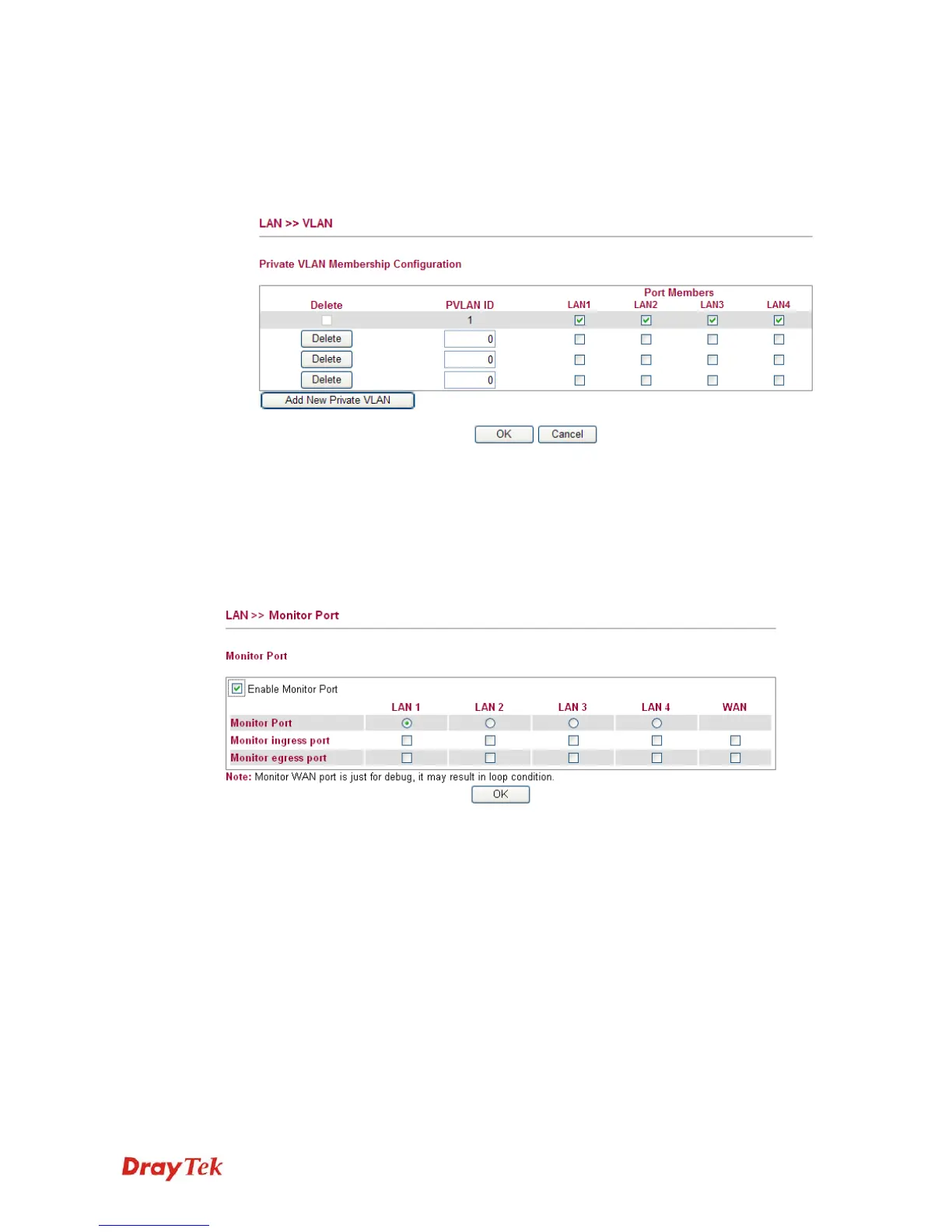
To add or remove a VLAN, please refer to the following example.
1. VLAN 1 is consisted of hosts linked to P1 ~ P4.
2. After checking the box to enable VLAN function, you will check the table according to
the needs as shown below.
3. To remove VLAN, click the Delete button for the one you want to remove and click OK
to save the results.
3
3
.
.
3
3
.
.
5
5
M
M
o
o
n
n
i
i
t
t
o
o
r
r
P
P
o
o
r
r
t
t
It is used to monitor the traffic of the network. For example, we assume that LAN1 and LAN2
are Monitor Port and Monitor ingress Port respectively, thus, the traffic received by LAN2
will be copied to LAN1 for monitoring.
Enable Monitor Port Check to enable this function.
Monitor Port Click the one of the LAN ports to specify it for monitoring.
Monitor ingress port Check to set up the port(s) for being monitored. It only
monitors the packets received by the port you set up.
Monitor egress port Check to set up the port(s) for being monitored. It only
monitors the packets transmitted by the port you set up.














 To Next Page