Vigor2750 Series User’s Guide
214
5. Connect PC to http://www.ipv6.org/
with IPv6 IP address again.
A message will appear from web page:
Welcome to the IPv6 Information Page!
You are using IPv4 from 114.37.132.219
4
4
.
.
1
1
1
1
.
.
4
4
I
I
P
P
v
v
6
6
R
R
o
o
u
u
t
t
i
i
n
n
g
g
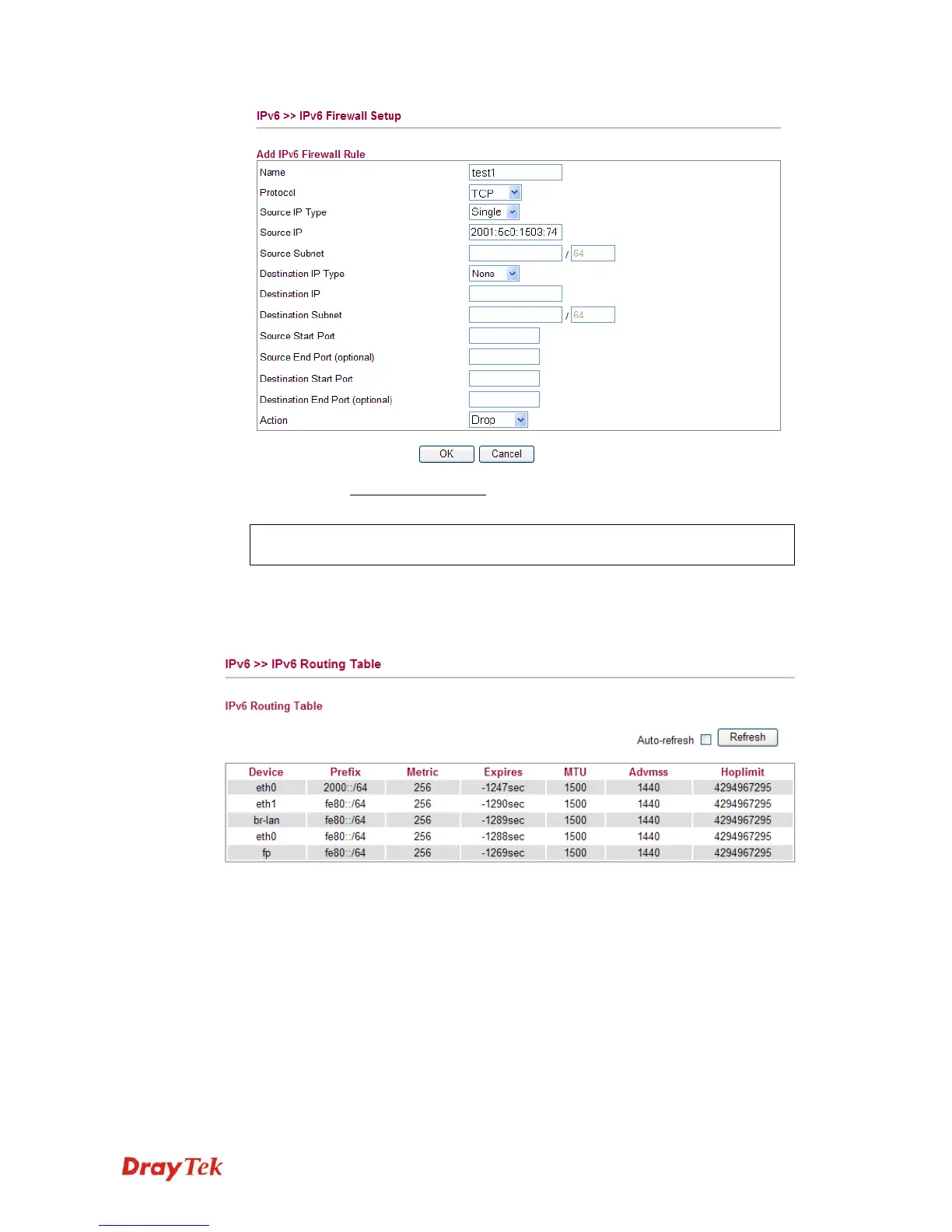
This page displays the routing table for the protocol of IPv6.
Device Display the interface name (eth0, eth1, fp, etc..)that used to
transfer packets with addresses matching the prefix.
Prefix The IPv6 address prefix.
Metric Display the distance to the target (usually counted in hops).
It is not used by recent kernels, but may be needed by
routing daemons.
Expires Display the lifetime of the route.
MTU Display the largest size (in bytes) of a packet.
Advmss Display the largest size (in bytes) of an unfragmented piece
of a routing advertisement.














 To Next Page