Vigor2750 Series User’s Guide
67
E
E
d
d
i
i
t
t
i
i
n
n
g
g
a
a
Q
Q
C
C
E
E
Click to modify the settings of an existing QCE on this page.
M
M
o
o
v
v
i
i
n
n
g
g
U
U
p
p
/
/
D
D
o
o
w
w
n
n
a
a
Q
Q
C
C
E
E
Click and to move a QCE up and down.
D
D
e
e
l
l
e
e
t
t
i
i
n
n
g
g
a
a
Q
Q
C
C
E
E
To delete a QCE in the list, simply click of that one. It will be removed immediately.
3
3
.
.
5
5
.
.
5
5
P
P
o
o
r
r
t
t
s
s
P
P
r
r
i
i
o
o
r
r
i
i
t
t
y
y
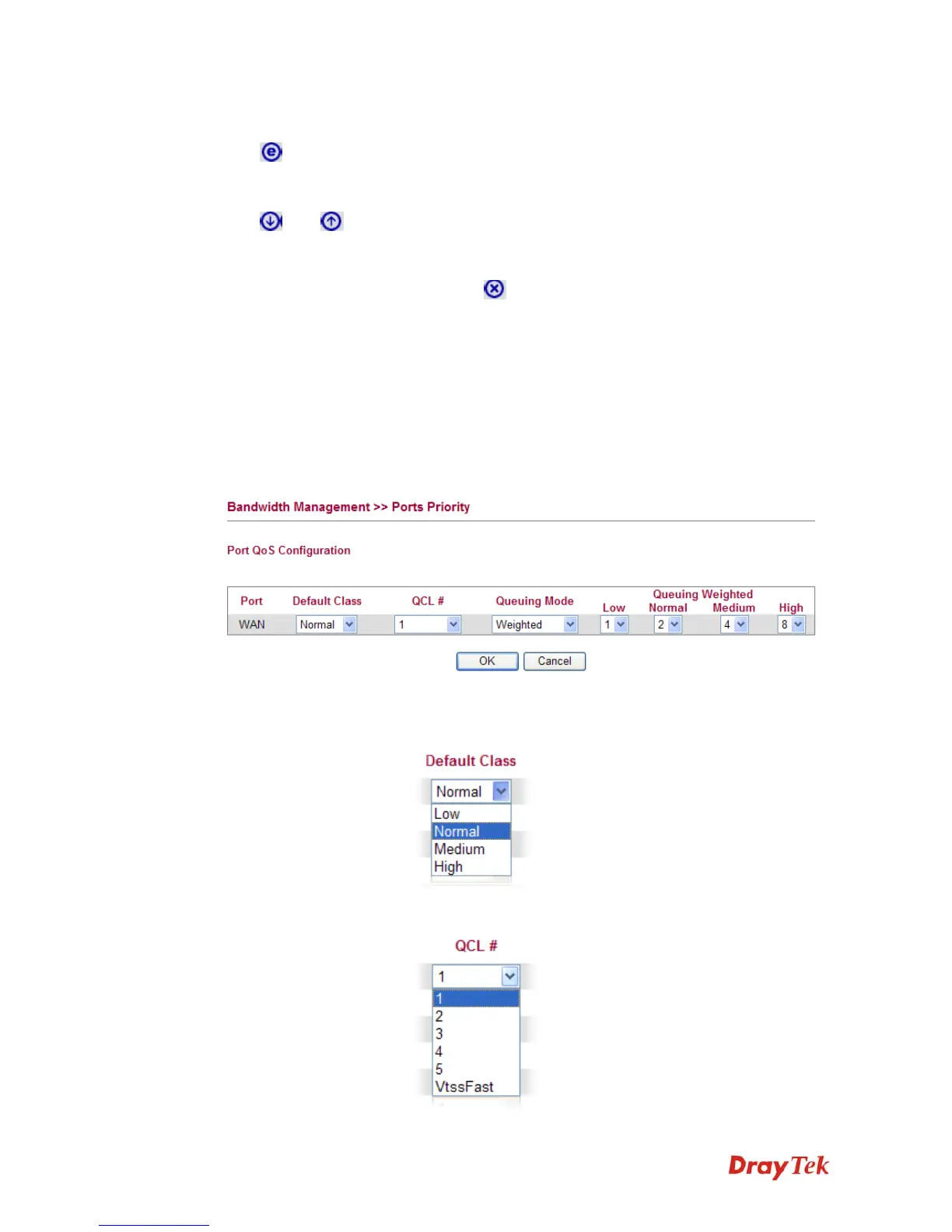
This page allows you to configure QoS settings for each port. The classification is controlled
by a QCL (Quality Control List) that is assigned to each port. A QCL consists of an ordered
list of up to 12 QCEs (Quality Control Entry). Each QCE can be used to classify certain
frames to a specific QoS class. This classification can be based on parameters such as VLAN
ID, UDP/TCP port, IPv4/IPv6 DSCP or Tag Priority. Frames not matching any of the QCEs
are classified to the default QoS class for the port.
Port Indicate the interface for DSL port.
Default Class Use the drop down list to choose the priority for each port.
QCL Use the drop down list to choose the QCL number defined in
QoS Control List for the port.














 To Next Page