Vigor2750 Series User’s Guide
243
5
A
A
p
p
p
p
l
l
i
i
c
c
a
a
t
t
i
i
o
o
n
n
a
a
n
n
d
d
E
E
x
x
a
a
m
m
p
p
l
l
e
e
s
s
5
5
.
.
1
1
A
A
p
p
p
p
l
l
i
i
c
c
a
a
t
t
i
i
o
o
n
n
f
f
o
o
r
r
M
M
u
u
l
l
t
t
i
i
-
-
V
V
L
L
A
A
N
N
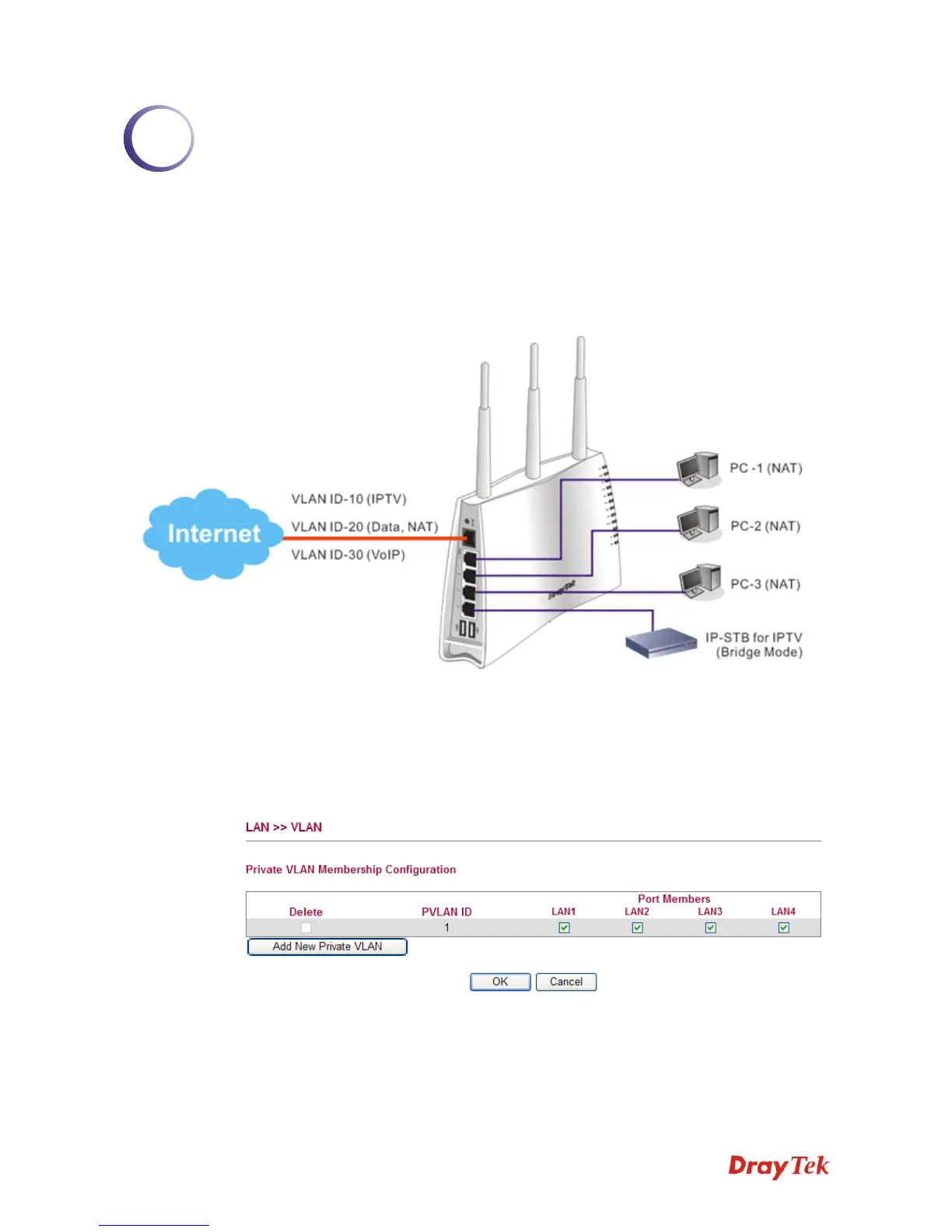
With multi-VLAN feature provided by Vigor router, a user can easily access into Internet for
data transmission, dialing a VoIP phone call out, watching IPTV via IP-STB and so on. Below
shows an example of multi-VLAN application:
Please follow the steps below to configure multi-VLAN settings.
1. Go to LAN page and select VLAN. The following page will appear. VLAN function is
enabled in default.
2. Click Add New Private VLAN and type 2 as VLAN ID for IPTV on LAN1.














 To Next Page