Vigor2750 Series User’s Guide
235
Port Display the interface that data transmission passing
through.
Packets Display the packet sizes for data transmission in receiving
and sending.
Bytes Display the number of received and transmitted bytes per
port.
Errors Display the number of the error occurred in data receiving
and data sending.
Drops Display the number of the data lost in receiving and
sending.
Filtered Display the number of received frames filtered by the
forwarding process.
Auto-refresh Check it to enable auto-refresh function.
Refresh Click it to reload the page.
Clear Click it to clear the counters for all ports.
4
4
.
.
1
1
4
4
.
.
5
5
D
D
e
e
t
t
a
a
i
i
l
l
e
e
d
d
S
S
t
t
a
a
t
t
i
i
s
s
t
t
i
i
c
c
s
s
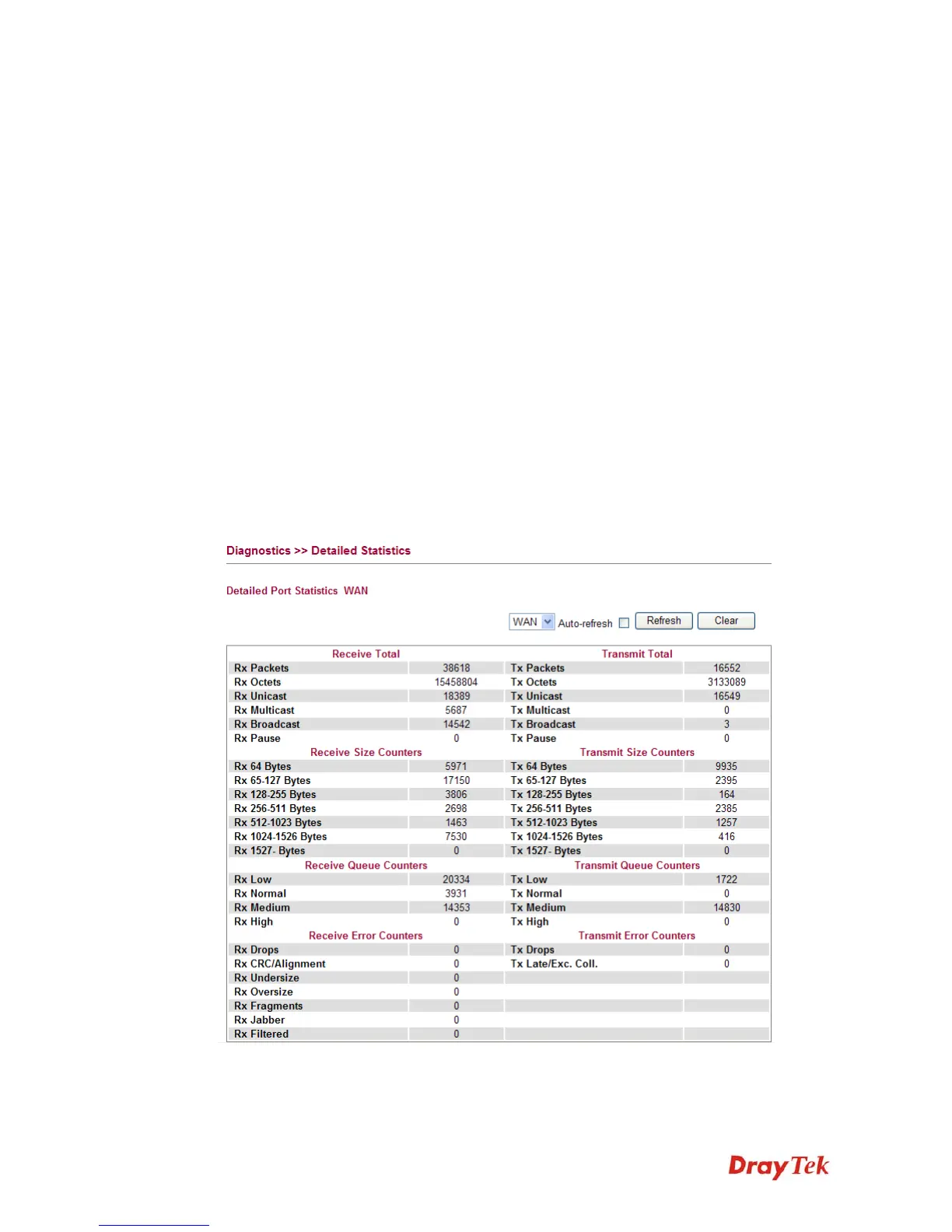
This page display detailed statistics for WAN/LAN interface.
Rx Packets Display the counting number of the packet received.
Rx Octets Display the total received bytes.














 To Next Page