Vigor2750 Series User’s Guide
75
Groups Display current IGMP groups. Maximum number of group
for each VLAN can be set is 128.
Port Members Display the LAN ports in this group.
Refresh Click this button to refresh the page immediately.
Clear Click this button to clear the settings on this page.
3
3
.
.
6
6
.
.
5
5
U
U
P
P
n
n
P
P
C
C
o
o
n
n
f
f
i
i
g
g
u
u
r
r
a
a
t
t
i
i
o
o
n
n
The UPnP (Universal Plug and Play) protocol is supported to bring to network connected
devices the ease of installation and configuration which is already available for directly
connected PC peripherals with the existing Windows 'Plug and Play' system. For NAT routers,
the major feature of UPnP on the router is “NAT Traversal”. This enables applications inside
the firewall to automatically open the ports that they need to pass through a router. It is more
reliable than requiring a router to work out by itself which ports need to be opened. Further,
the user does not have to manually set up port mappings or a DMZ. UPnP is available on
Windows XP and the router provide the associated support for MSN Messenger to allow full
use of the voice, video and messaging features.
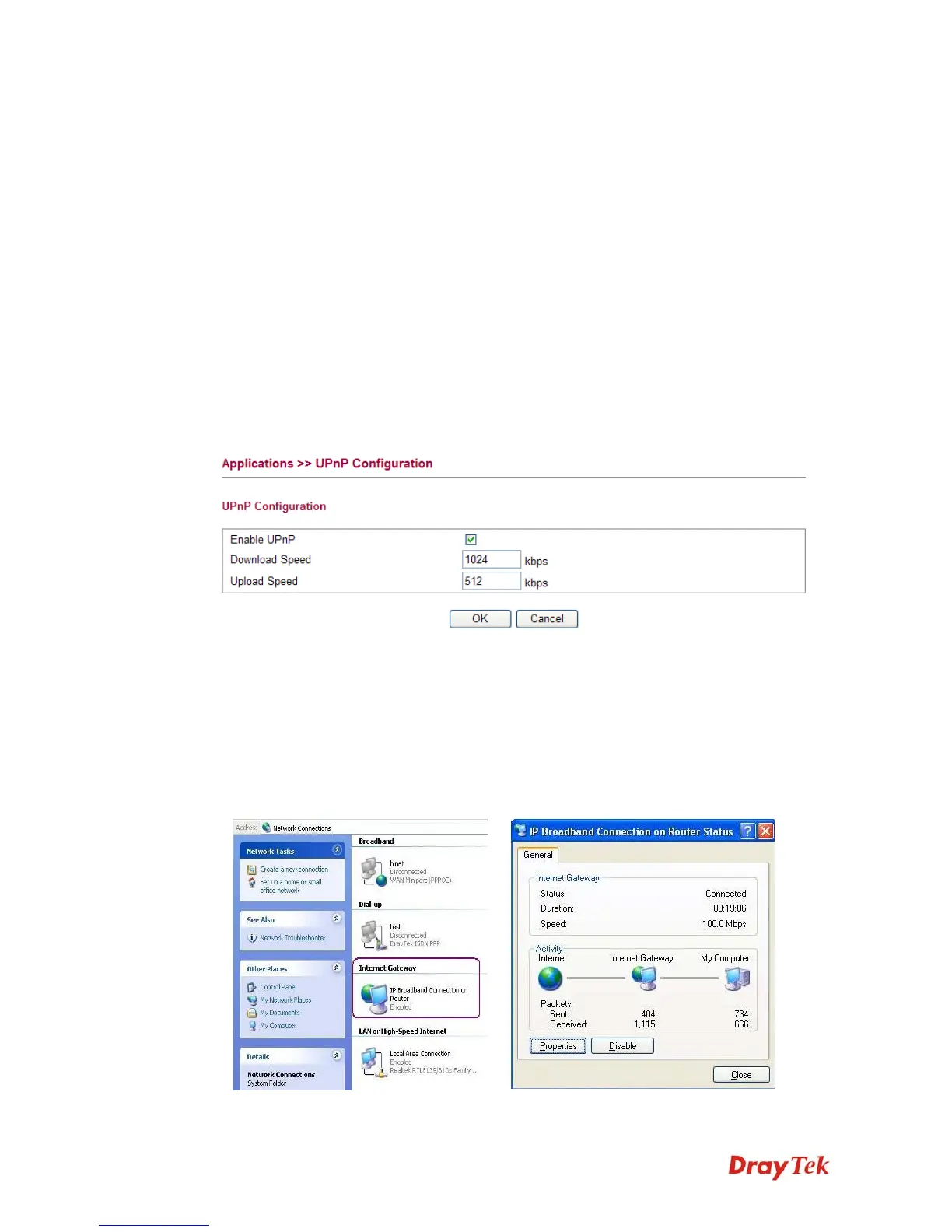
Enable UPNP Enable UPnP function. You have to type the download and
upload speed.
After setting Enable UPNP Service setting, an icon of IP Broadband Connection on Router
on Windows XP/Network Connections will appear. The connection status and control status
will be able to be activated. The NAT Traversal of UPnP enables the multimedia features of
your applications to operate. This has to manually set up port mappings or use other similar
methods. The screenshots below show examples of this facility.














 To Next Page