Vigor2750 Series User’s Guide
82
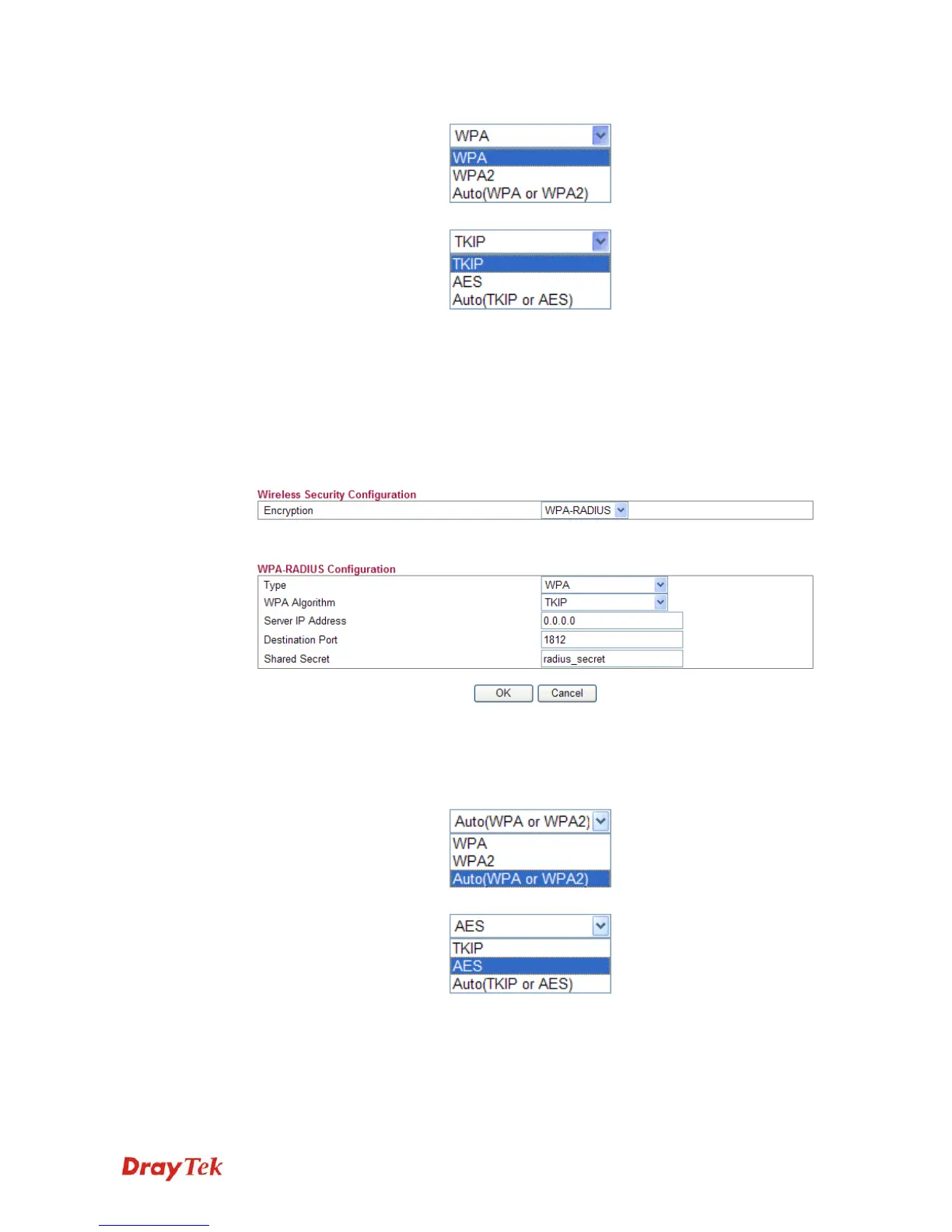
WPA Mode Select WPA, WPA2 or Auto as the type.
WPA Algorithm Select TKIP, AES or auto as the algorithm for WPA.
WPA Pre-Shared Key Either 8~63 ASCII characters, such as 012345678..(or 64
Hexadecimal digits leading by 0x, such as
"0x321253abcde...").
z WPA-RADIUS
The built-in RADIUS client feature enables the router to assist the remote dial-in user or
a wireless station and the RADIUS server in performing mutual authentication. It enables
centralized remote access authentication for network management.
Type The WPA encrypts each frame transmitted from the radio
using the key, which either PSK (Pre-Shared Key) entered
manually in this field below or automatically negotiated
via 802.1x authentication. Select WPA, WPA2 or Auto as
WPA mode.
WPA Algorithm Choose the WPA algorithm, TKIP, AES or Auto.
Server IP Address Enter the IP address of RADIUS server.
Destination Port The UDP port number that the RADIUS server is using.
The default value is 1812, based on RFC 2138.














 To Next Page