Vigor2750 Series User’s Guide
89
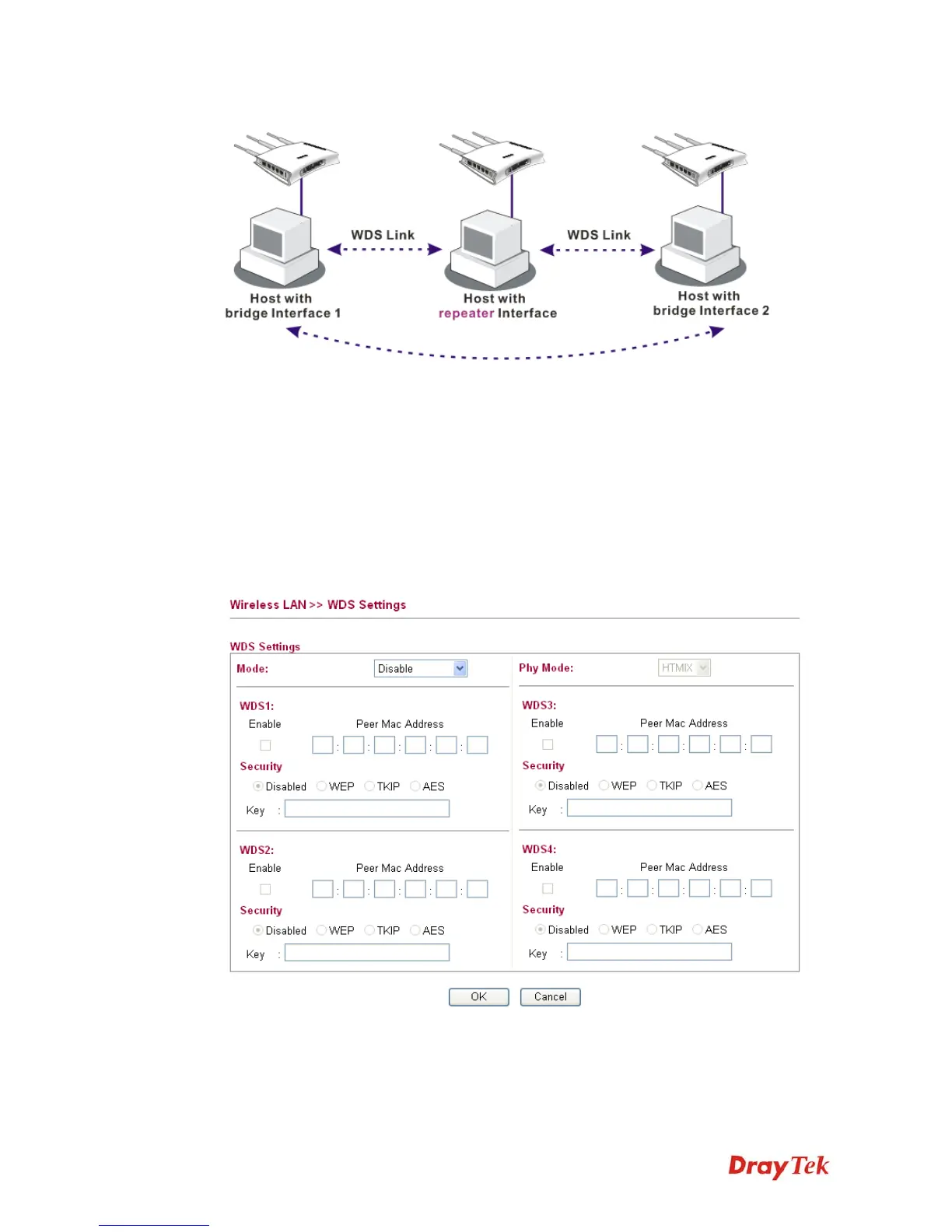
In Bridge mode, the router will connect to up to four Vigor2750 which use the same mode,
and all wired Ethernet clients of every Vigor2750 will be connected together. You can use this
mode to connect a network to other networks which is physically isolated. Please note that
when you set to this mode, Vigor2750 will not accept regular wireless clients anymore.
In Repeater mode, the router will connect to up to four Vigor2750 which use the same mode,
and all wired Ethernet clients of every Vigor2750 will be connected together. You can use this
mode to connect a network to other networks which is physically isolated. When you use this
mode, this access point is still able to accept wireless clients.
Click WDS from Wireless LAN menu. The following page will be shown.
Mode
Choose the mode for WDS setting. Disable mode will not
invoke any WDS setting. Bridge Mode is designed to
fulfill the first type of application. Repeater Mode is for
the second one.














 To Next Page