Vigor2960 Series User’s Guide
152
Cancel
Click it to discard the settings configured in this page.
H
H
o
o
w
w
t
t
o
o
a
a
d
d
d
d
a
a
n
n
e
e
w
w
p
p
r
r
o
o
f
f
i
i
l
l
e
e
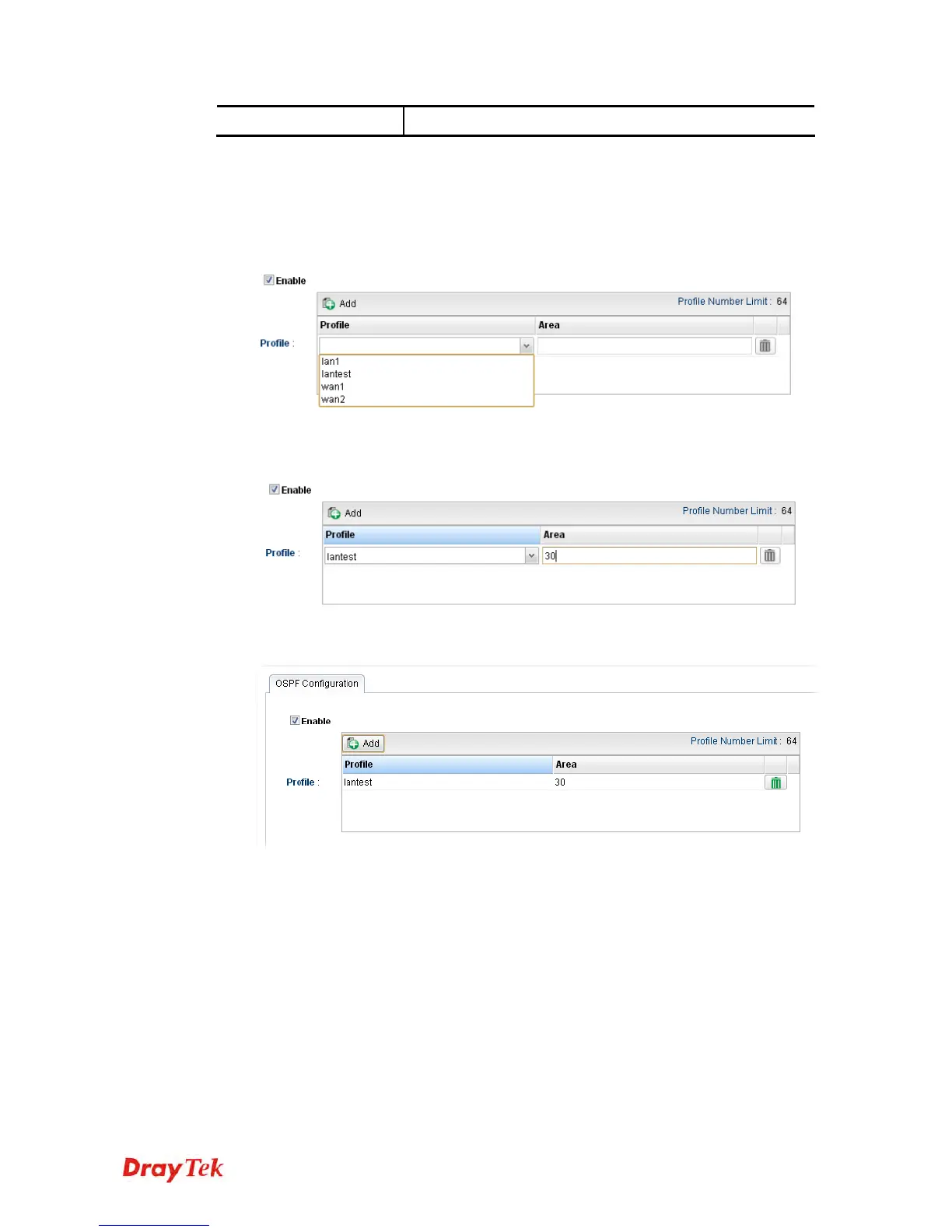
1. Open Routing>>OSPF Configuration.
2. Check Enable.
3. Click the space of Profile. A pop-up dialog will appear. Click Add.
4. Use the drop down list of LAN Profile to choose the one you need. And specify the
value of Area (either 0.0.0.0 ~ 255.255.255.255 or 0 ~ 4294967295) for that profile.
5. Click Apply to save the settings. A new profile is created and displayed on the screen.


 To Next Page
 Loading...











