Vigor2960 Series User’s Guide
18
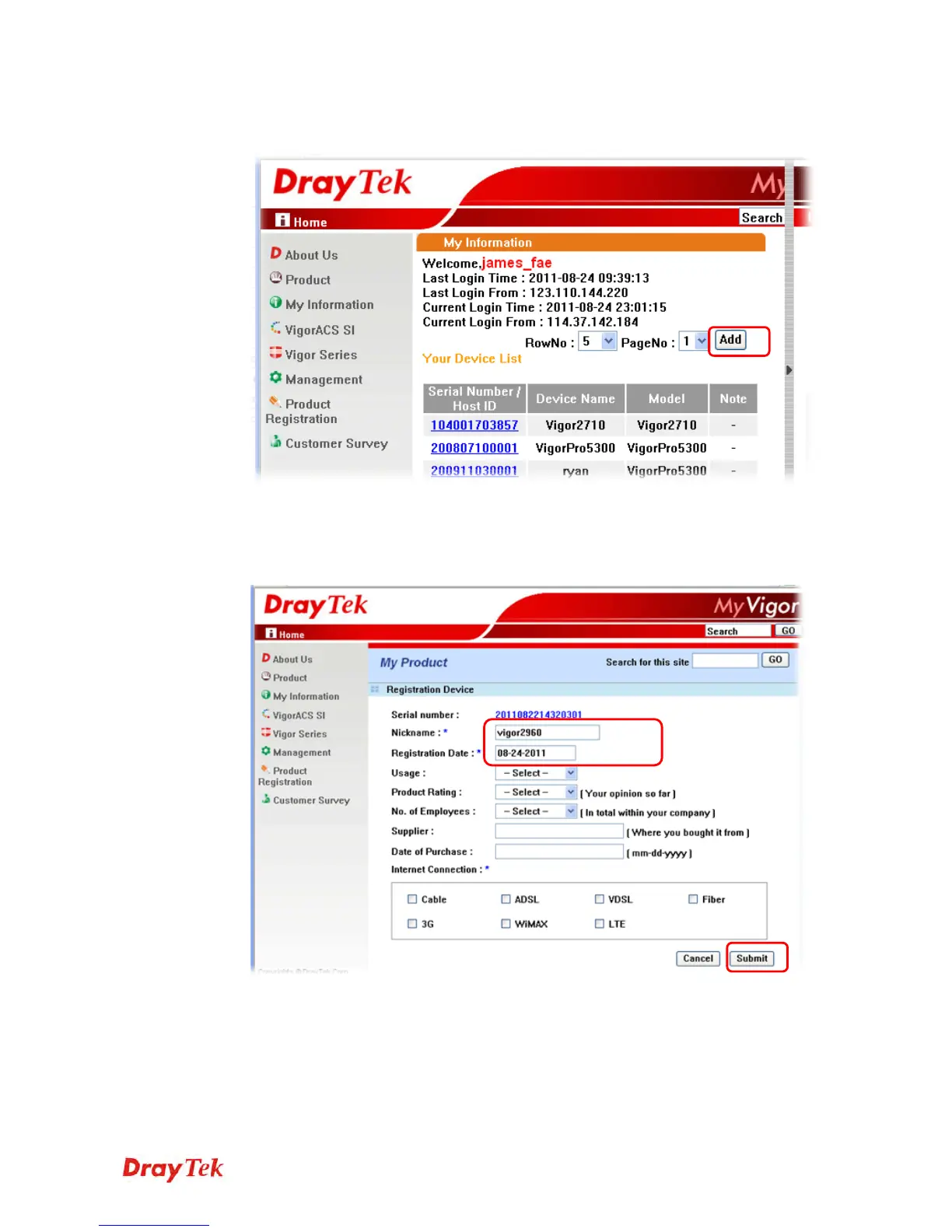
3 The following page will be displayed after you logging in MyVigor. From this page,
please click Add.
4 When the following page appears, please type in Nick Name (for the router) and choose
the right registration date from the popup calendar (it appears when you click on the
box of Registration Date). After adding the basic information for the router, please click
Submit.














 To Next Page