Vigor2960 Series User’s Guide
351
and click the Delete button.
Refresh
Renew current web page.
Profile Number Limit
Display the total number (30) of the profiles to be created.
Profile
Display the name of the profile that you create.
URL
Display the URL.
Host IP Address
Display the IP address for the Host.
H
H
o
o
w
w
t
t
o
o
c
c
r
r
e
e
a
a
t
t
e
e
a
a
n
n
e
e
w
w
S
S
S
S
L
L
W
W
e
e
b
b
P
P
r
r
o
o
x
x
y
y
1. Open SSL VPN>> SSL Web Proxy.
2. Simply click the Add button.
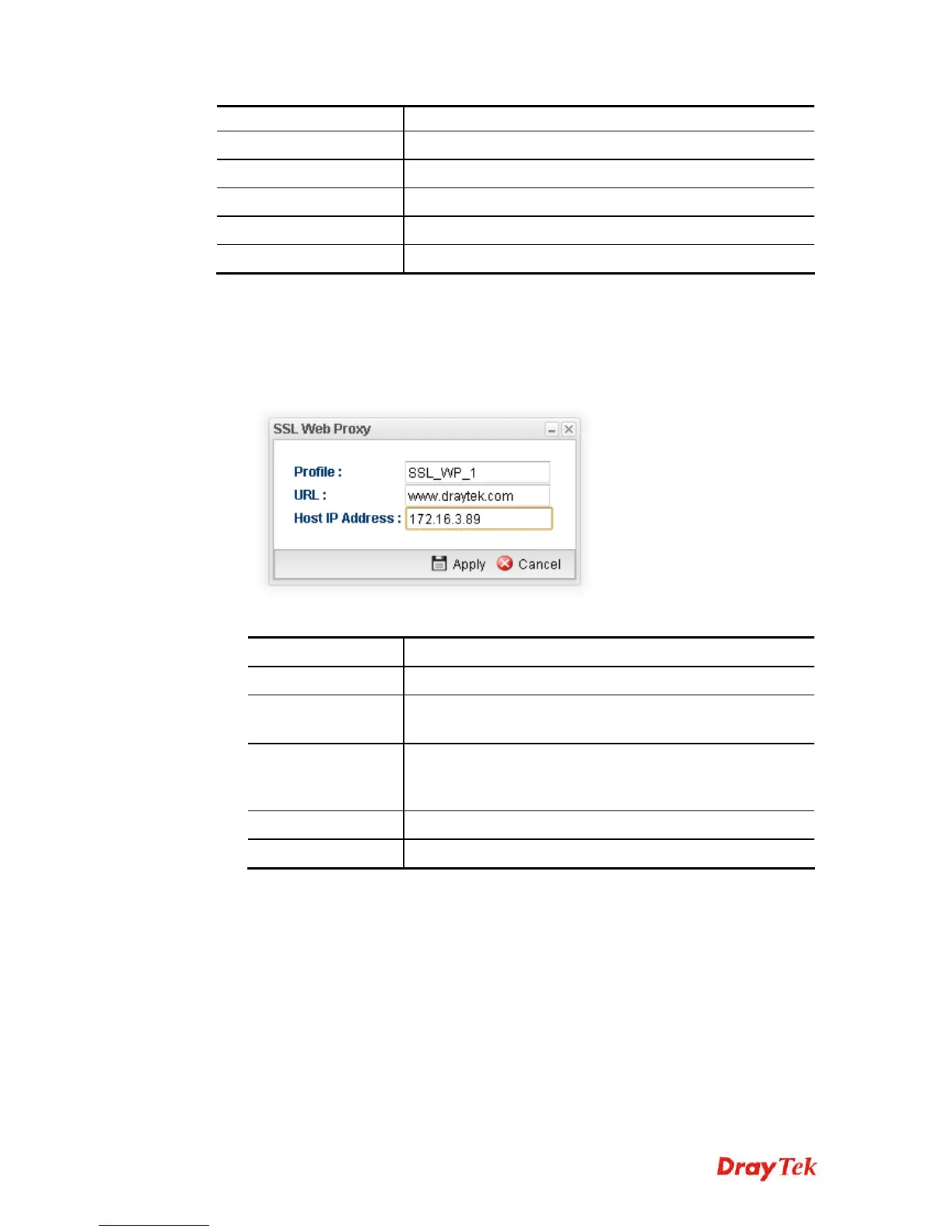
3. The following dialog will appear.
Available parameters are listed as follows:
Item Description
Profile
Type name of the profile.
URL
Type the address (function variation or IP address) or path of
the proxy server.
Host IP Address
If you type function variation as URL, you have to type
corresponding IP address in this filed. Such field must match
with URL setting.
Apply
Click it to save the configuration.
Cancel
Click it to exit the page without saving the configuration.
4. Enter all of the settings and click Apply.
5. A new SSL Web Proxy profile has been created.














 To Next Page