Vigor2960 Series User’s Guide
375
DSCP
Display the setting of DSCP.
TOS
Display the setting of TOS.
Traffic Class
Display the queue number that such filter is categorized.
H
H
o
o
w
w
t
t
o
o
a
a
d
d
d
d
a
a
Q
Q
o
o
S
S
r
r
u
u
l
l
e
e
p
p
r
r
o
o
f
f
i
i
l
l
e
e
1. Open Bandwidth Management>> QoS Rule.
2. Simply click the Add button.
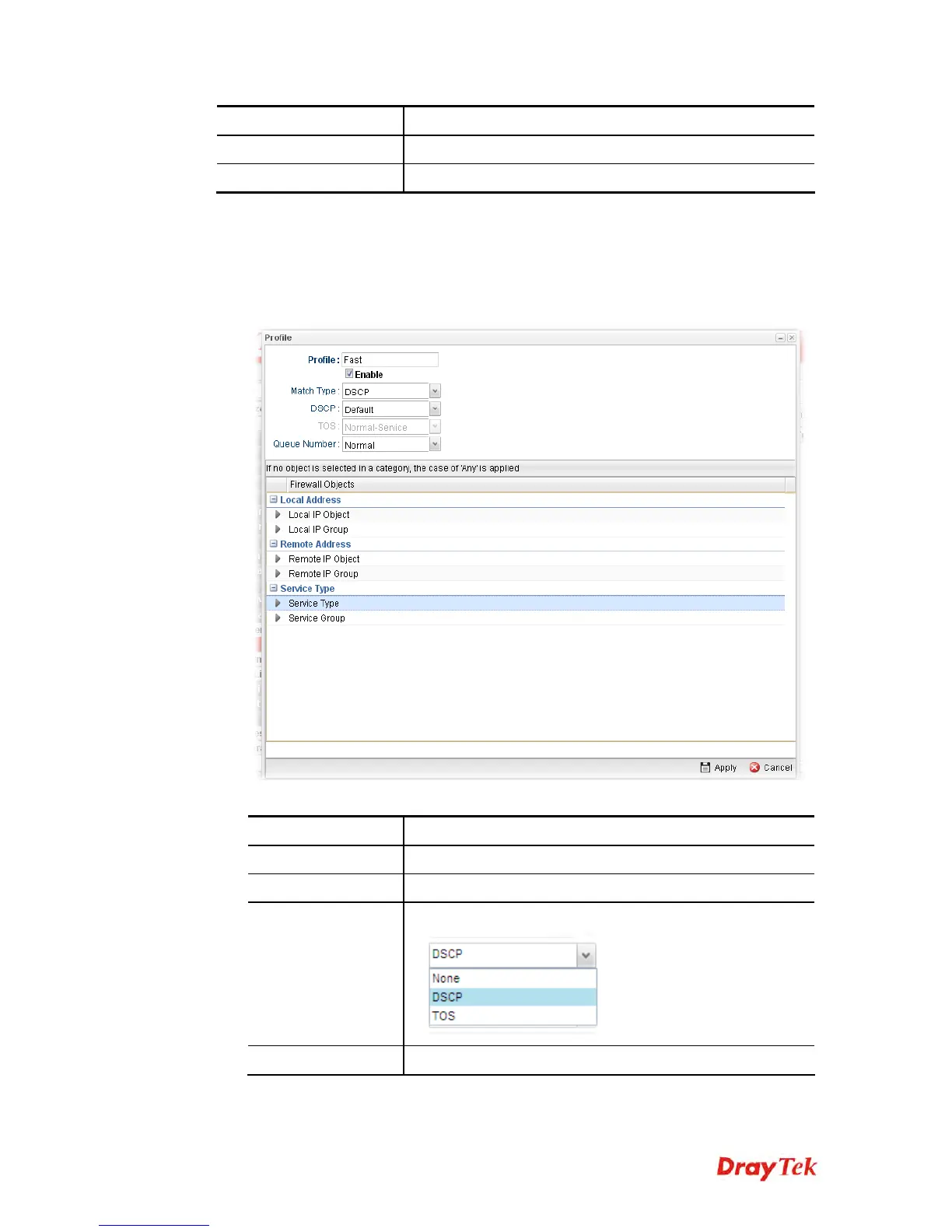
3. The following dialog will appear.
Available parameters are listed as follows:
Item Description
Profile
Type the name of the filter profile.
Enable
Check this box to enable such profile.
Match Type
Use the drop down list to specify a suitable match type.
DSCP
It is available when DSCP is selected as the Match type.


 To Next Page
 Loading...











