Vigor2960 Series User’s Guide
42
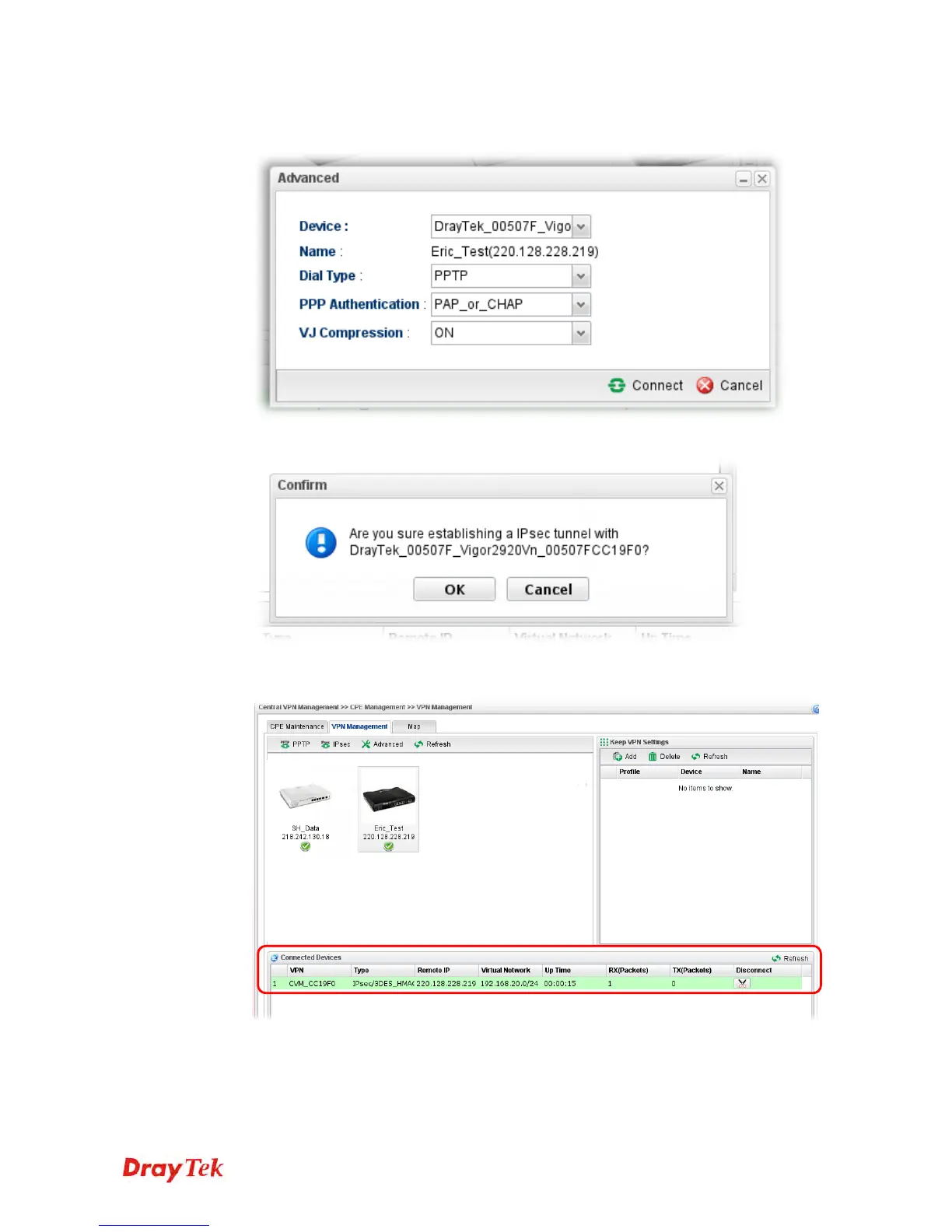
Or click Advanced to open the following page for specified the CPE you want. Click
Connect after finished the settings.
4. A confirmation dialog will appear. Click OK and wait for a moment.
5. If VPN is built successfully, related information will be displayed on Connected
Devices.














 To Next Page