VigorAP 910C User’s Guide
11
1
1
.
.
6
6
C
C
o
o
n
n
n
n
e
e
c
c
t
t
t
t
o
o
a
a
V
V
i
i
g
g
o
o
r
r
R
R
o
o
u
u
t
t
e
e
r
r
w
w
i
i
t
t
h
h
o
o
u
u
t
t
A
A
P
P
M
M
a
a
n
n
a
a
g
g
e
e
m
m
e
e
n
n
t
t
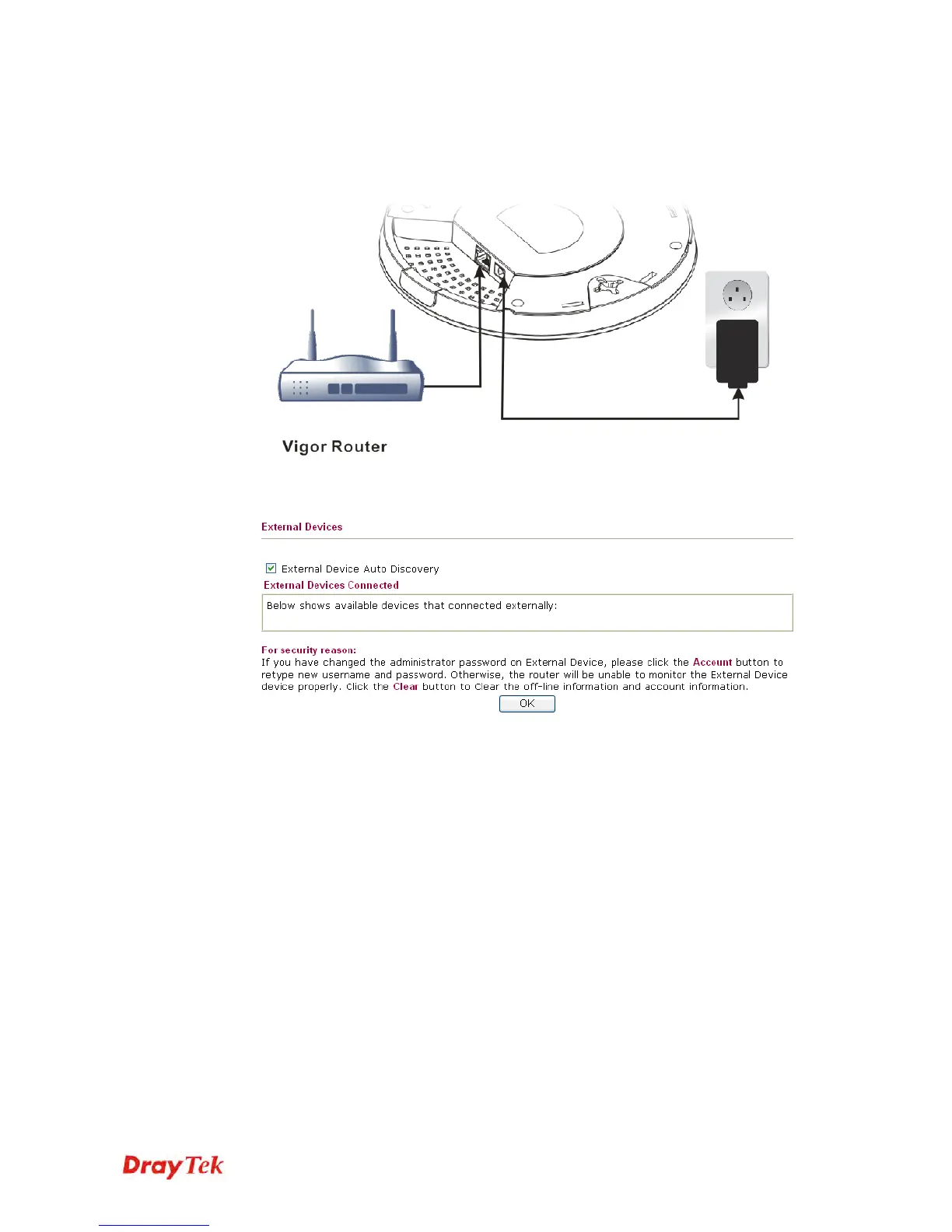
1. Connect one end of the power adapter to power port of VigorAP, and the other side into
a wall outlet.
2. Access into the web user interface of Vigor router. Here we take Vigor2830 as an
example. Open External Devices.
3. Check the box of External Device Auto Discovery and click OK. When the IP address
assigned by Vigor router appears, click it to access into web user interface of VigorAP
910C.
4. After typing username and password (admin/admin), the main screen will be displayed.













 To Next Page