VigorSwitch P1085 User’s Guide
135
V
V
I
I
I
I
I
I
-
-
5
5
-
-
7
7
N
N
o
o
t
t
i
i
f
f
i
i
c
c
a
a
t
t
i
i
o
o
n
n
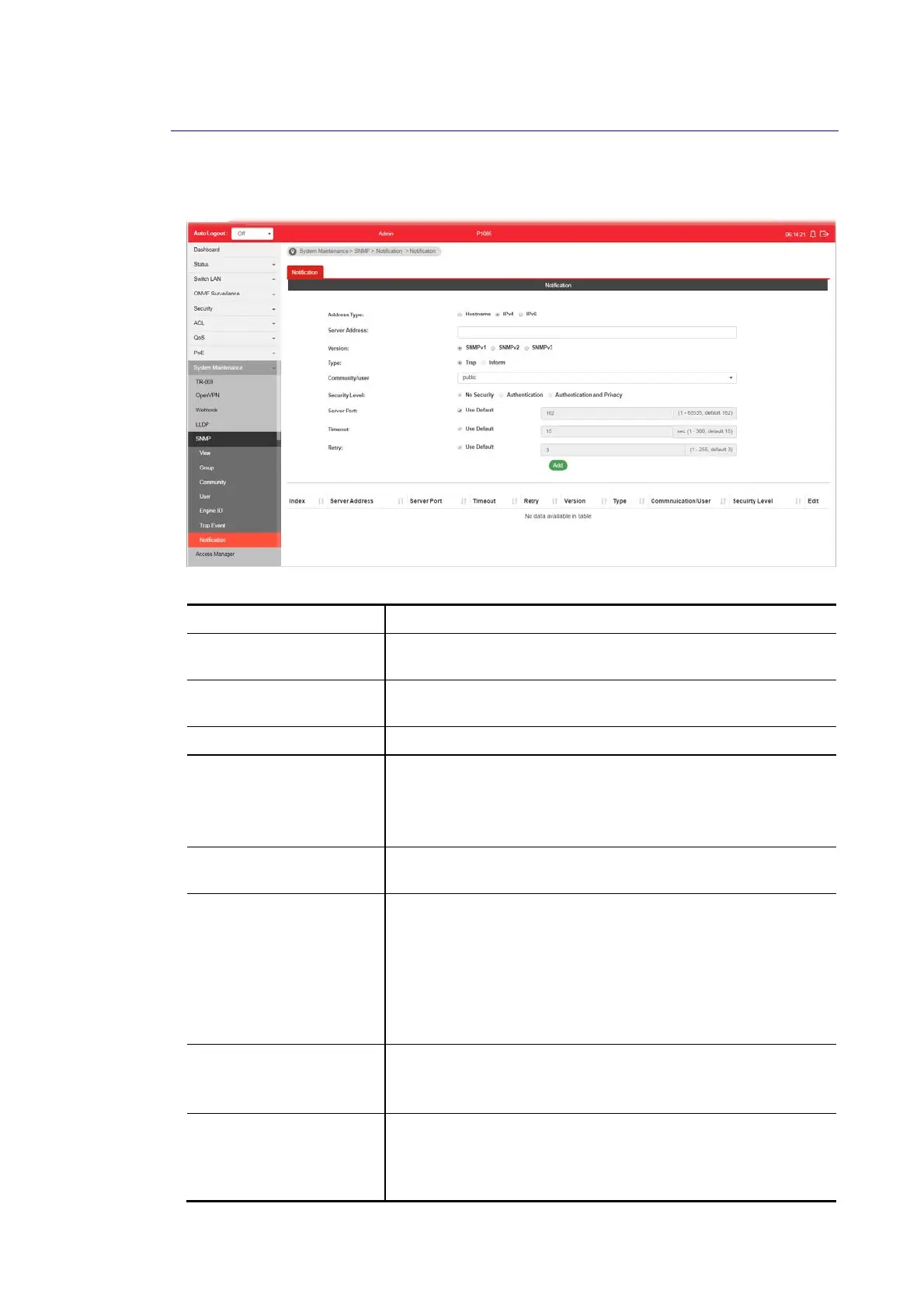
This page allows a user to configure a host to receive SNMPv1/v2/v3 notification.
Available settings are explained as follows:
Item Description
Address Type Choose IPv4/IPv6/Hostname to specify IP address or the
hostname of the SNMP trap recipients.
Server Address Enter the IP address of SNMP server based on the address type
selected above.
Version Specify SNMP notification version (SNMPv1/v2/v3).
Type Specify Notification Type.
Trap –Send SNMP traps to the host.
Inform - Send SNMP informs to the host. If it is used, Timeout
and Retry also shall be defined.
Community/user Use the drop down list to choose one of the community
profiles.
Security Level Specify SNMP security level for SNMP notification packet. It is
available when SNMPv3 is selected.
No Security – No authentication.
Authentication – Authentication without encryption will be
performed for packets.
Authentication and Privacy – Authentication with encryption
will be performed for packets.
Server Port Specify the UDP port number for the recipient’s server.
Use Default – If it is checked, the default number (162) will be
used automaticallty.
Timeout Specify the SNMP informs timeout. It is available when Inform
is selected as Type.
Use Default - If it is checked, the default number (15) will be
used automaticallty.















 To Next Page