VigorSwitch P1085 User’s Guide
65
I
I
I
I
I
I
-
-
2
2
-
-
2
2
T
T
h
h
r
r
o
o
u
u
g
g
h
h
p
p
u
u
t
t
T
T
h
h
r
r
e
e
s
s
h
h
o
o
l
l
d
d
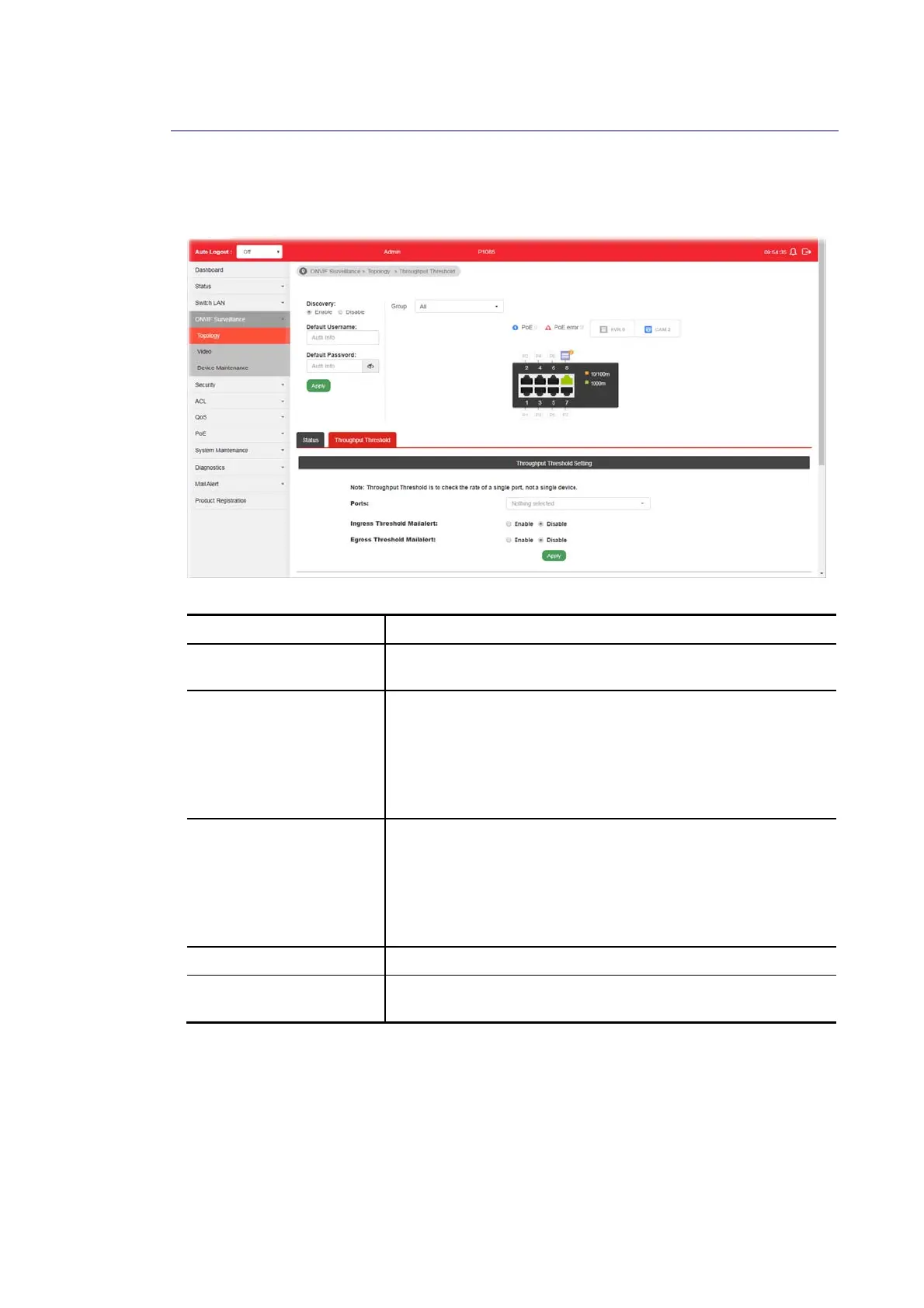
This page is used for set throughput threshold for multiple ONVIF devices managed by
VigorSwitch.
Available settings are explained as follows:
Item Description
Ports Specify one to several GE ports which will be limited by the
threshold configured here.
Ingress Threshold
Mailalert
Disable - No mail alert will be sent out.
Enable - When the ingress rate reaches the threshold
configured here, Vigor system will send alert mail to specified
mail address.
Ingress Rate (Kbps) - Enter a value as the threshold of
ingress packets.
Egress Threshold
Mailalert
Disable - No mail alert will be sent out.
Enable - When the egress rate reaches the threshold
configured here, Vigor system will send alert mail to specified
mail address.
Egress Rate (Kbps)- Enter a value as the threshold of engress
packets.
Apply Save the settings or changes to the switch.
Modify Click it to modify the settings for the selected GE port / LAG
port.















 To Next Page