VigorSwitch P1085 User’s Guide
75
I
I
V
V
-
-
1
1
-
-
2
2
P
P
o
o
r
r
t
t
S
S
e
e
t
t
t
t
i
i
n
n
g
g
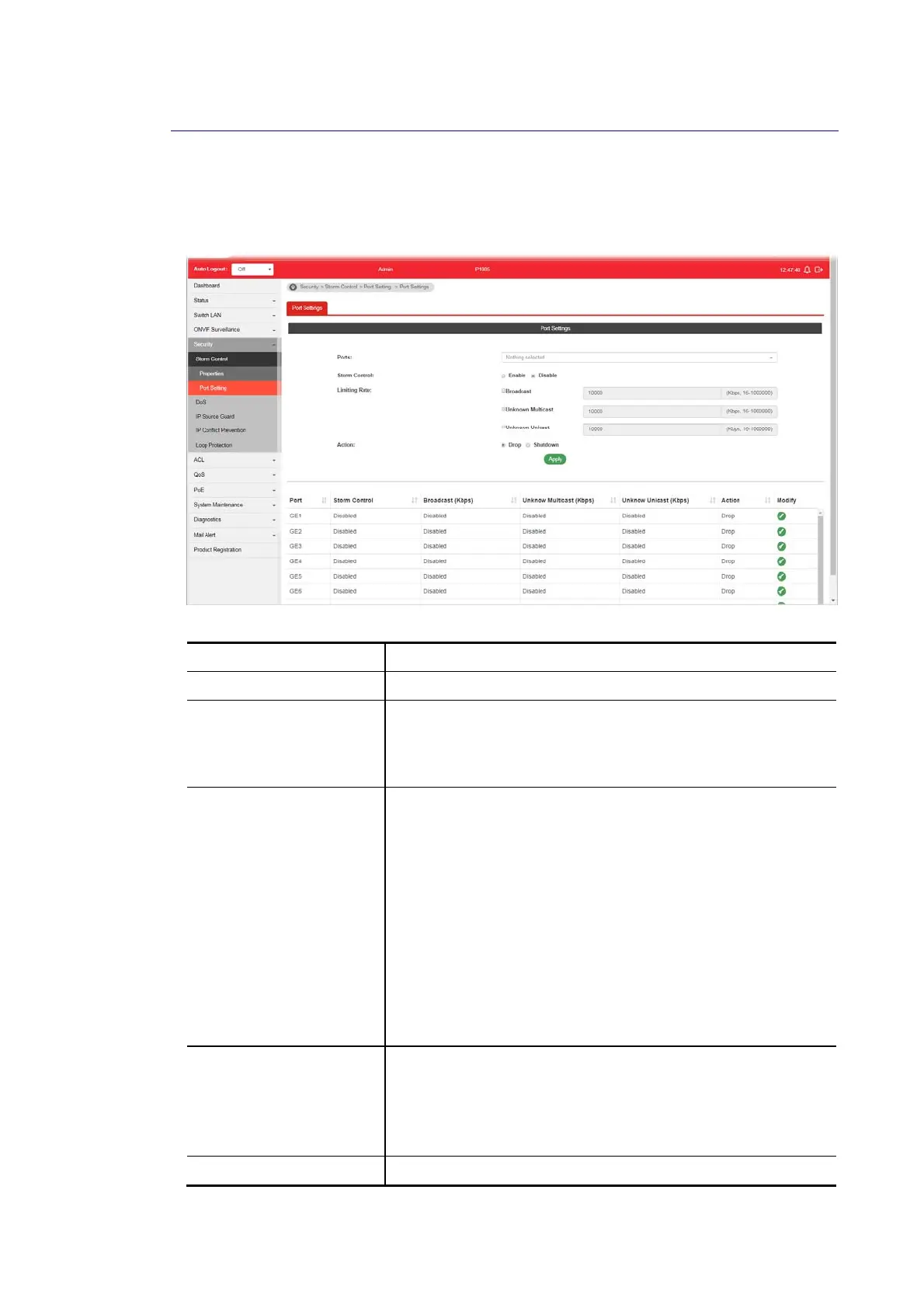
This page allows the network administrator to configure port settings for Storm Control. The
configuration result for each port will be displayed on the table listed on the lower side of this
web page.
Available settings are explained as follows:
Item Description
Ports Use the drop down list to select the port profile (GE1 to GE8).
Storm Control Disable – Disable the storm control configuration for the
selected port profile.
Enable – Enable the storm control configuration for the
selected port profile.
Limiting Rate Check the box(es) to enable strom control rate limited for
Broadcast, Unknown Multicast and/or Unknow Unicast packet.
Broadcast – Specify the storm control rate for Broadcast
packet. Value of storm control rate, Unit: Kbps (Kbits
per-second). The range is from 16 to 1000000.
Unknown Multicast – Specify the storm control rate for
unknown multicast packet. Value of storm control rate,
Unit: Kbps (Kbits per-second). The range is from 16 to
1000000.
Unknown Unicast - Specify the storm control rate for
unknown multicast packet. Value of storm control rate,
Unit: Kbps (Kbits per-second). The range is from 16 to
1000000.
Action Select the state of setting.
Drop – Packets exceed storm control rate will be
dropped.
Shutdown - Port exceeds storm control rate will be
shutdown.
Apply Apply the settings to the switch.















 To Next Page