VigorSwitch P1085 User’s Guide
2
are the same in order to connect.
For SFP fiber module, you might need to manually configure
the speed to match fiber module speed.
Duplex Port duplex capabilities:
Auto: Auto duplex with all capabilities.
Half: Auto speed with 10/100M ability only.
Full: Auto speed with 10/100/1000M /10G ability only.
Flow Control A concentration of traffic on a port decreases port bandwidth
and overflows buffer memory causing packet discards and
frame losses. Flow Control is used to regulate transmission of
signals to match the bandwidth of the receiving port. The
switch uses IEEE802.3x flow control in full duplex mode and
backpressure flow control in half duplex mode. IEEE802.3x
flow control is used in full duplex mode to send a pause signal
to the sending port, causing it to temporarily stop sending
signals when the receiving port memory buffers fill. Back
Pressure flow control is typically used in half duplex mode to
send a "collision" signal to the sending port (mimicking a state
of packet collision) causing the sending port to temporarily
stop sending signals and resend later.
Enable – Click it to enable such function.
Disable – Click it to disable such function.
Apply Apply the settings to the switch.
Modify It is used to edit status, speed, and flow control for the LAG.
I
I
I
I
-
-
4
4
-
-
4
4
L
L
A
A
C
C
P
P
S
S
e
e
t
t
t
t
i
i
n
n
g
g
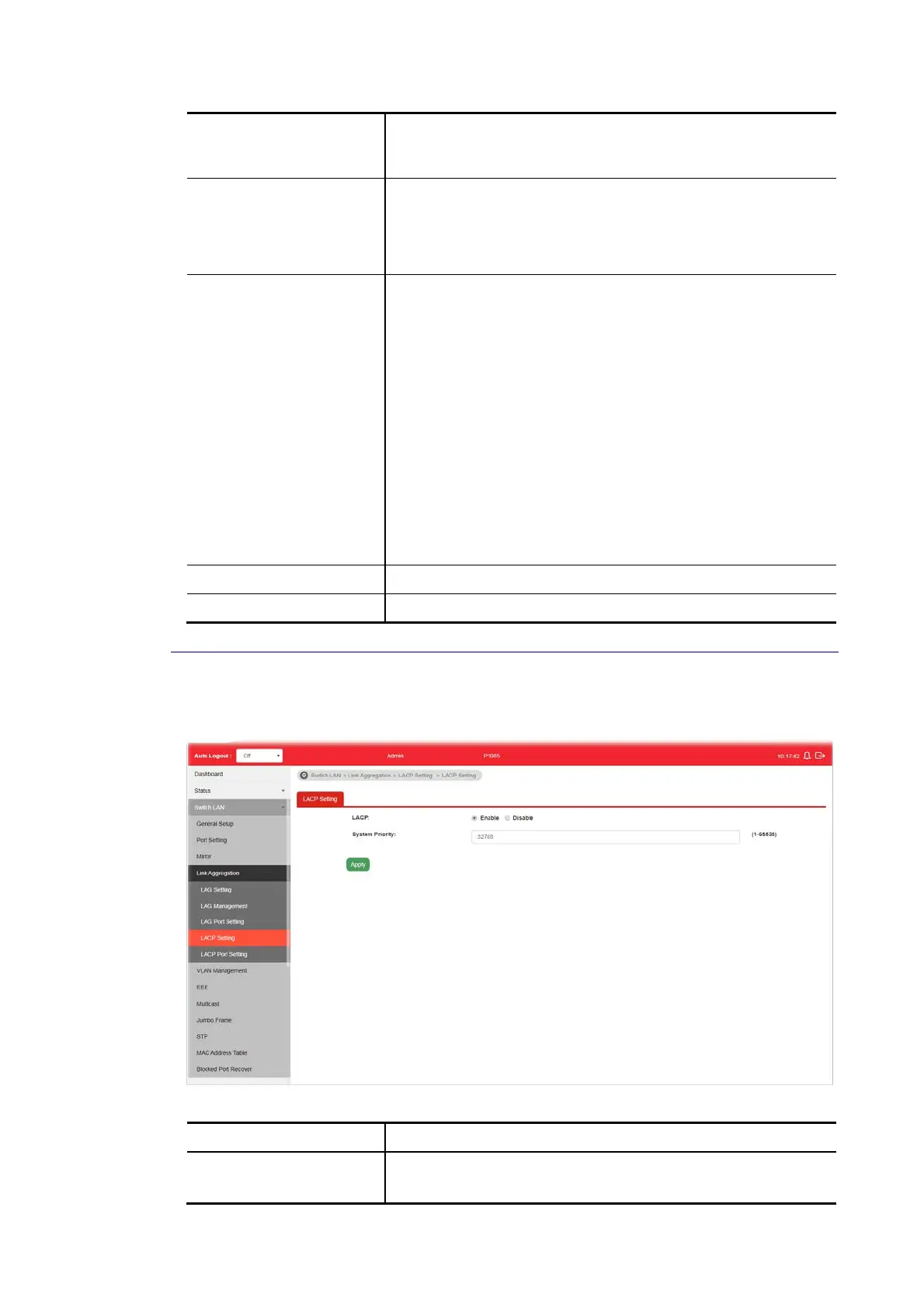
This page allows the network administrator to enable or disable the LACP function.
Available settings are explained as follows:
Item Description
LACP Enable – Click it to enable such function.
Disable – Click it to disable the function.















 To Next Page