VigorSwitch P1085 User’s Guide
158
X
X
-
-
1
1
A
A
l
l
e
e
r
r
t
t
S
S
e
e
t
t
t
t
i
i
n
n
g
g
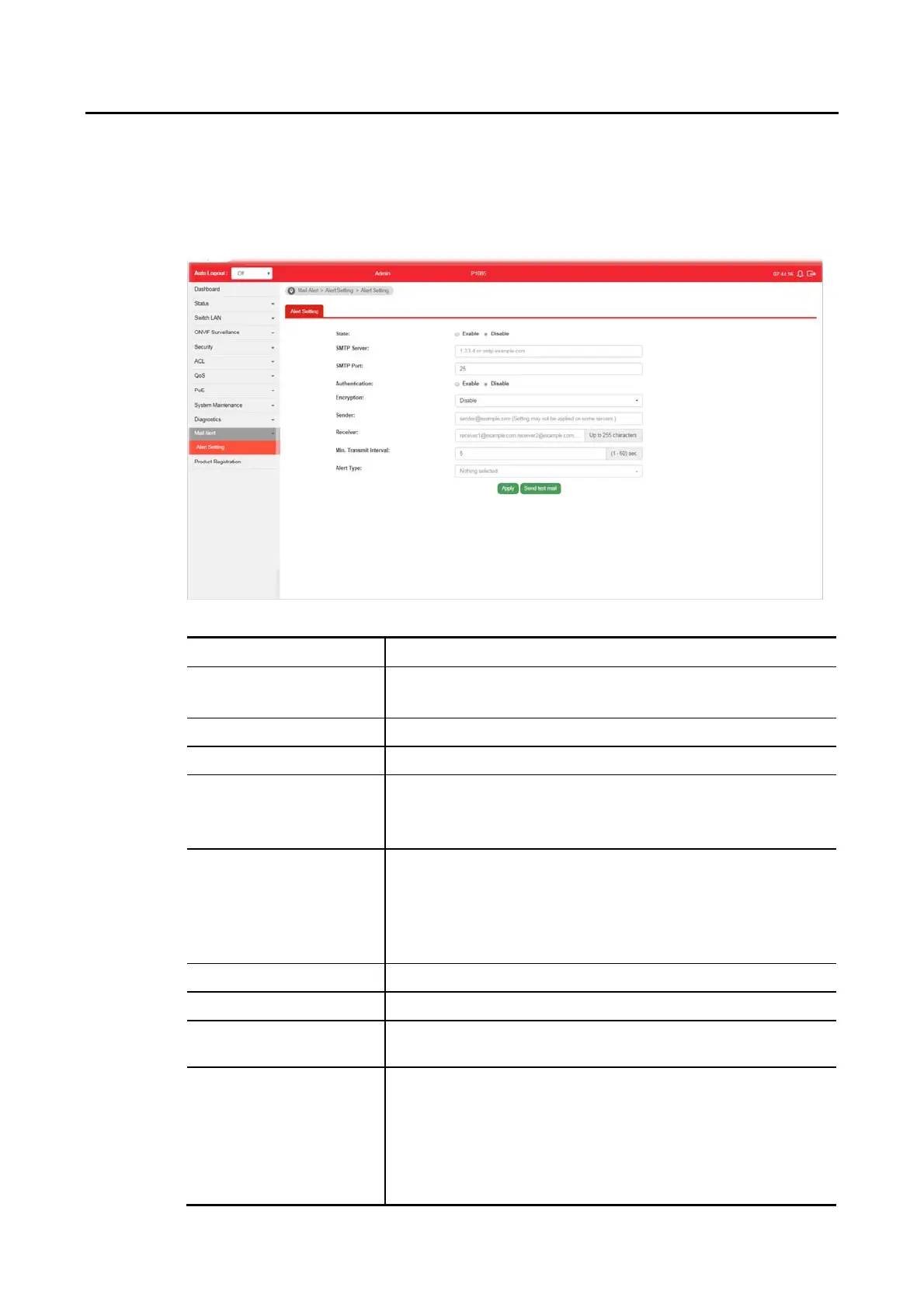
This page allows a user to configure settings for VigorSwitch to send alert mail when
encountering certain sitaution.
Available settings are explained as follows:
Item Description
State Enable - Click it to enable the mail alert function.
Disable - Click it to disable the mail alert funciton.
SMTP Server Enter IP address or URL of the SMTP server.
SMTP Port Enter the port number for the SMTP server.
Authentication Enable - Click it to enable authentication mechanism.
User Name - Enter a user name for authentication.
Password - Enter a password for authentication.
Encryption After enabling Authentication, choose one of the encryption
servers for data encryption.
StartTLS - The mail will be encrypted with StartTLS.
SSL/TLS - The mail will be encrypted with SSL/TLS.
Disable - The mail sent out will not be encrypted.
Sender Enter the email address which will send the alert mail out.
Receiver Enter the email address which will receive the alert mail.
Min. Transmit Interval Set a time interval for VigorSwitch system to send an alert out
from the specified sender.
Alert Type Specify the condition(s) for VigorSwitch system to send an
alert out.
Port Link Status
Port Link Speed
System Restarted
PoE Warning Status















 To Next Page