VigorSwitch P1085 User’s Guide
6
I
I
I
I
I
I
-
-
2
2
V
V
i
i
d
d
e
e
o
o
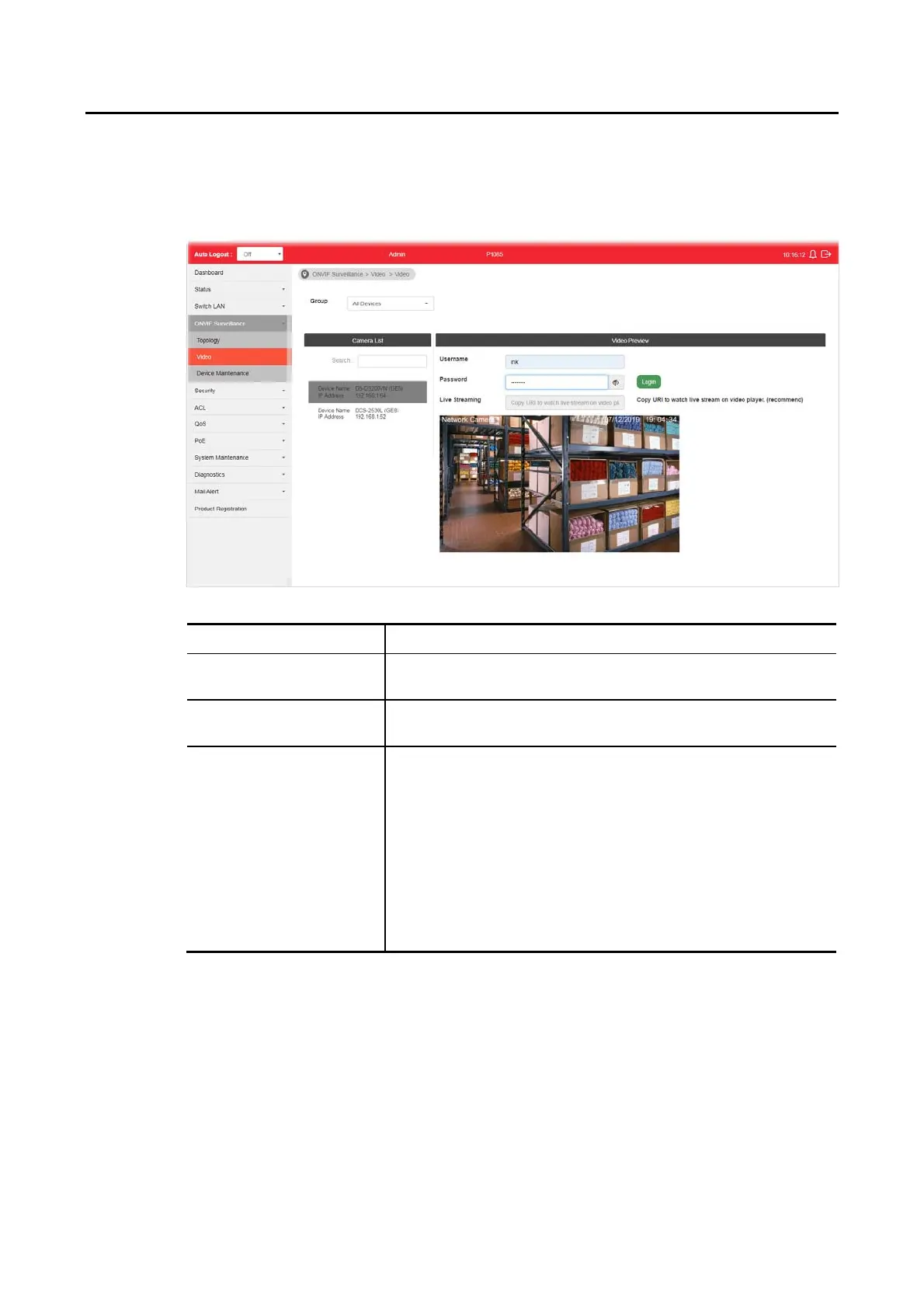
On this page, users may directly view images captured from the specified IP camera.
Available settings are explained as follows:
Item Description
Group Specify a group which contains the IP camera you want to
check.
Camera List Search - Enter the device name of the IP camera for searching
and displaying on this field.
Video Preview After authenticated with correct username and password, the
image of the specified IP camera (supported by VigorSwitch)
will be shown immediately.
Usename / Password - The default username/password will be
input if it is configured on the Topology page. However, if the
default input is not the correct username/password, enter the
correct one of the IP camera instead.
Login - Click it to authenticate the username and password for
the specified IP camera.
Live Streaming - Display the streaming URI of the IP camera.






 To Next Page