VigorSwitch P1085 User’s Guide
4
query.
Query Response Interval – It specifies the maximum
allowed time before sending a responding report in units
of 1/10 second.
Last Member Query Counter – After quering for
specified times (defined here) and still not receiving any
response from the subscribed member, VigorSwitch will
stop transmitting data to the related GE port(s).
Last Member Query Interval – The maximum time
interval between counting each member query message
with no responses from any subscribed member.
Immediate Leave – Leave the multicast group
immediately on the port & VLAN where leave message is
sent from, regardless there is still a subscribed member
or not. Click Enable to enable Fastleave function.
OK - Apply the settings to the switch.
Cancel - Close the page and return to previous page.
I
I
I
I
-
-
7
7
-
-
2
2
-
-
2
2
I
I
G
G
M
M
P
P
Q
Q
u
u
e
e
r
r
i
i
e
e
r
r
S
S
e
e
t
t
t
t
i
i
n
n
g
g
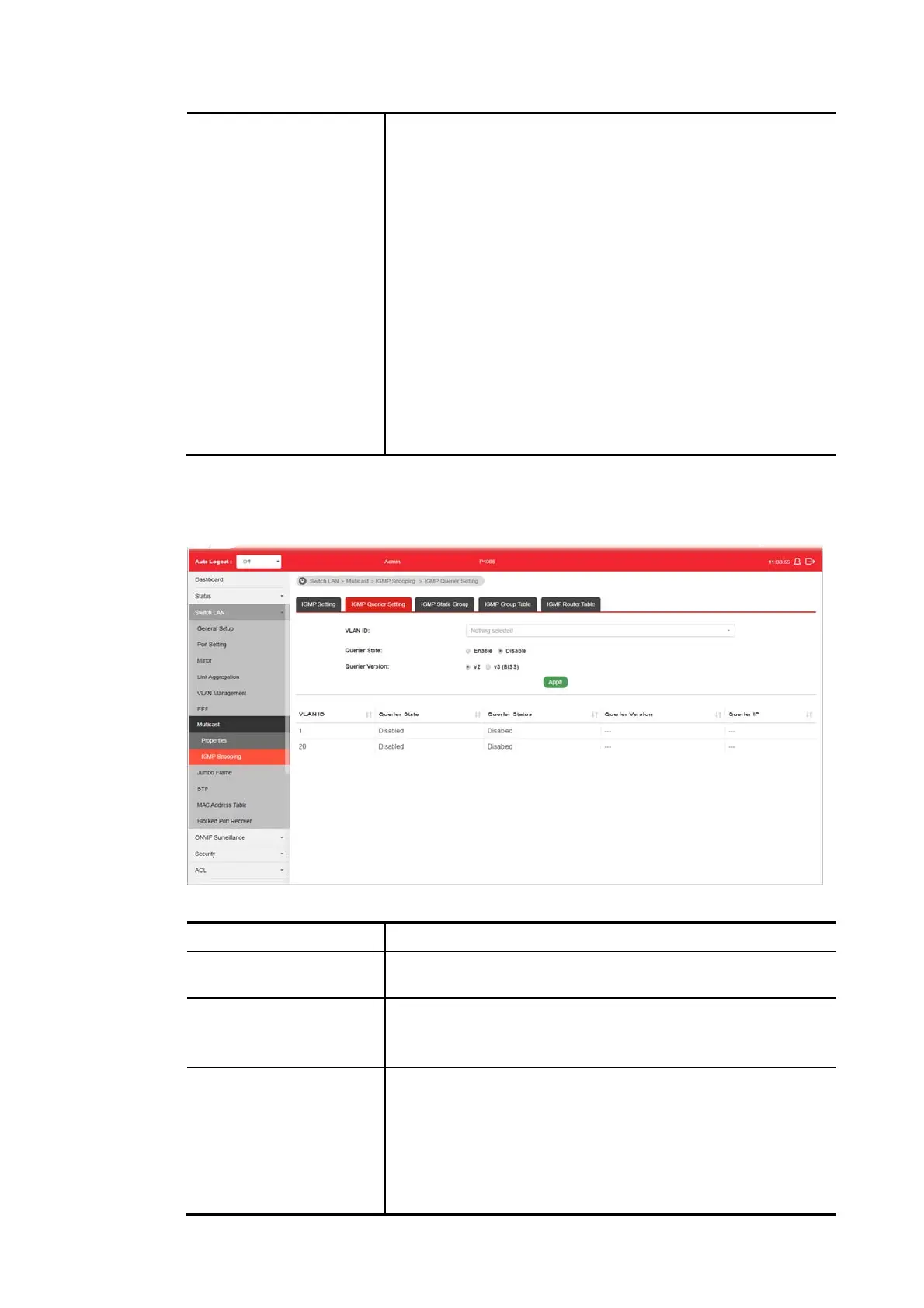
This page allows a user to configure querier settings on specific VLAN of IGMP Snooping.
Available settings are explained as follows:
Item Description
VLAN ID Use the drop down list to specify a VLAN profile as IGMP
Snooping querier.
Querier State Enable – Click Enable to set the enabling status of IGMP
Querier on the chosen VLAN profile.
Disable – Click it to disable the function.
Querier Version Set the query version of IGMP Querier Election on the chosen
VLANs.
v2 - Querier version 2.
v3 - Querier version 3.
Note: For maximum compatibility, it is suggested to use
querier version lower than IGMP snooping version, for there is
possibile network mixed with IGMP v2/v3 client and v2 query















 To Next Page