VigorSwitch P1085 User’s Guide
63
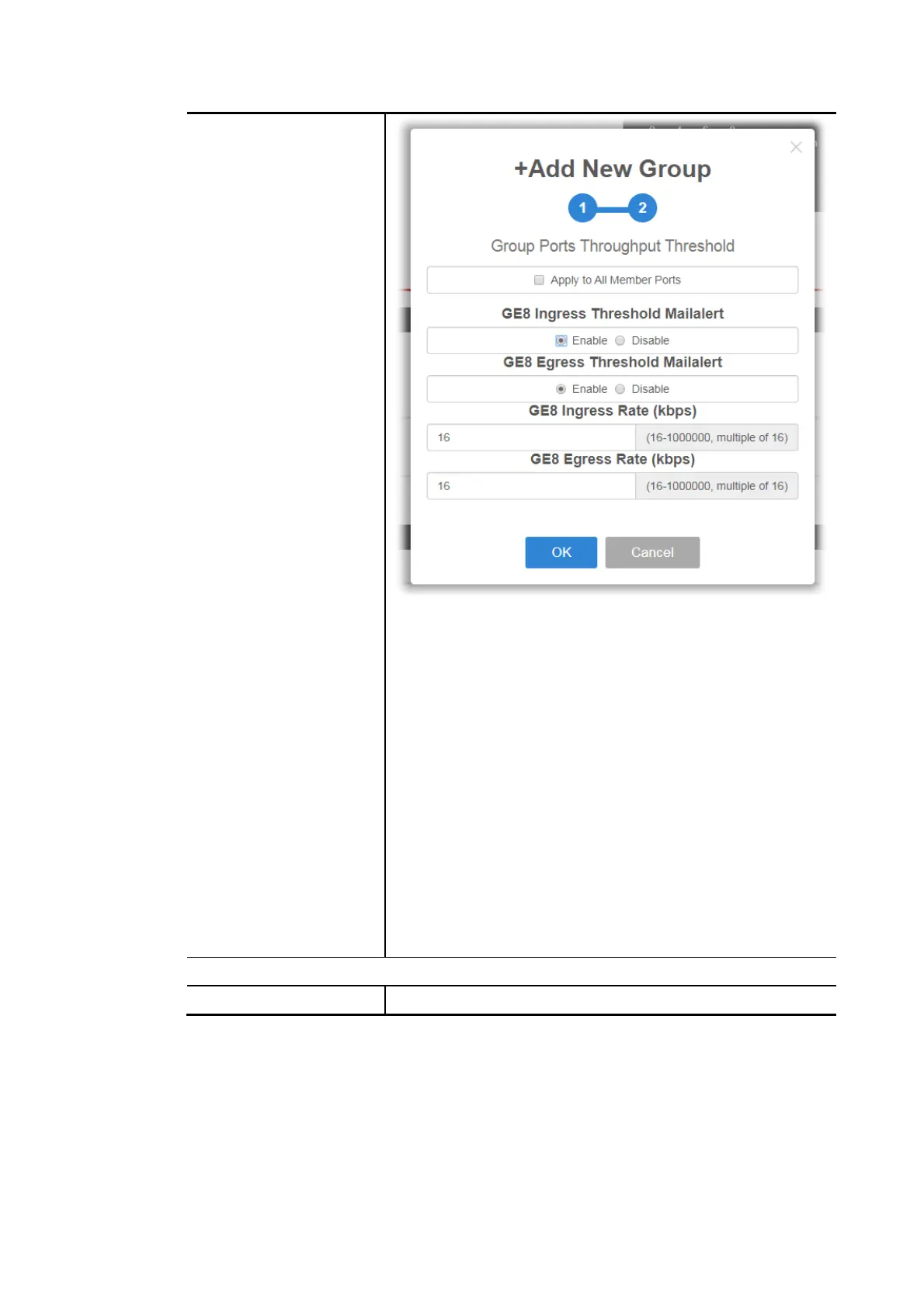
Apply to All Member Ports - Check the box to apply the
throughput threshold setting to all member ports.
GE# Ingress Threshold Mailalert - Click Enable to set the
ingress limit value. When the incoming traffic (packet) of
the GE port reaches the limit, the Vigor System will send
an alert email to the system administrator.
GE# Ingress Rate - If enabling the ingress threshold
alert, enter the ingress rate as a threshold to send
mail alert.
GE# Egress Threshold Mailalert - Click Enable to set the
egress limit value. When the outgoing traffic (packet) of
the GE port reaches the limit, the Vigor System will send
an alert email to the system administrator.
GE# Egress Rate - If enabling the egress threshold
alert, enter the egress rate as a threshold to send
mail alert.
OK - Save the configuration and exit the box.
Cancel - Exit the box without saving the configuration.
Device Information
Modify Click it to modify the settings of the selected IP device.















 To Next Page