EXT 1824G User’s Manual 4. Detector Component
EXT 1824G-UM-COM-EN-03 34
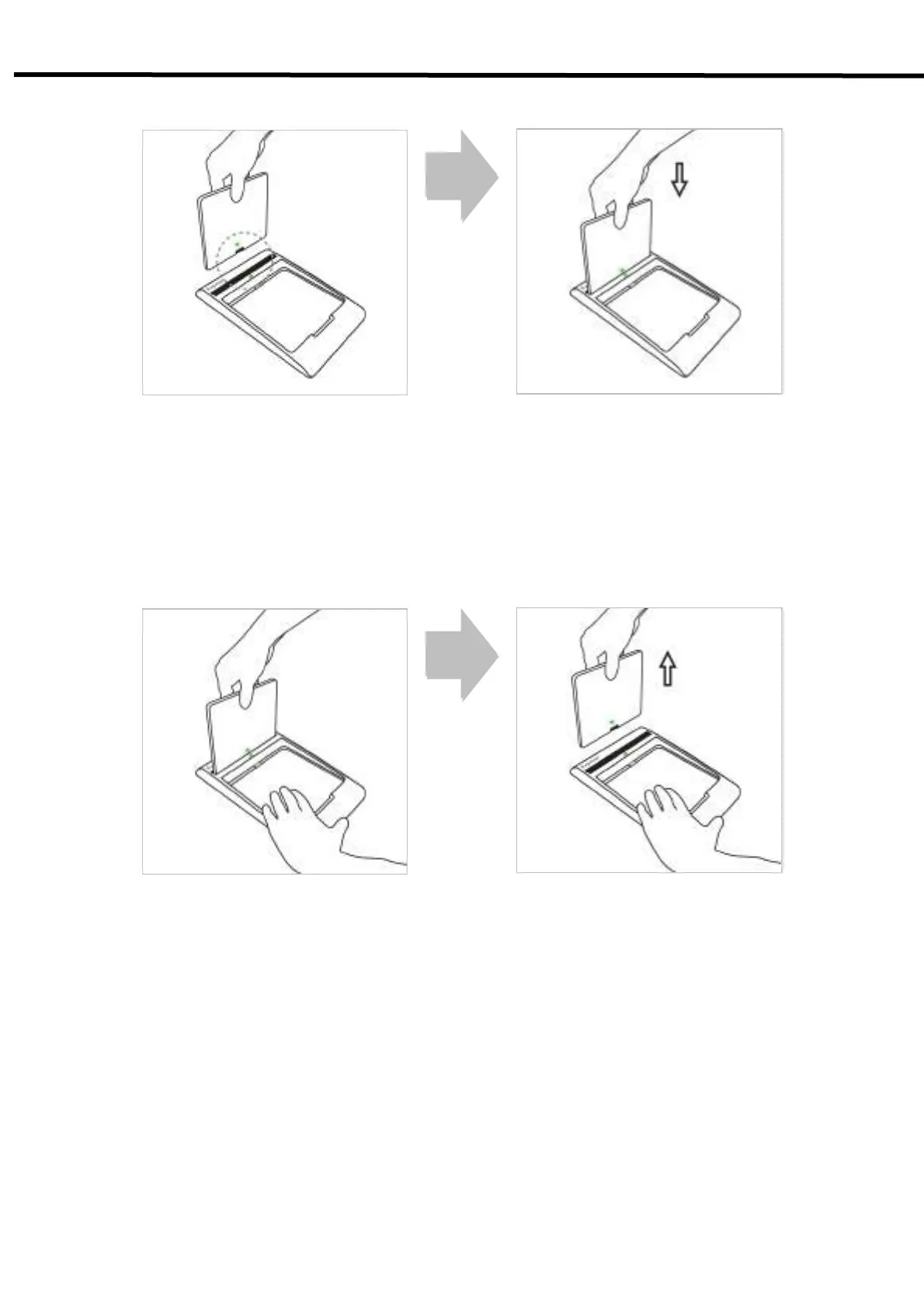
1) Attaching
1) Stand the battery pack up to reveal the battery charged connector.
2) Check the yellow-green arrows on the charger and bottom of the battery pack.
3) Align the left and right side of battery pack to the charger.
4) Push down the battery pack.
2) Detaching
1) Grab the battery pack.
2) Pull out the battery pack from the charger while holding the charger by the other hand.
5.2. Hardware Installation



 To Next Page