EXT 1824G User’s Manual 6. Image Acquisition
EXT 1824G-UM-COM-EN-03 53
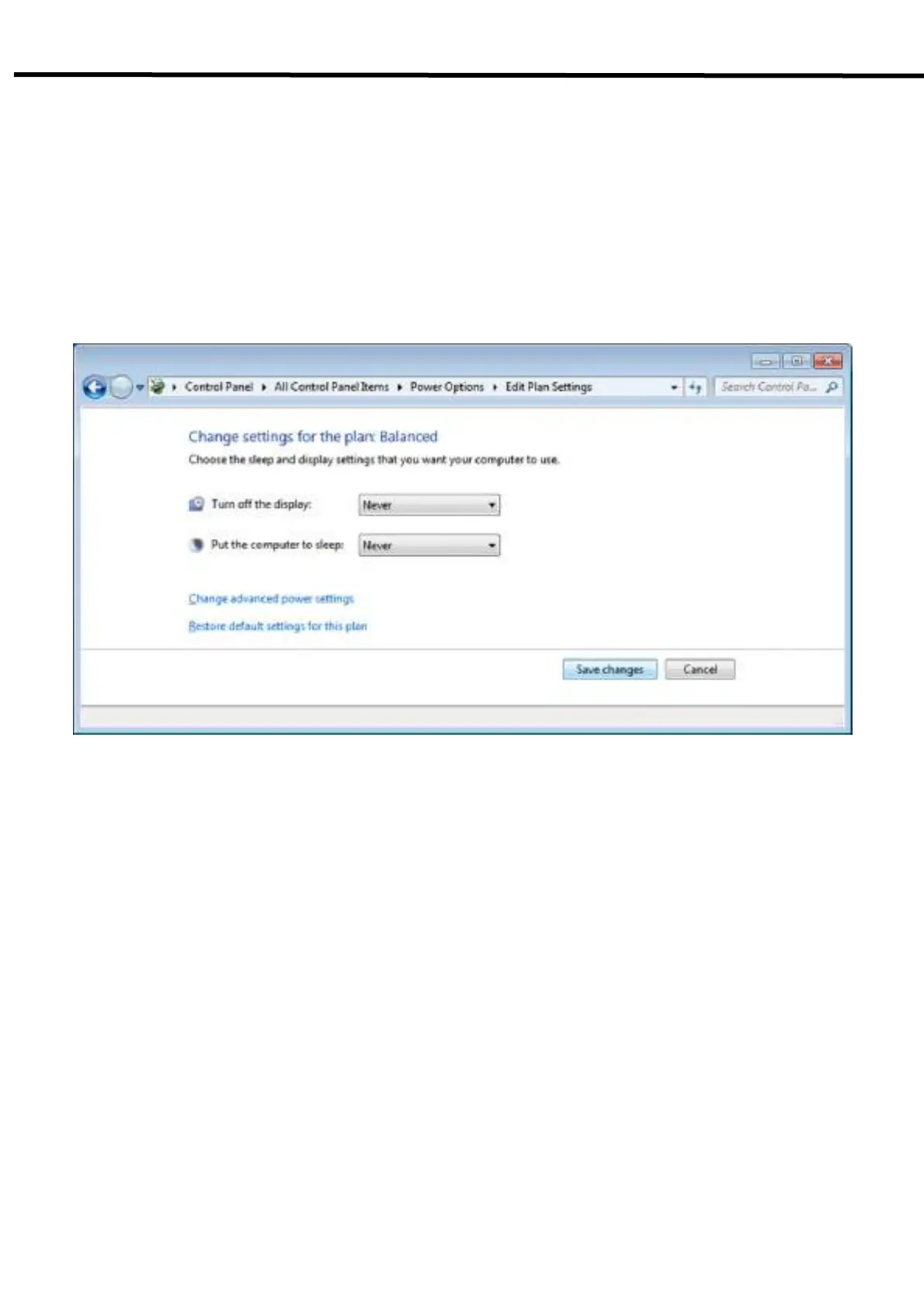
6.3.2. Disabling Sleep Mode on Monitor
1) Click Start → Control Panel → Power Options and then move to the Choose when to turn off the display
tab.
2) Set Put the computer to sleep to Never to disable the sleep mode.
3) Click Save changes button.



 To Next Page