EXT 1824G User’s Manual 6. Image Acquisition
EXT 1824G-UM-COM-EN-03 52
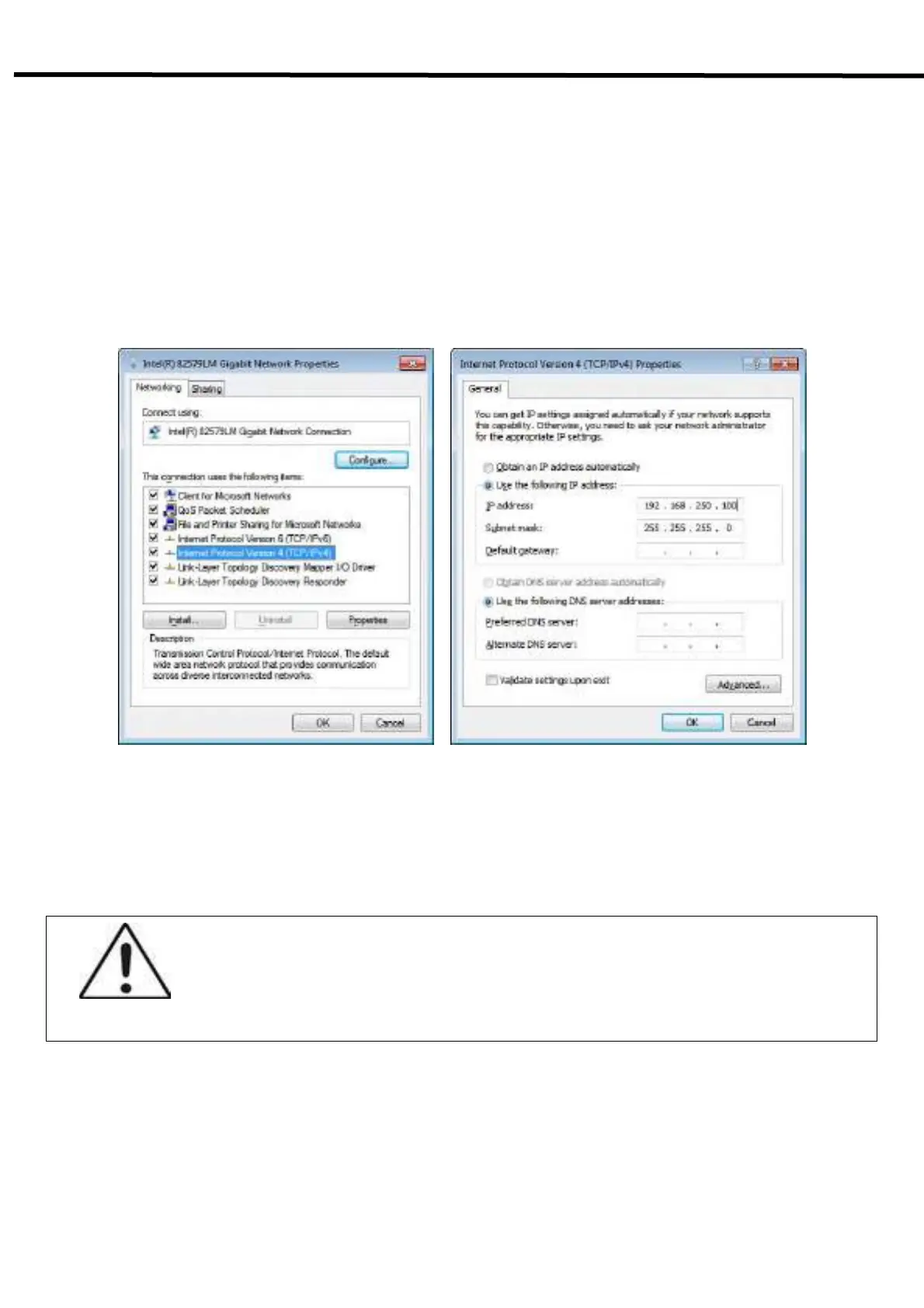
4) Protocol selection and IP address setting
- Click Properties button after selecting Internet Protocol Version 4 (TCP/IPv4).
- Input the IP address and subnet mask as shown below, and then click OK button.
IP address: 192.168.250.100 (For wired mode)
IP address: 192.168.250.101 (For wireless mode)
CAUTION
- It is recommended to set IP address and Subnet mask in the presented range of this
document.
- If you use IP address and Subnet mask out of the presented range, it would be difficult to
identify the cause or resolve in case of communication disorder.



 To Next Page