EasyManua.ls Logo

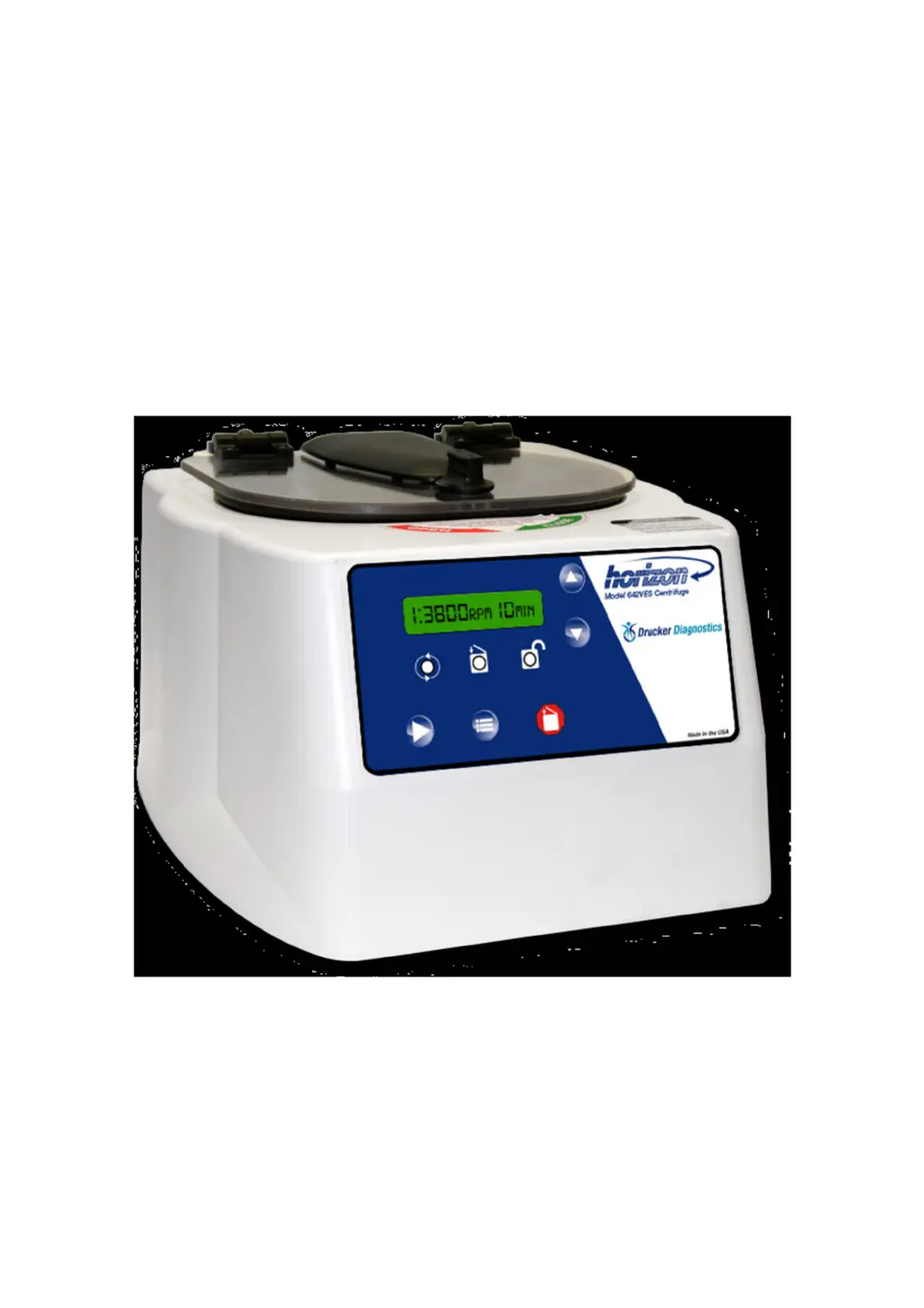
Drucker Diagnostics 642VES - User Manual

Drucker Diagnostics 642VES
26 pages
Print Icon
To Next Page IconTo Next Page
Loading...
1
Drucker Diagnostics
Innovative Solutions for a Healthier World
Drucker Diagnostics
Innovative Solutions for a Healthier World
Operator’s Manual
Model 642VES, 642VFD & 642VFD-
Plus • Laboratory Centrifuge
Bedienungsanleitung
Modell 642VES, 642VFD &
642VFD-Plus • Laborzentrifuge
P/N 03-0-0002-0096 Rev. G
P/N 03
-
0
-
0002
-
0096 Rev. G
(642VES Shown)
(Abbildung: 642VES)

Questions and Answers

  • W
    walkerbarrySep 2, 2025
    What to do if the yellow and green LED indicators are blinking with 4 short audible beeps on my Drucker Diagnostics 642VES?
    • L
      Linda WatsonSep 2, 2025
      This indicates the internal tachometer hasn't sensed a speed, the sensed speed is out of range, or the wrong rotor is installed. Verify the rotor being used is programmed correctly in the settings and reprogram the correct rotor selection if needed.
  • K
    Katherine LaraAug 31, 2025
    Why won't the latch light come on when I close the lid of my Drucker Diagnostics 642VES Laboratory Equipment?
    • A
      Annette ElliottAug 31, 2025
      If the latch light isn't illuminating, verify the unit has power and the lid latch is fully turned clockwise. The latch activates a switch under the cabinet's front top; if this switch isn't activated, the light won't turn on, and the machine won't run.
  • J
    Joshua RodriguezAug 29, 2025
    What to do if all LED indicators are blinking with 2 short audible beeps on my Drucker Diagnostics Laboratory Equipment?
    • M
      Melissa SparksAug 30, 2025
      This indicates the imbalance detection threshold was reached during the cycle, meaning a full cycle wasn't completed. Check the load balance. If the detection is too sensitive, the imbalance detection threshold can be adjusted in the programming settings.
  • W
    Whitney GreeneAug 28, 2025
    What to do if the yellow and red LED indicators are blinking with 3 short audible beeps on my Drucker Diagnostics 642VES?
    • K
      Kevin MorenoAug 28, 2025
      This indicates that the electrical current to the motor has exceeded the allowable limit, meaning a full cycle wasn't completed. Ensure nothing is obstructing the rotor's movement. If there are no obstructions, the motor might be damaged and require professional assistance.
  • J
    Jonathan RushAug 26, 2025
    Why is my Drucker Diagnostics 642VES Laboratory Equipment making excessive noise?
    • S
      Susan SmithAug 27, 2025
      Excessive noise could mean the load isn't balanced, something has fallen into the rotor chamber, or the nut in the rotor's center is loose. You should: * Check the load balance. * Inspect the rotor chamber. * Tighten the rotor nut. If the problem persists, a technician may need to test and replace the motor.
  • B
    bennettdavidAug 25, 2025
    Why is my Drucker Diagnostics Laboratory Equipment centrifuge not running?
    • J
      John Craig MDAug 25, 2025
      If your Drucker Diagnostics Laboratory Equipment centrifuge isn't running, start by checking the electrical outlet. Ensure the lid latch is fully turned clockwise to its stop position; the latch light on the control panel should illuminate. Also, inspect the circuit breaker switch at the bottom left of the machine. If the switch is white, the breaker has tripped, contact Drucker Diagnostics for further assistance. If these steps don't resolve the issue, the printed circuit board may be damaged, and a technician should test and replace it if necessary.
  • V
    Virginia WolfAug 22, 2025
    Why does the Drucker Diagnostics 642VES Laboratory Equipment centrifuge cycle stop prematurely and the yellow LED indicator is blinking?
    • W
      wcastroAug 22, 2025
      This indicates the lid isn't properly latched, and the cycle is paused. Turn the knob clockwise to re-latch the lid and resume the cycle. If it doesn't resume, even with the knob fully turned, further assistance is needed.

Summary

Model Description

Intended Use

Supplied Equipment

Features

Specifications

Permitted Environmental Conditions

Setup Location

Initial Setup Procedure

Programming Memory Locations for 642 VES

Verifying Settings for 642 VFD and 642 VFD-Plus

Programming Settings for 642 VFD and 642 VFD-Plus

Operation

Balanced Loads

Rotor Removal, Installation, and Selection

Rotor Removal

Steps to safely detach the rotor from the centrifuge's cone-shaped adapter.

Rotor Installation

Procedure for securely mounting a rotor onto the centrifuge's cone-shaped adapter.

Rotor Selection

Process for choosing and programming the correct rotor type for the centrifuge.

Care and Preventative Maintenance

Cleaning and Disinfection

Troubleshooting

Calibration Testing

Transportation

Repaired Units

Safety - Lid Safety Switch

Lid Safety Interlock System

Emergency Rotor Chamber Entry

4 A Resettable Circuit Breaker

Available Accessories

WEEE Disposal Instructions

Warranty

Drucker Diagnostics 642VES Specifications

General IconGeneral
TypeCentrifuge
Maximum Speed3, 900 RPM
Maximum RCF2, 000 x g
Frequency50/60 Hz
ApplicationLaboratory
Timer1-99 min

Related product manuals