SLICE User’s Manual support@dtsweb.com
Version 1.0 - May 2010 29 ©DTS, Inc. - All Rights Reserved
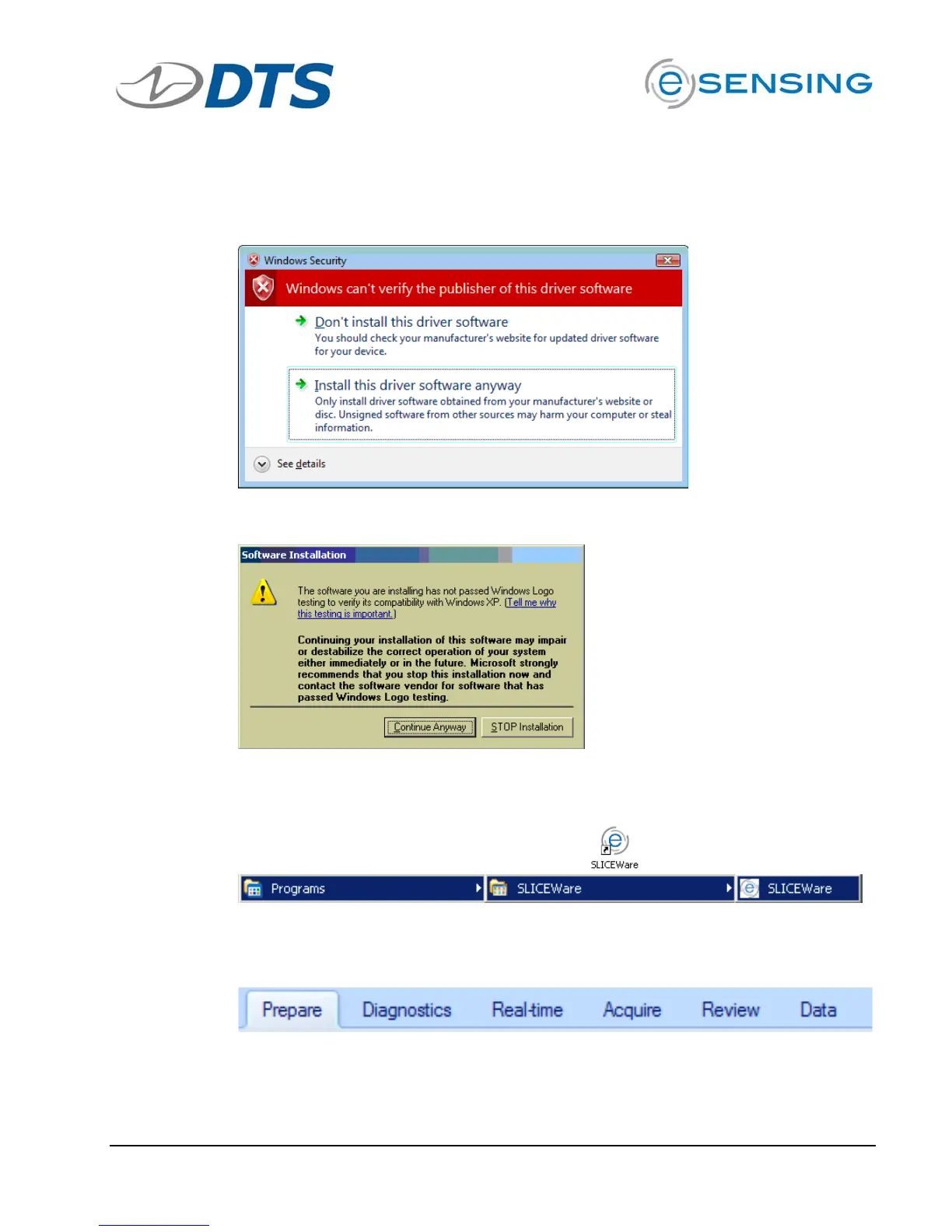
You must allow the driver to be installed. You may see these screens:
For Windows
®
Vista, click to “Install this driver software anyway.”
For Windows
®
XP, click “Continue Anyway.”
Note: Windows
®
will ask you to reinstall the hardware driver each time you
connect the SLICE stack to a different USB port.
To start SLICEWare, either double-click the
icon or go to:
5.3.2. Menu Descriptions
Click Prepare tab …
This tab identifies the relationship between available sensors and the
attached SLICE units. Sensor information can be added, removed, viewed,
edited or assigned to channels on connected data acquisition hardware.


 To Next Page