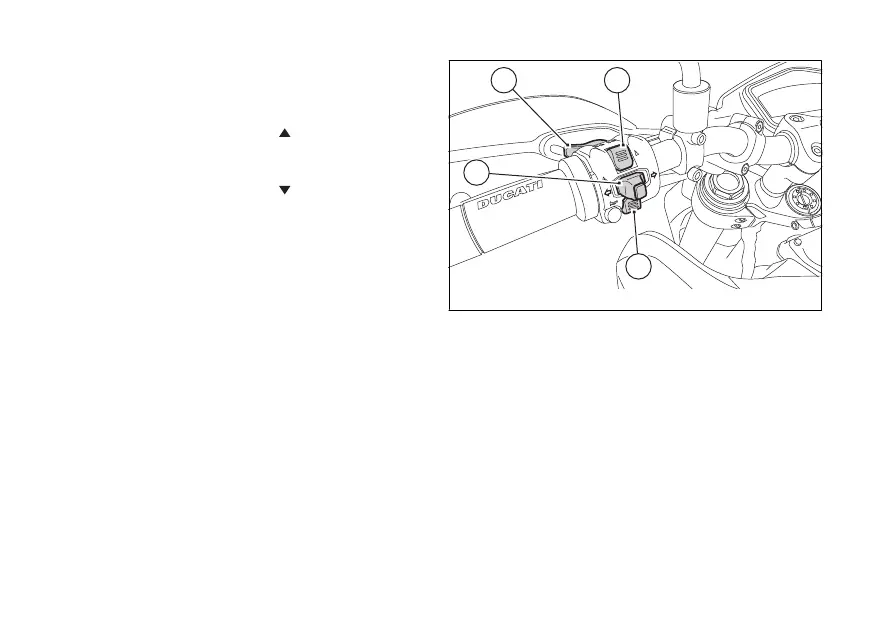
Function buttons
1) CONTROL BUTTON
Button used to display and set instrument panel
parameters with the position " ".
2) CONTROL BUTTON
Button used to display and set instrument panel
parameters with the position " ".
3) HIGH-BEAM FLASH BUTTON (FLASH)
The high-beam flash button may also be used for LAP
functions.
4) TURN INDICATORS CANCEL BUTTON
The turn indicators on/off button may also be used for
navigating through the MENU and for activating the
"Riding Mode".
Press this button for 3 seconds to the left to activate
the Hazard lights.
Fig. 4
27





 To Next Page