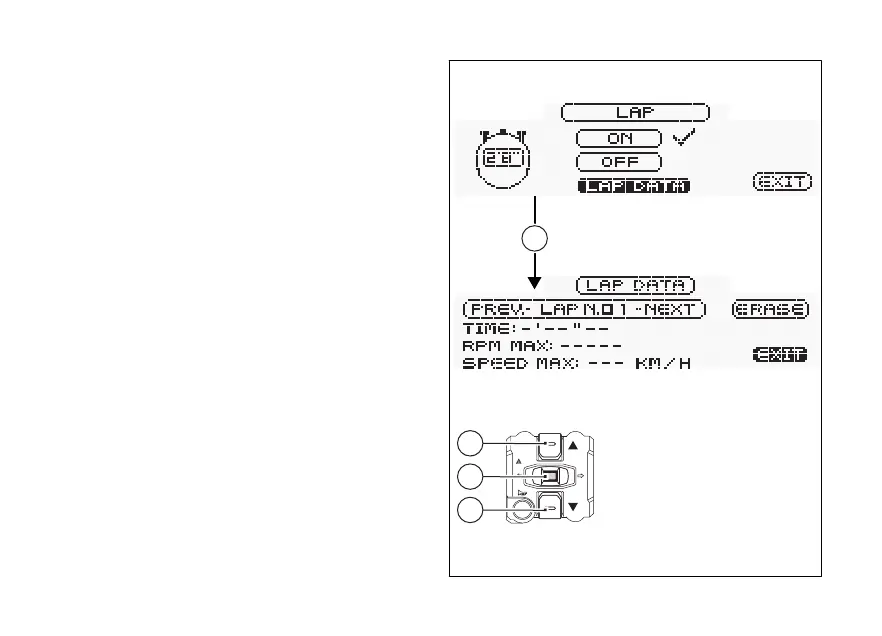
Lap Timer (LAP): view of stored LAPs
This function allows displaying recorded LAPs. To
display the function, enter the setting menu and
access the LAP page. Inside the page use buttons (1)
and (2) to select "LAP DATA" and press button (4).
The information will be displayed as follows:
- number of displayed lap (e.g.: no.1);
- NEXT to display the next LAP;
- ERASE to delete all the stored times;
- TIME: followed by the lap time (e.g.: 1’50’’97);
- RPM MAX: the number of maximum engine
RPM reached in the recorded LAP;
- SPEED MAX: the maximum speed reached in the
recorded LAP.
To quit, highlight "EXIT" and press button (4).
Fig. 49
94









 To Next Page