64
○○○○○○○○○○○○○○○○○○○○○○○○○○○○○○○○○○○○○○○○○○○○○○○○○○○○○○○○○○
Turn on the machine.
○○○○○○○○○○○○○○○○○○○○○○○○○○○○○○○○○
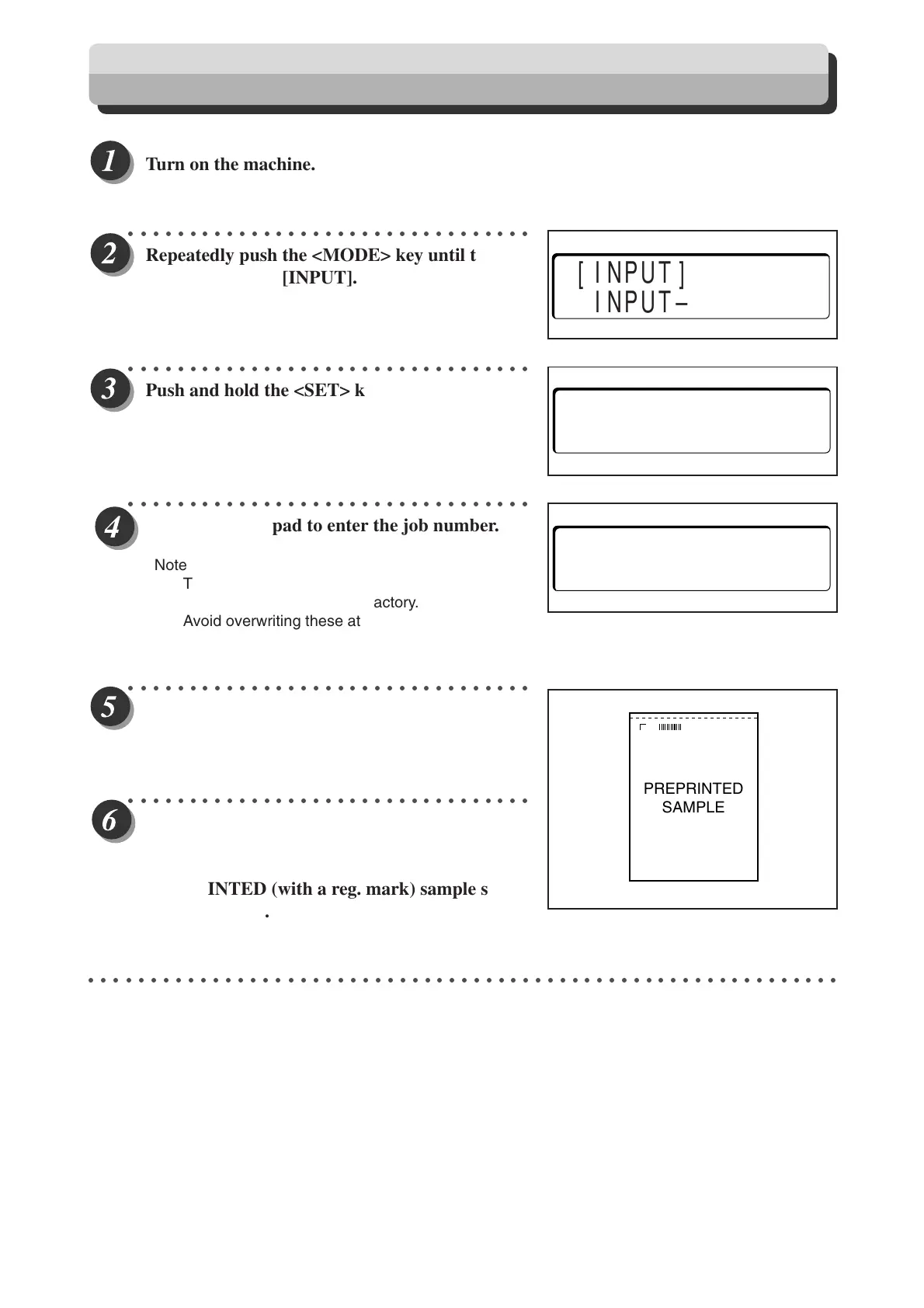
Repeatedly push the <MODE> key until the
display indicates [INPUT].
○○○○○○○○○○○○○○○○○○○○○○○○○○○○○○○○○
Push and hold the <SET> key until the display
appears as shown on the right.
○○○○○○○○○○○○○○○○○○○○○○○○○○○○○○○○○
Use the ten-key pad to enter the job number.
Note
The numbers 1- to 21 and 72 to 80 are registered
as pre-set programs at the factory.
Avoid overwriting these at all costs.
○○○○○○○○○○○○○○○○○○○○○○○○○○○○○○○○○
Press the <SET> key.
○○○○○○○○○○○○○○○○○○○○○○○○○○○○○○○○○
Perform this step if there is a reg. mark, other-
wise press the <SET> key until LEFT SL is
displayed then proceed to step 14. Place a
PREPRINTED (with a reg. mark) sample sheet
in the feed tray.
○○○○○○○○○○○○○○○○○○○○○○○○○○○○○○○○○○○○○○○○○○○○○○○○○○○○○○○○○○○○○
PREPRINTED
SAMPLE
[INPUT]
INPUT––>SET
P–01? (01––80)
OK?––>SET
P–52? (01––80)
OK?––>SET
How to Manually Program a Job
Docu Cutter(HCEX) 5_53-69 03.12.8, 3:11 PM64



 To Next Page