47
6
2
1
4
Troubleshooting - DC545 HCEX
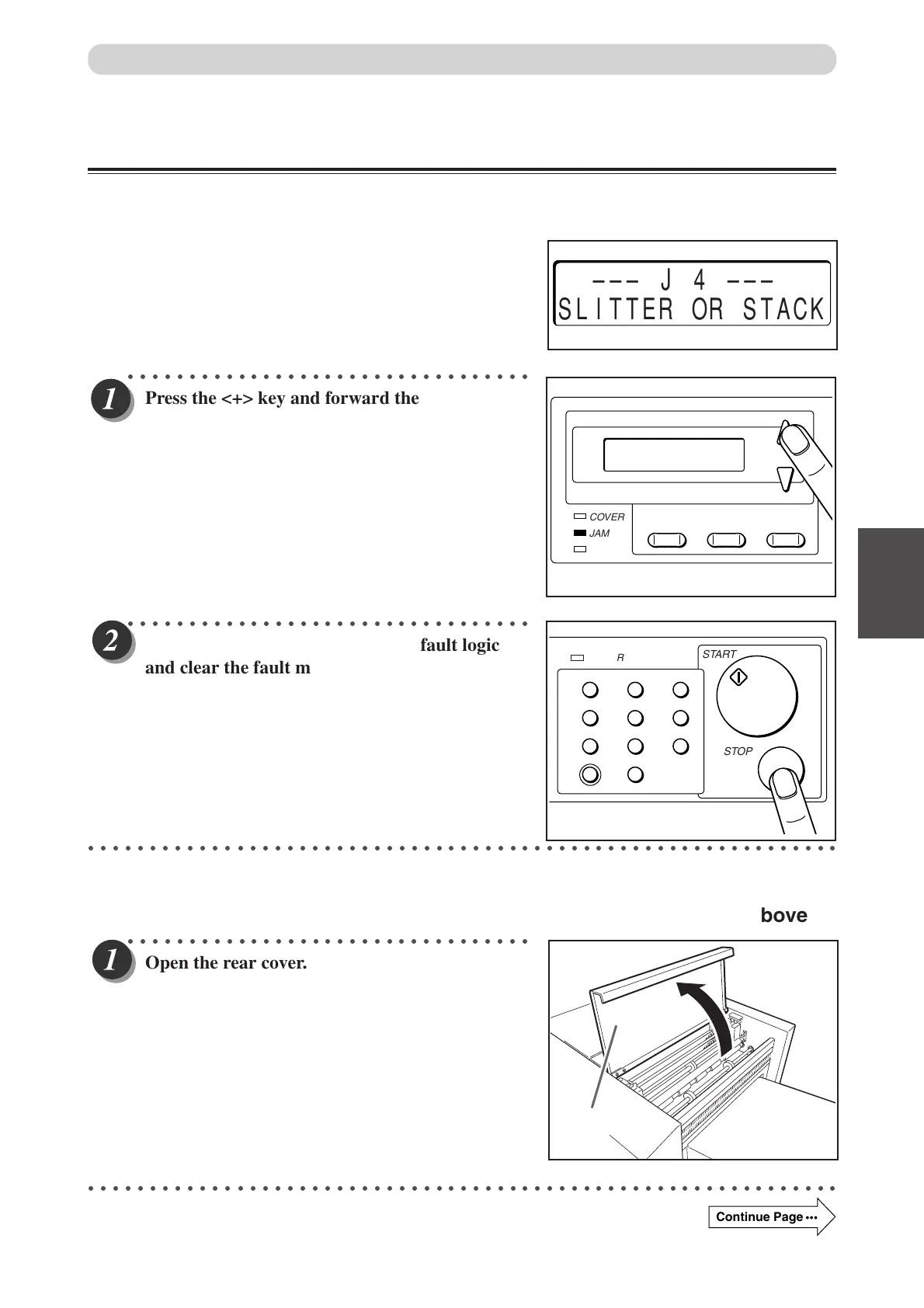
When “SLITTER JAM” is Displayed
If a paper jam has occurred in the machine (rear), “SLITTER JAM” is displayed on the LCD panel and the
JAM lamp blinks.
Remove the jammed document with the following procedure.
○○○○○○○○○○○○○○○○○○○○○○○○○○○○○○○○○
Press the <+> key and forward the jammed
document to the paper tray side.
○○○○○○○○○○○○○○○○○○○○○○○○○○○○○○○○○
Press the <STOP> key to reset the fault logic
and clear the fault message.
○○○○○○○○○○○○○○○○○○○○○○○○○○○○○○○○○○○○○○○○○○○○○○○○○○○○○○○○○○○○○
■ If the document cannot be removed with the procedure mentioned above
○○○○○○○○○○○○○○○○○○○○○○○○○○○○○○○○○
Open the rear cover.
○○○○○○○○○○○○○○○○○○○○○○○○○○○○○○○○○○○○○○○○○○○○○○○○○○○○○○○○○○○○○
––– J 4 –––
SLITTER OR STACK
COVER
JAM
F
PAPER
MODE SET
+
–
Rear cover
When a Paper Jam Has Occurred
1
4
7
C
2
5
8
0
3
6
9
POWER
START
STOP
Continue Page
•••
Docu Cutter(HCEX) 4_30-52 03.12.8, 3:10 PM47



 To Next Page